5 Tips for Clear Communication in Noisy Offices

Offices today, many of which are open, are the hub of activity, where collaboration and innovation thrive. But amidst the energy and all that collaboration, a subtle enemy lurks: the many, and varied sounds of background noise. From the sounds of office machines working in the background to coworkers chatting, this constant hum of noise can easily become a productivity killer, dulling focus and hindering communication. And if you work in one of these open offices, you probably know how fertile the ground is for noise to flourish.

The Ripple Effect of Noise:

While the open-plan layout championing collaboration may inadvertently overlook the crucial factor of sound, the negative impact of office noise extends far beyond mere annoyance. It affects everyone from those seeking solitude for focused attention, to those on business voice and video calls. Noise doesn’t discriminate because it’s an equal opportunity concentration killer. And the disruptions can have a notable impact.

The ramifications of noise is far-reaching:

  • Miscommunication and Errors: Distorted words and disrupted comprehension lead to misunderstandings and project errors.
  • Reduced Clarity and Impact: Muffled voices and competing sounds make it difficult to deliver messages convincingly and leave a lasting impression. When you’re not heard clearly and consistently, you probably won’t be understood well. 
  • Loss of Focus and Productivity: Constant noise drains mental energy, hinders concentration, and slows down work pace. When you’re facing deadlines, or wanting to do your best work, noise represents a barrier to being your most productive self. 
  • Increased Stress and Frustration: The struggle to be heard and understood fuels tension and diminishes employee morale. Increased tension can lead to physical and psychological issues, and leave workers feeling frustrated and fatigued.

Beyond the Device:

It’s important to remember that the impact of noise isn’t limited to specific devices. Whether it’s a speakerphone blasting a call across the room, computer or smartphone speakers adding to the fray, or a poorly positioned conference phone creating distracting sounds, the overall office environment plays a significant role. So when you take into account all the different noises that are created by the different devices used within an office, it’s easy to see that it can sound like a poorly constructed symphony eating away at you. And that’s just the devices at our fingertips. Add to that, the sounds of office machines, HVAC systems, elevators, doors, chatter, traffic noise and more, and you can have audio chaos for the ages.

Seeking Harmony in the Chaos:

woman putting on a headset smiling.

Fortunately, there are ways to navigate the distractions of office noise and reclaim clarity:

  • Embrace Noise-Canceling Technology: Investing in quality headsets or earphones with noise canceling microphones, and if available, Active Noise Cancellation (ANC) feature which can significantly improve call quality and focus. Noise canceling microphones give your callers a quieter experience, where ANC is designed to give the person wearing the headset a tool to fight their noise. Noise canceling microphones, and ANC vary in their effectiveness from brand to brand, but if you have the choice, choose both. One great option is the Orosound Tilde Pro.
  • Utilize Dedicated Communication Spaces: Soundproofed conference rooms offer a haven for confidential calls and critical meetings, ensuring privacy and optimal clarity. And if you don’t have a conference room to use, try establishing a quiet zone for purposes of giving workers a quiet place to go whenever they’re needing a quieter place to work, or use for voice and video calls.
  • Promote Noise Awareness: Encourage office etiquette surrounding noise generating device usage, voice volume, and mindful noise generation overall to create a more considerate environment.
  • Invest in Sound Solutions: Acoustic panels, carpets, and white noise machines can absorb and dampen ambient noise, creating a calmer, more call friendly atmosphere.
  • Embrace Technology Solutions: Explore software like neep AI noise canceling software, which eliminates noise from both sides of calls, ensuring crystal-clear communication regardless of the office environment. It also isolates your voice from others, and enhances it which allows you to be heard, and understood. Neep allows you to use your normal devices too, so you don’t have to spend money on hardware to take advantage of neep’s professional features. You can try neep for free, or learn more by going here.

And for the ultimate in noise elimination, combine neep AI noise canceling software with an Orosound Tilde Pro professional Bluetooth wireless headset. The headset has a noise canceling microphone for filtering background noise, and it comes with variable Active Noise Cancellation and ear cups that fully encircle the ear. When you tackle noise with the Tilde Pro and neep software, noise doesn’t stand a chance.

Working To Create The Sound Of Success:

By acknowledging the detrimental effects of office noise and implementing proactive measures, we can create an office environment where communication thrives, and productivity is optimized. Imagine a workday where every phone call is crisp, every presentation impactful, and every conversation stress-free, heard and understood. This is the promise of a noise-optimized office, where productivity soars and clarity reigns supreme.

Taking the First Step:

Don’t let office noise steal your productivity, your focus, your health and well-being, and even your sanity. Start your journey right now, this very minute, towards a quieter, more productive and effective workday by implementing these tips. Remember, a peaceful office is a productive office, and with a little effort, we can all enjoy the success that comes with having a better, and quieter place to work.

Have questions, or need some help?

Customer support Agent

If you have questions about how to remove noise in your office, or need a headset recommendation? reach out to us at Headset Advisor, and one of our helpful Advisors will be glad to assist you. We’ve been helping customers since 1994, and I’m sure we can help you too. Our Advisors will carefully listen to you to understand your needs, and then tailor a solution that’s guaranteed to be compatible. So don’t feel like there’s no help available, because we’re here to help, and just a phone call, or mouse click away.

Silence the Buzz: Strategies for Crystal-Clear Communication in Noisy Offices

In the typical office, there’s the constant hum of activity in the background, and many of those sounds aren’t welcomed especially if you happen to be on important voice or video calls.This is particularly pronounced for those reliant on communication devices with microphones, such as speakerphones, headsets, and conference phones. In this blog, I’ll delve into the multifaceted challenges that noise poses, uncovering the annoyances, productivity pitfalls, and the potential health implications. I’ll also provide some solutions that can help eliminate noise from your calls, no matter what device you use to make your calls. First, the negative impact of noise in the office.

The Annoyances of Office Noise

1. Distracting Conversations:

Imagine participating in a crucial conference call while your colleagues engage in animated discussions nearby. Maybe you don’t have to imagine this, because perhaps this is one of your daily challenges. The distraction posed by these background conversations can turn what should be a focused and productive meeting into a challenging exercise in concentration. What you may end up with is a call that requires your split concentration; partly concentrating on the call, and partly concentrating on the noises in your background. That places a drag on your productivity, and efficiency.

2. Unwanted Interruptions:

For those using speakerphones or headsets, unexpected noise from the surroundings can lead to interruptions that disrupt the flow of conversation. Whether it’s the ringing of a nearby phone or the sounds of office equipment, these interruptions can be both frustrating and counterproductive. Communication hardware, like many technologies, is advancing, and with those advancements have come better noise reduction features. However, not all of these devices are equipped with noise canceling features, which leaves you vulnerable to the noise around you.

Loss of Productivity

1. Reduced Concentration:

The challenges posed by office noise can significantly impact concentration levels during phone or video calls. Maintaining focus becomes a constant struggle, leading to diminished productivity and the potential for critical details to be overlooked.

2. Employee Frustration

Studies show that distracting background noise is one of the leading causes of worker frustration. Noise can come from many sources, and it’s not always an easy thing to fix. Noise can come from a freeway nearby. It can also come from a rooftop mounted HVAC system, or the constant sounds of nearby elevators and automatic doors. Many of these sounds can’t be eliminated, which adds to the challenge. And when noise is left unaddressed, it can lead to worker dissatisfaction, and even turnover.

3. Extended Meeting Times:

Coping with noise-related distractions often results in longer meeting durations. What could have been a concise and efficient discussion becomes extended as participants navigate through interruptions and repeated clarifications.

4. Increased Error Rates:

The heightened stress and cognitive load induced by noise contribute to higher error rates in communication. Misunderstandings, missed cues, and inaccuracies become more prevalent, impacting the overall quality of work.

The Health Implications of Office Noise

1. Elevated Stress Levels:

Constant exposure to disruptive noise in the office can lead to elevated stress levels. For individuals relying on communication devices, this stress is compounded during important conversations, potentially affecting their overall well-being. The constant sound of noise can lead to a number of different physical, and psychological health issues. In this article  by Corporate Wellness, it details some of these.

2. Fatigue and Burnout:

Coping with the challenges of office noise can lead to mental fatigue and burnout. Professionals find themselves drained by the end of the day, impacting their ability to sustain high levels of performance.

3. Communication Strain:

Struggling to communicate in a noisy environment places strain on individuals, both physically and mentally. This strain can manifest in vocal fatigue, increased frustration, and a diminished sense of job satisfaction. 

With the pandemic in our review view mirror, there’s a push to have employees return to work in the office. That’s being met with hesitation, and skepticism because many are worried about the impact of noise and their ability to concentrate. Here’s an article by Fast Company, written by Jennifer Alsever that talks about this. You might find it interesting. 

Overcoming Challenges with Innovative Solutions

colorful graphic depicting technology

1. Noise-Canceling Technology:

One innovative solution that holds promise in overcoming the challenges of office noise is the integration of noise-canceling technology in communication devices. Devices equipped with advanced noise-canceling features can intelligently filter out unwanted background sounds, preserving the clarity of communication.

Noise cancellation generally falls into two categories; passive noise canceling, and active noise canceling. Passive speaks to non-tech modalities such as physical barriers to noise. An example of this is when wearing headphones that have ear speakers that fully encircle the ears, those ear cups serve as a noise barrier.

Active noise canceling generally includes things that involve technology. Headsets that feature noise canceling microphones for room noise filtering, or Active Noise Cancellation (ANC) that counters incoming noise with technology designed to produce anti-noise, effectively canceling it out. Noise canceling microphones provide a quieter experience for those you’re speaking to. Active Noise Cancellation provides the speaker with a quieter experience.

If you’d like to read an article on this subject, here’s an article written by Derek Phillips that appeared in ElectronicDesign that discusses it.

And if you’re looking for a professional grade business headset that covers both ears (passive noise cancellation), as well as has the electronic feature of Active Noise Cancellation, and a noise canceling microphone, then you might be interested in the Orosound Tilde Pro Bluetooth wireless headset. And when you use the Tilde Pro in combination with neep AI noise canceling software discussed below, you have more than a 1,2 punch; you have a noise knockout!

2. Adaptive Audio Algorithms:

Communication devices with adaptive audio algorithms can dynamically adjust to the surrounding environment. These algorithms analyze incoming sound data and apply real-time adjustments to ensure that the user’s voice remains clear and free from the interference of background noise.

A few examples of devices that use this technology include:

  • Headsets and headphones
  • Mobile phones
  • Smart speakers
  • Televisions
  • Speech recognition software
  • Hearing Aids

3. Personalized Settings:

Empowering users with personalized settings allows them to tailor their communication devices to their unique preferences. Customizable noise-canceling profiles, sensitivity adjustments, and adaptive features put control back in the hands of the user, ensuring a more comfortable and effective communication experience. This may require the approval from IT, but well worth it. Pushing out the same audio profile across an enterprise may not be the best solution, because everyone is unique and has different audio requirements.

4. Software App that eliminates noise:

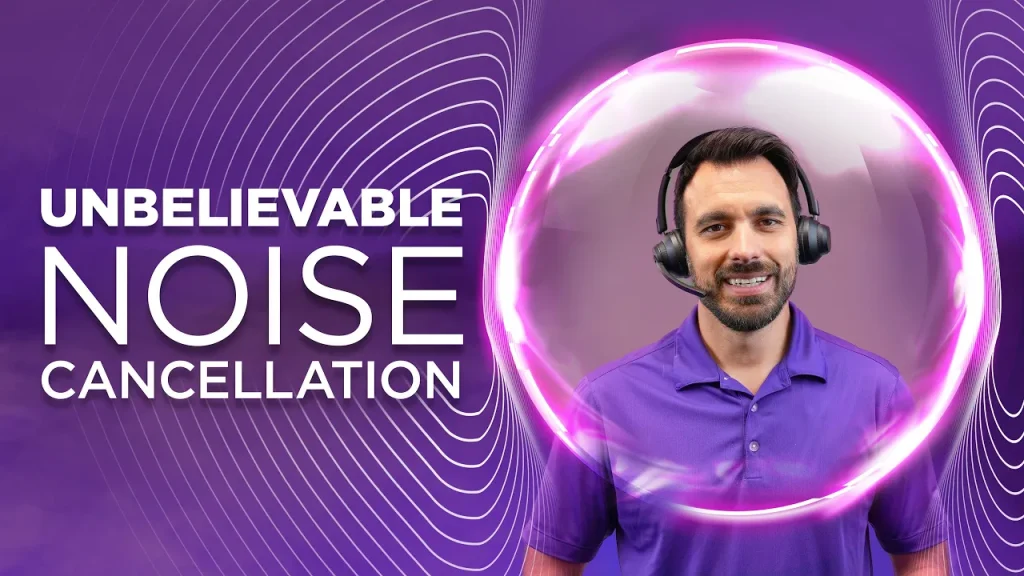
image of man with imaginary bubble around his head which promotes noise canceling software

Emerging as a new solution to the age-old problem of distracting office noise is software. In particular, neep AI software that’s a real game changer, and comes with an array of impressive features:

Noise reduction

We all want to hear our callers, and have them hear us without the distraction of background noise, and without the need to repeat ourselves. Neep AI software not only removes your noise, but it removes the noise stemming from your callers background too. That gives you the assurance that noise will no longer be a problem for you and your callers. So if you’re on a softphone call, or having a video meeting, neep AI software will clean up the noise and leave you with a crystal clear call.

Voice enhancement

Neep AI software will isolate your voice from other voices, and in doing so, it will enhance your voice making it sharper, and clearer to your listeners. Clarity of communication leads to better understanding which can lead to a more productive call.

Personalized control

Neep AI Software allows you to customize your sound preferences by giving you access to different noise profiles, and intensity levels, so you can dial it up, or down to meet your personal needs.

Works on any device

There’s no need to buy expensive hardware to take advantage of neep’s features. So if you have a favorite device that you prefer using, you’re able to use that, while capturing the many features offered by neep. Even if your device doesn’t remove room noise, neep will be working intelligently in the background to give you, and your callers a better experience. Softphone call, or video meeting, either way, neep has you covered.

Better Audio for voice and video projects

If you do a podcast, or record video content, neep AI software will work on those projects to enhance your voice so it’s sharp and clear. That means you won’t need to use or acquire additional software to get a better sound. With neep you’ll sound great on all your voice and video projects.

Voice profiles for a dash of fun

If you’re a kid at heart, neep AI software fits right in. Within the application you can select from a variety of voice profiles to change how you sound. So if you want to have some fun with coworkers, and mix it up while gaming, use neep AI software to sprinkle in a dash of fun.

To learn more about neep AI software, or to try it out for free, click here.

THE WRAP: Harmonizing Communication Amidst the Noise

woman putting on a headset smiling.

In the ebb and flow of office life, the challenges posed by noise are ever-present. From distracting conversations to the subtle annoyances that disrupt our workflow, the impact of office noise reaches far beyond the surface inconveniences. It infiltrates our productivity, heightens stress levels, and even threatens our overall well-being.

However, as we navigate the complexities of the modern workplace, innovative solutions are continuing to emerge to help improve our communication by working to silence the noise. Noise-canceling technology, adaptive audio algorithms, and intelligent noise canceling software offer the possibilities of a solution to the age-old problem of noise in the workplace. Distractions are costly to every business, and they’re also costly to the individual.

In the pursuit of a better, quieter communication experience, professionals should recognize the transformative potential of these innovations, seek out these solutions, and embrace the technology. By addressing the challenges posed by office noise head-on, we can all reclaim our productivity, reduce stress, and foster a healthier work environment. 

Have questions, or need some help?

Customer support Agent

Headset Advisor has been assisting customers since 1994. We have a lot of experience, and a lot of answers. So don’t feel like you’re alone in your search for solutions to your communication challenges. Contact us today and one of our friendly, knowledgeable and helpful Advisors will be glad to assist. 

Embrace Clarity: 2024 New Year Resolution with neep Software

Welcome to 2024, and as we usher in the promises of a new year, resolutions often revolve around self-improvement, personal growth, and enhanced well-being. Why not be different this year and go against the crowd in 2024 by considering a resolution that transcends the traditional – one that not only elevates your daily work experiences, but also transforms the way you communicate.  

Why not ring in the new year by committing to having crystal clear voice and video calls in 2024, without all the distracting background noise? In the past, when you’ve been on business calls, you’ve probably been annoyed by some of the sounds in your background. For many, it’s the sound of coworkers, or if you work at home, it might be the sounds of children or the family pet.

Maybe your callers have commented about your noise, or have asked you to repeat yourself because they struggle to hear you. You’ve probably even wondered what you can do about your noise problem, because the truth is, noise is a problem when you’re on business calls.

 In 2024 resolve to eliminate noise, no matter what audio device you’re using, by putting to work the best noise canceling software for microphone, neep AI noise canceling software. Because if noise is your problem, I’m here to say that neep is your solution.

neep Software: voice clarity personified

In the realm of communication, the impact of background noise is profound. Whether you’re working in a busy office, a crowded cafe, or navigating the challenges of remote work, unwanted noise can hinder productivity and strain relationships. It can even be bad for your health and well-being. Check out this article that talks about this, and the internet is full of similar discussions on the subject.

Noise is annoying. Noise bothers your callers. Noise puts a drag on worker productivity, and noise is bad for your health. So doesn’t it make sense to address this problem once and for all?

neep Removes Noise from Both Ends

One of the standout features of neep Software is its unique ability to remove noise from both ends of a conversation. Traditional noise-canceling solutions often focus on the listener’s experience, leaving the speaker grappling with background distractions. neep’s advanced technology ensures that both the speaker and the listener enjoy crystal-clear communication, unburdened by the interference of surrounding noise. What you both get is a clear, noise free, more productive call which makes for a better audio experience.

Voice Separation and Enhancement

neep Software takes clarity to the next level by not only removing unwanted noise but also intelligently separating your voice from other voices in the environment. Imagine a conference call where each participant’s voice is distinct and easily discernible, fostering more effective communication. What’s more, neep enhances your voice, ensuring that your message is not only heard but truly understood. neep is sophisticated software that takes advantage of the latest AI technology which delivers unrivaled speech clarity, and noise free communication.

Elevating Your Projects: neep’s Audio Enhancement Mastery

In the landscape of modern communication and multimedia, the quality of audio can make or break the impact of your voice and video projects. This is where neep Software, with its sophisticated audio enhancement capabilities, steps into the spotlight, ensuring that your projects resonate with unparalleled clarity and precision.

Crystal-Clear Voice Projects:

For voice projects, neep serves as the ultimate companion, enhancing the clarity of spoken words and transforming the overall listening experience. Imagine narrating a podcast, recording an audiobook, or delivering a voice-over for a crucial presentation – with neep, your voice takes center stage, unmarred by ambient noise or interference. neep eliminates the need for additional audio software.

neep’s advanced algorithms not only remove unwanted background noise but also enrich the tonal qualities of your voice. The result is an audio recording that captivates listeners, delivering your message with a clarity without the limitations of traditional recording environments. Your voice will command attention and leave a lasting impression. So if you want to project your voice in the best possible way, neep AI software is a slam dunk.

Immersive Video Projects:

In the realm of video projects, audio is the unsung hero that adds depth and emotional resonance to visual storytelling. neep Software recognizes the importance of audio in video production and takes it a step further. Whether you’re creating a vlog, a documentary, or a marketing video, neep ensures that every spoken word, every sound effect, and every piece of ambient audio is finely tuned for maximum impact.

neep’s audio enhancement for video projects extends beyond noise reduction. It delicately balances the audio elements, ensuring that dialogue is crisp and clear while background music and ambient sounds complement rather than overshadow the narrative. The result is an immersive audio experience that enhances the visual storytelling, elevating the overall quality of your video projects. 

Adapting to Your Creative Vision:

What sets neep apart is its adaptability to your creative vision. Whether you’re aiming for a professional, polished tone or experimenting with a more casual and intimate atmosphere, neep’s customizable settings and presets empower you to shape the audio character of your projects.

The software’s neural network technology continually learns and adapts, ensuring that as you explore different creative avenues, neep remains your steadfast ally in achieving the audio quality your projects deserve.

Voice Profiles: Unleash Your Creativity

For those who embrace the child within, neep offers a playful feature – several voice profiles that allow you to change the way you sound. Whether you want to add a touch of whimsy to your virtual meetings or experiment with different tones, neep’s voice profiles add an element of fun to your communication experience. And if you’re a Gamer, you’ll find this feature to be of interest because you can choose a fun voice profile while immersed in an online game.

Eliminating noise with neep

In the world of voice and video projects, where audio quality is non-negotiable, neep Software can help transform the ordinary into the extraordinary. Its ability to enhance audio for voice and video projects goes beyond the technical – it’s a testament to the commitment to excellence in communication and storytelling.

As you embark on your creative endeavors in 2024, let neep be the driving force behind audio clarity, ensuring that your voice and video projects not only meet but exceed the expectations of your audience. With neep, every project becomes its audio best, a testament to the limitless possibilities that clarity can unlock in the realm of multimedia creativity.

The Tech behind the magic: AI-Powered Adaptability

At the heart of neep lies state-of-the-art AI with neural network technology. This means that the software adapts seamlessly to your changing environment. Whether you find yourself in a quiet room or a dynamic, bustling space, neep optimizes its performance to deliver consistent clarity. The adaptive nature of neep ensures that you can communicate effectively in any situation, regardless of the noise challenges. And that’s saying something. Even if you’re using non-noise canceling earbuds, headsets, or even a speakerphone, neep will nix the noise so you can continue using your favorite device knowing that neep has your back.

When Noise is the Problem, neep is the Answer

In a world where noise can be a pervasive problem, neep Software is the definitive solution. It goes beyond the conventional by addressing the intricacies of communication in varied environments, and for whatever device you’re using. When noise threatens to derail your conversations, neep steps in, ensuring that clarity and understanding prevail. And at the end of the day, isn’t that what you really want; a clear, noise free call?

A Clearer Future with neep

As we embark on the journey of a new year, consider making 2024 the year of unparalleled clarity in your communication. You know that the noise around you is a problem, so why not make 2024 the year you fix it?

With neep Software, your resolution to eliminate noise is not just a promise – it’s a transformative step where every word is heard, every message is understood, and noise is no longer a barrier to effective communication. Embrace the clarity, embrace neep.

Have questions or need some help?

Headset Advisor has been assisting customers with their technology challenges since 1994. So don’t feel like you’re alone in your search for technology solutions, because we’re here to help. Our Advisors will carefully listen to understand your needs, and once they do, they’ll provide you with a recommendation that’s guaranteed to be compatible with your system. 

Don’t hesitate to contact us to learn more about neep AI software, or any of your other communication challenges.  

Ditch the noise: How to Make Airpods Work for Crystal-Clear Business Calls

AirPods, you know, those elegant white buds that have redefined how we tune in what we like, and tune out the rest. And for a very long time, Airpods have been, and continue to be, the buds of choice for countless people across all walks of life. They’re small, discreet, comfortable, they sound great, and they’re a freaking Apple product which means there’s a lot to like about them.  

Yet, while the Pro and Max models come with Active Noise Cancellation (ANC) and Transparency Mode for convenience and noise reduction, the standard editions aren’t as nicely appointed in that same way. So if you’re using Airpods without these premium tech features, you’ll have more challenges when it comes to dealing with the noise around you.

Are you using Airpods for business calls? How about video calls? Because if you are, the sound quality may not be the best because noise can easily find its way onto your calls which can be very distracting to you, and to your callers. It can also be a productivity drain as well. That can leave you frustrated, and curious. Frustrated from the noise intrusion, and curious as to what you can do about it, because parting ways with your Airpods, even for your business calls, isn’t something you probably want to do.

And though your Airpods might not have Active Noise Cancellation or Transparency for dealing with distracting noise, there are some things you can do to improve your call quality when using Airpods. Hopefully this blog will give you some help in keeping noise to a minimum, and you and your callers being less distracted by it.

Using Airpods for business calls, and want better noise reduction? Here are some tips

  • The Power of Fit: Forget one-size-fits-all! That’s rarely the case. Instead, experiment with the different ear tip sizes to achieve a snug seal. This natural barrier dampens ambient noise, giving your AirPods passive noise-canceling. What you want to avoid is using an ear tip that isn’t snug because if it is, noise will find its way in. And you don’t want to use those that are too tight because it probably won’t take long for your ears to be oozing in pain. So take your time, experiment with the different sizes to find the ones that provide a good noise seal, but not so much that you can’t wear them comfortably.
  • Seek Refuge in Silence: Location matters! Escape to an office, conference room, or any other available place that offers a more quiet place to work. Remember, every decibel shaved off becomes meaningful in your pursuit of a better, quieter call.
  • White Noise : Play calming nature sounds, white noise, or ambient music through your AirPods. allowing these soothing sounds to truly envelop you, and it gives you something better to hear compared to sounds known to be distracting. Though this isn’t possible if you’re on calls, it can help to lessen the negative effects of noise when you’re doing other tasks.
  • Bump the bass: Crank up the bass! Well, at least to a certain degree. Deep, resonant sounds naturally mask high-frequency distractions like chatter or traffic noise. So if you’re listening to music, make sure to adjust up the bass so those high pitched sounds, like keyboard clacking, doors closing, and machine noise can be muffled so you won’t hear them at all. And that’s just one more thing you can do to fight back against the annoyances of distracting noise.
  • Software over hardware: Consider using neep AI software. It’s affordable, and it will eliminate the noise on both ends of the conversation. Whether it’s a softphone call, or an important video call, neep AI will silence the noise. It will isolate your voice from other voices, and it will enhance the sound of your voice which gives your callers a better audio experience. And if you’re still a kid at heart, you can alter the sound of your voice across several voice profiles to have a little fun. Best of all, you can try neep for free!  There’s no better way to find out how good it is than by trying it out in your exact working environment. Once you do, I’m betting you’ll love it because your Airpods may not remove noise, but neep will. And that means you can confidently use your Airpods on all your voice and video calls knowing that noise is no longer a problem. 

Tips beyond neep AI software

Whether you rock the Pros, Max, or the classic editions, these simple tips can help you further in your pursuit of silence. 

  • Headphones over Pod: Double down on silence! Wear noise-canceling headphones over your AirPods. This might sound like audio overkill, but for environments like airplanes or construction zones, it’s a game-changer. You continue using your favorite earbuds, while shielding them from the barrage of noise around them. 
  • Tech Tweaks: Unlocking Hidden Potential: Dive into your device settings! Many phones and laptops offer audio enhancements like bass boost or spatial audio that can help mask background noise. So don’t overlook your Airpods settings, as well as settings in your computer.

Conquering noise is a journey, not a destination. Experiment with these tips, discover what resonates with you, and don’t be afraid to get creative! Here are some bonus hacks:

  • Music with a Mission: Choose music with prominent instrumental sections or natural soundscapes. These can offer further masking for high-frequency disturbances.
  • The Power of Timing: Schedule calls or noisy activities for quieter times of the day. Avoid scheduling your important calls at times when a general sales meeting is getting started for example. Timing matters, so keep that in mind if you want to give yourself a better chance of  having a call when noise isn’t at its peak.
  • Embrace Focus Modes: Some AirPods models offer Focus Mode, allowing you to amplify specific sound directions. Use this to prioritize the speaker in a noisy conference room which can be helpful in not missing part of the conversation.
  • Mindfulness Matters: Take breaks from noise altogether. Step outside, listen to the wind, or enjoy the quiet hum of nature. These moments can recharge your ears and enhance your appreciation for audio clarity when you return. I think we’re all guilty of not taking enough breaks throughout the day. Set an alarm as a reminder, and don’t turn it off, and resume working. Breaks are necessary, and beneficial for a host of reasons.

Remember, noise can be dampened, or even eliminated with some patience, and effort

Each of us experiences sound differently. Embrace the flexibility of your AirPods, utilize hacks, and explore the power of neep AI’s voice clarity and noise cancellation magic. Whether you use the Pros, Max, or the classic editions, you hold the key to crafting your own silent surroundings. So, you now have a few things you can try in order to help improve your noise problem while using Airpods. Remember, if the hacks don’t work, neep will. Either way, I wish you the best in your search for silence when using Airpods as your headset of choice while on business calls.

Have questions, or need some help?

Don’t feel like you have to go it alone. Finding the right solution can be complicated because there’s a lot to know, and a lot of options to consider. Headset Advisor has been assisting customers since 1994, and I know we can help you too. We’ll listen carefully so we understand your needs, and we’ll make a tailored recommendation that’s guaranteed to be right for your situation. 

Contact us today, and one of our Advisors will be happy to help!

Silence the Static: Master the Art of Noise-Free Video Calls with These Helpful Tips

The video call revolution has transformed communication in many ways, but unwanted background noise can quickly turn your professional video presentation into a disaster. Whether it’s barking dogs, whirring fans, or the rumble of construction work outside, ambient noise can drown out your voice, shatter focus, and leave a lasting unprofessional impression not to mention how it impacts productivity.

But with all the landmines of noise that lurks around every corner, there is hope for a more serene, peaceful and productive video call. We all want to be heard, and we all want a productive video call but without the distraction of surrounding room noise.

This blog post will help you to navigate your way through the jungle of noise and help to empower you to conquer noise with confidence. We’ll explore a range of tools and techniques, all optimized for crystal-clear communication and a clear video call experience.

Why Noise Matters on Video Calls

Research reveals the chilling impact of noise on communication. One study by Stanford University found that background noise reduces comprehension by 20%, and even moderate levels can make you appear less competent and trustworthy. In the realm of video calls, where every nuance counts, unwanted noise isn’t just annoying – it’s a productivity and professionalism crusher.

  • Comprehension Crumbles: Your carefully crafted messages can crumble under the relentless assault of noise. Studies show background noise can reduce comprehension by up to 20%, leaving your audience lost in a fog of missed words and muffled meanings. When your message is important, the last thing you need is for your audience to not get it.
  • Focus Flees: Attention, the precious fuel of productivity, evaporates in the face of distractions. Our minds can easily wander, leaving crucial details and key points abandoned on the call. Distractions add to the probability of fleeing focus, so it makes sense to keep noise to a minimum.
  • Professionalism Plummets: The clanging of dishes or the insistent sounds of traffic paints an unprofessional picture, suggesting a lack of preparation or consideration for your audience. In a world where first impressions matter, unwanted noise can leave a lasting dent in your credibility and confidence. And if noise is a constant companion on your video calls, your image will suffer.
  • Stress Spirals: The fight-or-flight response, a protective mechanism designed for dangerous situations, can be triggered by unexpected noise. This physiological reaction leads to increased heart rate, tension, and anxiety, making it difficult to think clearly, communicate effectively, and maintain composure.
  • Anxiety Meds Rise: As far fetched as that may sound, there was a study conducted in Europe that revealed elevated levels of noise in the workplace resulted in a rise in the use of anxiety medication.
  • Communication Mishaps: Misunderstandings can flourish. Muffled words, misinterpreted phrases, and missed nuances can lead to frustrating back-and-forths, hindering collaboration and fostering communication breakdowns. And when you’re wanting to be productive, and accomplish goals, clear communication is one of the most important things to help make that happen.

And if all that weren’t enough, there’s now an identified medical condition to noise, called Misophonia where they estimate 1 in 5 individuals will have this. In short, it’s a condition where people have a reaction to noise. Noise can be simple things like the sound of a clicking pen, tapping of fingers, clicking of a keyboard, people eating etc.  The person can react to these, and other noises passively, or aggressively or they might just remove themselves from the environment. To read more about this condition, here’s an article from the Cleveland Clinic. 

Needless to say, noise can be a problem from many perspectives, and one thing is for sure, noise needs to be controlled, because if you leave noise unchecked, there is a price to pay.

Noise Cancellation Solutions that can make the difference 

Thankfully, you’re not at the mercy of noise, because there are several tools and techniques can help you reclaim the audio stage and ensure your voice is front and center.

  • Hardware Solutions:
    • Headsets with integrated noise cancellation: Invest in a good quality headset with active noise cancellation (ANC) technology. These headphones use microphones to analyze and filter out ambient noise, creating a quieter soundscape for your calls.
    • External microphones: Consider a directional microphone that focuses on your voice and minimizes background noise.
  • Software Solutions:
    • Video conferencing platforms with noise cancellation: Many platforms like Zoom and Google Meet now offer built-in noise suppression features. Experiment with these settings to find the level of noise reduction that works best for you. And if you’re unaware of how to access these settings, and a Google search doesn’t provide you with the answer, don’t hesitate to contact a tech savy friend to give you a hand.
    • Dedicated noise cancellation apps: Apps like neep AI based software analyze and remove background noise from your microphone input, providing real-time audio filtering. Not only does neep remove noise from your environment, but it also removes noise from your callers. And it sharpens your voice, and separates it from the voices of others which means your callers will be focused on you, and not the sounds of those having a conversation in your background. neep is an amazing app that takes care of the noise no matter what audio device you’re using. That means no expensive hardware to buy to take advantage of neep’s incredible noise eliminating capabilities. You can try neep for free too. Once you use it, and see now good it really is, I guarantee you’ll be sold on its value.
  • DIY Techniques:
  • Find a quiet space: Minimize ambient noise by choosing a quiet room for your calls. Close windows, switch off fans, and politely request family members or officemates to be mindful of your call time. If your call is being conducted using a laptop, then you stand a better chance of relocating to more favorable locations. Get mobile, and find the space that works best for you.
  • Mute when not speaking: Develop the habit of muting your microphone when not actively participating in the conversation. This prevents extraneous noises like coughing or sniffles from disrupting the flow of the call. And though this may be a pain in the beginning, it can become a process that’s second nature once you establish this as a routine.

Other things you can do

Remember, noise cancellation is not just about technology; it’s about creating a mindful environment for communication. Here are some bonus tips to help you conduct a flawless video call:

  • Invest in soundproofing materials: Consider using acoustic foam panels or sound-absorbing curtains to dampen background noise in your designated video call space. This assumes you have a dedicated space available, and you have the budget to acquire these materials.
  • Record and evaluate: Record a test call to assess the remaining noise levels and fine-tune your noise cancellation settings or choose the most effective solution for your environment. It’s never a bad idea to do a trial run and adjust where needed. 
  • Communicate with your participants: Briefly mention your efforts to minimize noise before the call, setting expectations and demonstrating professionalism. It’s also worthwhile to ask for their input as to your sound quality, and noise level because at the end of the day, it’s their perception that matters.

The Final Note

Embrace the world of noise cancellation and elevate your video call experience to new heights. You don’t have to be at the mercy of noise – become the master of your communication environment, so that your voice resonates with clarity and confidence.

 Invest in the right tools, adopt strategic techniques, and create a quiet haven for your calls. By silencing the distractions, you amplify your professionalism, leaving a lasting impression of focus, competence, and control.

Remember, conquering noise isn’t just about comfort; it’s about crafting communication that inspires, encourages collaboration, and fuels success. So silence the static, and have video calls worthy of gold medal recognition. 

Have questions, or need some help?

If you have questions, or need some help, don’t hesitate to contact us.  We’ve been assisting customers since 1994, and I know we can help you too. Our Advisors can help tailor a personalized technology solution that’s right for your situation. Don’t feel like you have to comb through the internet to get the answers you need, because we’re as close as a call or mouse click away.

AirPods For Business: Slay Noise, Boost Focus With These Noise Canceling Hacks

Ah, AirPods. Those sleek white buds that revolutionized wireless listening.

But amidst the convenience, and coolness, a silent nemesis lurks: ambient noise. The chatter of the coffee shop crowd, vehicle noise, the insistent sounds of construction work, or your favorite four legged friend – all conspiring to drown out your calls and intrude on your focus, and productivity.

Noise in the workplace is not only annoying, but it negatively affects productivity, and can actually be detrimental to your health. Here’s an article that talks about noise, and its negative health impacts on your body. And when you’re using many of the models of Airpod earbuds, noise can be a problem because they’re not the best at handling noise. So when it comes to your personal well-being, and productivity, noise in the workplace isn’t something that should be ignored.

But what can you do when you’re using your favorite pair of Airpods knowing that they may not be the best at dampening those annoying sounds? Are you getting distracted? Are your callers hearing everything going on around you? And the thought of using a traditional pair of headphones just doesn’t cut it.

Fear not because there’s hope on the horizon. This blog post is your quick guide to conquering noise on your AirPods allowing you to reclaim serenity, and that beautiful sound of silence for you and your callers.

Airpods have been a fan favorite for a very long time, and for a lot of good reasons. They’re small, lightweight, they sound great, and they’re an Apple product, so what’s not to like about that? And if you own Airpods Pro, or Airpods Max, you have the added advantage of Active Noise Cancellation, and Transparency features. So if noise is your problem, and you’re using one of these Apple products, then there may be some hope for you to dampen the noise around you, and have better, more productive calls. And even if you’re using a different Airpods model, you won’t be left out, because there’s a solution for you too.

Below are some ideas to consider if you’re using the Apple Airpods Pro, or Max.

  • Optimize ANC and Transparency Modes:
    • ANC: Ensure ANC is active and experiment with the different ANC strength options available on your iPhone or through the Control Center. Adjust the strength based on the specific office noise (low rumble vs. high-pitched chatter).
    • Transparency Mode: If you need occasional situational awareness, consider using Transparency Mode, which blends ambient noise with your audio. You can choose between “Off,” “On,” and “Adaptive” Transparency depending on your preference and how much awareness you need. This feature is generally found on high-end business headsets, and less common on earbuds. And being able to keep the earbuds in place and not having to remove them everytime you want to have a coworker conversation, or hear what’s going on around you is a nice feature to have.
  • Optimize Audio:
    • Play background noise: Use white noise or nature sounds through Apple Music or a dedicated soundscape app. Masking noise can effectively drown out lower-frequency disruptions like hums and air conditioning. This gives you something more pleasing to listen to, and draws your attention away from more distracting, or annoying sounds.
    • Focus on the bass: Choose bass-heavy music or audio tracks. Deeper frequencies can naturally mask higher-pitched office noises like keyboard clicks and conversations. Anything you can do to not get distracted will pay dividends in your frame of mind, and your ability to get things done.
  • Physical Adjustments:
    • Fit check: Ensure your AirPods Pro fit snugly in your ears. A loose fit allows more noise to creep in, reducing the effectiveness of ANC. Consider using different ear tip sizes for a better seal. We all have different sizes of ears, and ear openings. Don’t settle for close enough. Instead, find the ear tip that best fits your ears, and stick with those.
    • Minimize noise leaks: If possible, find a quieter corner in your office or wear additional ear protection over your AirPods for extra noise blocking.

BONUS TIP: Affordable Noise Canceling Software

If you’ve tried all of these things, and noise is still getting in your way, then here’s a suggestion that’s guaranteed to give you a noise free voice or video call when using your Apple earbuds, or headphones.

neep AI noise canceling software

neep software is affordable for anyone, and it flat out works. It’s chocked full of features that guarantee you’ll have a noise free, stress free, high quality call no matter what microphone and speaker you’re using. Whether that’s an Apple device, a traditional headset, or even a hands free conference phone, neep will work with all of them which means there’s no need to invest in costly hardware to take advantage of neep’s amazing features.

Not only will you sound great to your callers without the distraction of background noise, but your voice will be isolated from other voices, and enhanced. And if that weren’t enough, the noise in your caller’s background will be removed as well, which is pretty awesome. So no matter where the noise is coming from, neep takes care of it, while at the same time, making you sound great.

And if you’re a Gamer with a sense of humor, the voice changer feature will likely appeal to you. So if you want to sound robotic for example, just select that voice profile and you’re good to go.

neep can also give you enhanced audio for any of your voice or video projects. Working on a Podcast or Youtube video? Let neep sharpen things up so you have stellar audio.

Give it a try for free, and when you do, I’m confident you’ll be impressed by how well it removes the noise when using Airpods, or any other audio device. So if you use Airpods for business, and you’ve been looking for a noise cancelling solution, I’d say you just found it.

Follow these simple tips to escape the noise and enjoy clear communication and better focus and productivity. Remember, AirPods are powerful tools for enjoying music and staying connected, and by following this advice, combined with using neep software, you can truly unlock their full potential.

Have questions, or need some help?

Headset Advisor has been helping customers for the past 30 years. Our aim is, and has always been, to help you find the right technology solution so that you’re as productive, and comfortable as possible, with service that’s second to none. Our Advisors are available to answer your questions, so don’t hesitate to contact us if we can help you in any way. 

The Symphony of Distraction: Why Office Noise Shouldn’t Be Ignored

The modern office is often hailed as a hub of collaboration and productivity. But for many, it’s also the source of distractions, with the constant barrage of background noise chipping away at focus and well-being. From the persistent hum of office machinery to the chatter of colleagues, the open office concept can inadvertently create an environment that’s more detrimental than dynamic.

Those who work from home aren’t excluded because they too must deal with the sounds of
pets, children, doorbells, and more.

The Detrimental Effects of Office Noise

The impact of office noise on employee well-being and productivity is well-documented. Studies have shown that it can:

  • Reduce cognitive performance: Noise disrupts our ability to concentrate, making it harder to process information and complete tasks efficiently. Additionally, studies have shown that you can lose up to 1.5 hours of productivity within an 8 hour day due to noise.
  • Increase stress and anxiety: Constant auditory stimulation triggers the body’s stress response, leading to elevated levels of cortisol and other stress hormones. This puts you at risk physically, mentally and emotionally.
  • Impair communication: Background noise makes it difficult to hear clearly, leading to misunderstandings and miscommunications. That can lead to reduced productivity.
  • Decrease job satisfaction: Employees who work in noisy environments are more likely to report feeling dissatisfied with their jobs. And when that happens, absenteeism and turnover can rise which is costly to any company.

The Culprits of Office Noise Pollution

The sources of office noise are numerous and varied, but some of the most common offenders include:

  • Conversations: Even low-level chatter can be disruptive, especially when trying to focus on complex tasks.
  • Open office layouts: While designed to foster collaboration, these layouts often lead to increased noise levels due to the lack of physical barriers.
  • Technology: Ringing phones, printer noises, clacking keyboards, copier sound and notification alerts can all contribute to the overall noise pollution.
  • HVAC systems: The hum of air conditioners and other HVAC equipment can be a constant source of background noise.
  • Children: Working from home with young children nearby can pose challenges that can be hard to overcome.
  • Pets, and deliveries: Many of us have a favorite four legged friend at home, and when the UPS, FedEx or Amazon driver arrives at your house to make a delivery, the result is predictable, and a distraction if you’re on a call.

Combating the Noise: Why Headsets are Your Best Bet

While eliminating office noise altogether may be unrealistic, there are steps you can take to help minimize its impact on your own productivity and well-being. One of the most effective solutions is investing in a good quality headset, with a good noise canceling microphone.

Headsets offer a number of benefits in a noisy office environment:

  • Noise isolation: They physically block out a significant amount of ambient noise, allowing you to focus on the task at hand. If using a headset that covers both ears, it can help to dampen background noise so you’re not as distracted. You can also get headsets that have a feature called Active Noise Cancellation (ANC). ANC works by using microphones to detect and then cancel out ambient noise before it reaches your ears.This can be a game-changer for those who work in particularly noisy environments.
  • Clear communication: Headsets with microphones ensure that you can hear and be heard clearly, even in a noisy environment. A headset microphone is typically located in close proximity to the mouth, which makes picking up your voice easy. That helps your callers to hear you more easily.
  • Enhanced focus: By reducing distractions, headsets can help you to stay on task and maintain your concentration for longer periods. Using a headset is an excellent tool in the fight against distracting background noise. But a headset alone isn’t the ultimate solution because it doesn’t shield you from the sounds that originate from your caller’s background. Also, not all headsets are great at removing noise, which means your callers may still hear the sounds going on around you.
  • Taking it a Step Further: The ultimate solution – headset and noise canceling software For the ultimate in noise reduction, consider investing in a headset and noise canceling software, such as neep software offered exclusively from Headset Advisor.

If noise is your problem, neep is your answer

Neep removes background noise no matter what type of microphone device you’re using. Whether you use a computer based microphone, a conference phone or headset, neep will eliminate the noise.

Neep software not only removes the background noise in your workspace, but it also removes your caller’s background noise as well.Try getting that from the devices you’re now using. That makes neep software even more effective, and appealing as a premium noise elimination solution.


You, and your callers will hear better, and understand more which can lead to having a more productive call. And when you string several of those productive calls together, you end up with a more productive day.

Neep can also enhance and sharpen your voice, and separate it from other voices which means your callers will have an easier time hearing, and understanding you. You’ll spend more time discussing your thoughts and ideas, and less time repeating yourself.

Investing in Your Well-being and Productivity

A good quality headset can be a valuable investment in your well-being and productivity. By
reducing the negative effects of office noise, you can improve your focus, reduce stress, and
ultimately, boost your performance. So, ditch the earplugs and embrace the power of a good
headset. Your ears, and your sanity, will thank you.

Beyond the Headset: Additional Tips for Reducing Office Noise

While a headset can be a powerful tool for combating office noise, there are other steps you can take to create a more peaceful work environment:

  • Talk to your manager: If noise is a major problem in your office, talk to your manager about potential solutions. They may be able to implement changes such as designated quiet areas or noise-canceling partitions.
  • Use headsets: Even without ANC, headsets can be helpful in blocking out noise during focused work sessions. And when you’re not working on projects that require deep focus and concentration, headsets remain a great choice for better posture, less physical fatigue, and enhanced communication.
  • Take breaks: Getting up and moving around can help to clear your head and reduce stress levels. At least every half hour you should stand up and move around.
  • Practice mindfulness: Techniques such as meditation or deep breathing can help you to stay calm and focused in a noisy environment.

Remember, you have the power to take control of your work environment and create a space that supports your well-being and productivity. Don’t let office noise be your distraction. By taking proactive steps and employing tools to combat noise, you’ll feel better, work better, and get more done.

Have questions, or need some help?

Headset Advisor has been assisting customers just like you for the past 30 years. We’re experts
in this field, and we can help to answer your questions, and provide you with a personalized,
tailored recommendation. So don’t feel like you have to go it alone, and be a person on an
island, because help is as close as a mouse click away.

Need a headset recommendation? We can help. Need to know more about neep noise
canceling software? We can help there too. Even if your budget is tight, we have an affordable
monthly plan that allows you to get the equipment you need, at a price you can afford. We can
even bundle the software with the hardware for a convenient total solution. Contact us today to
learn more.

The True Value of Noise Canceling Software

Today, it’s becoming increasingly common to find ourselves bombarded with advertisements for
products and services that make reference to Ai. Artificial intelligence is seen as the most
consequential technological development to have ever taken place. It promises to change our
lives in many ways. Here are some examples of what’s being said about Artificial Intelligence.

“AI is the new electricity.”Andrew Ng
“AI will change the world more than anything in the history of mankind.”Nick Bostrom
“We are in the early stages of a great wave of innovation that will be driven by AI.”Demis Hassabis
“AI is the most important technological development of our time.”Kai-Fu Lee

One of the ways Artificial Intelligence is making an impact is in software development. And one
example of this is software that’s designed to eliminate noise.


Recently, Headset Advisor released some new software called neep that’s designed to work on your computer to remove unwanted background noise. You can use neep software on all of the most popular UC platforms, and you can use it with any microphone or speaker you’re currently using.

So, no need to buy any new hardware to get all the advantages that neep software offers.

What’s the big deal about noise, and why do we need software to remove it? To help answer that, we should first take a brief look at the impact of noise as it applies to us when we’re on business calls.

Why noise is a problem

If you work in business, and you use a computer for your voice or video calls, you want to sound as professional as possible.

You want to make a good impression, right?

And if you work from home, you have a completely different set of noise challenges. Either way, if your callers are hearing all the noises going on around you, it doesn’t project a professional image. Besides your image, noise is a huge distraction that can interfere with your message being heard and understood.

This can lead to reduced productivity, and a failure to accomplish the objectives of your calls.

Have a look at this article by Resonics, which states that workers can be up to 66% less
productive by being exposed to just one background conversation
.

Imagine the impact when there’s more than one conversation going on. The point is, noise is disruptive, noise reduces worker productivity, and noise is simply annoying. Thankfully, there’s neep software as a solution, when noise is the problem.

neep, a funny name, what is it exactly?

neep is Ai powered software that employs advanced algorithms to eliminate unwanted noise
from backgrounds, and it improves voice quality while removing issues such as echo and feedback. Any of us who’ve spent time on voice or video calls knows how background noise can be distracting, and we all want the best call quality we can get.


If you work in an office, noise can come from your coworkers talking, sounds of office equipment or even traffic sound. And if you work from home, many struggle with the sounds of dogs barking, babies crying, doorbells ringing, or landscapers for example. Whatever sounds you deal with, it’s safe to say that they’re not helping.

Neep is an easily deployable tool against noise. In fact, it’s lethal to noise because if it’s noise
you’re wanting to eliminate, neep removes it efficiently, and better than any hardware tools you
might now be using.


neep leverages the latest technology so you have better, more professional sounding calls,
without distractions. Neep handles the noise so you can focus on your call. But it does more
than eliminate noise, because it also eliminates feedback, echo and the sounds of other voices
from both sides of the conversation. Neep will isolate and amplify your voice, while suppressing
other speakers. This way, your callers hear you, and not others who are speaking.


Neep works to restore the audio signal to help make your voice sharper, and more crisp and
natural sounding. It’s not uncommon for us to struggle to hear certain voices. Neep software
helps to improve this through its voice shaping feature. Voices are unchanged, but they’re
enhanced and sharpened so you hear them better. And hearing someone well is an important
part of a good conversation.


Neep and mobile phones


If you’re wondering if neep is able to be used on a mobile phone, the short answer is no. neep is designed for use on a computer. Neep is designed for office workers who work around others, or work from home where noise is a challenge. As of now, neep isn’t available for mobile devices.

The operating systems that neep works with

Being that neep is designed for use on a computer, you should know which operating systems it’s compatible with.

Here’s what neep works with:
Windows
Mac
Linux

The hardware devices you can use neep with:

Computer microphone
For those using a computer based microphone for their communications, neep will work to
eliminate the background noise even if your microphone isn’t a noise canceling model. You’ll
have confidence when using your PC microphone when neep is installed on your computer
because you get all the benefits of neep whether using a plug in mic, or any other
communication device.

Conference phone | Speakerphone
If you’re using one of the many popular conferencing phones such as Konftel for example, neep is your clear path to a noise free call without the frustration that a noisy environment can give you. This is especially true if you’re using a speakerphone because you’re at greater risk of having your background sounds being heard on your calls. By design, speakerphones are designed to pick up voices within a certain radius. But, depending on the capabilities of the speakerphone, it may also pick up unwanted room sounds.


A conference phone may come with features like echo cancellation and noise suppression, but I’ve never come across one that gives you a 100% noise free call. And when you combine one of these speakerphones with neep Ai powered software, you’ll be amazed at how crystal clear and noise free your calls will be, no matter what’s going on in your background.

Headset
If you use a headset, don’t be fooled into thinking that it’s going to remove all your background noise, because no headset made today is designed to do that. Some headsets have a microphone that’s non-noise canceling, which means it will pick the noise in your workspace.


Other headsets come with a noise canceling microphone that can remove background noise. How much noise it removes depends on the headset, because they all vary in their ability to filter out unwanted sound.


You might even come upon a model that says it has an “ultra” noise canceling microphone. In my experience, noise canceling and ultra noise canceling seem to perform about the same. The point is, headset microphones, and their ability to remove background noise, varies a lot.

So if you want assurance that the sounds going on around you aren’t being heard by your callers, then you’ll want to use neep to help nix the noise.

Why you should get neep software

If neep software has you curious, start by asking yourself a few questions:

  • Are you someone who places value on having a professional sounding call?
  • Are you someone who gets annoyed by the sounds of your caller’s background?
  • Do you want to hear your caller and not be distracted by others speaking in the background?
  • Do you want to be more productive?
  • Do you want to project a more professional image?

If you answered yes to these questions, then neep is for you, because when noise is the problem, neep is the answer.

With neep, you’ll:

  • Experience more effective communications with improved confidence
  • Discover a higher level of quality for your audio and video projects
  • Experience less fatigue and frustration
  • Give yourself, and your callers a more professional sounding call experience
  • Eliminate the need to control your background noise, because neep will do it automatically

So if you’ve been searching for a solution to your noise problem, then you’ve just found it. But don’t take my word for it, go to neep.com to learn more, and to hear it for yourself. And when you do, I guarantee that you’ll come away impressed because neep is that good.

How to Reduce Background Noise on Microphone

If you work in a busy office, or from home, you know how challenging noise can be. Noisy coworkers, pets, children, construction and the list goes on. Noise is a problem, and it’s something businesses are always looking to solve.

Noise solutions vary a lot, and include things like barriers, hardware, software and people management, but history has suggested that dealing with noise is a big challenge. And, we don’t always succeed in our efforts to remove it.

In this blog, I’ll discuss noise, and how it can impact individuals, and their productivity. I’ll also provide a few ways you can combat noise so that it doesn’t leave you and your callers frustrated.

What are the noises that distract, and annoy us?

Noise can come at you from many different sources. If you work in a busy office, you probably have to deal with the sounds of coworkers, and if your office is at home, then there’s the pets, doorbells, landscapers and more. 

Why is noise bad anyway?

For openers noise just distracts us, and when we’re focused on a project, or on an important call, background noise can interfere with our concentration. In fact, you should check out this article titled “12 Ways Noise Affects Worker Well-being And Productivity”  According to the author, workers can be up to 66% less productive, when exposed to just one nearby conversation. 

Here are a few things you can do to help reduce, or eliminate noise in your workplace

Tackle noise at its source – quiet things down

You could always try to get people to lower their voices, which would be a challenge even on a good day. But how do you know when noise crosses that barrier between a level that’s acceptable and unacceptable? One way to know is to utilize hardware. For example, there are products on the market that allow you to set sound  levels, and be notified when noise reaches or surpasses those pre-set limits. One such product is made by a company called SoundEar that strives to measure, document and visualize noise. One of their products is shown below.

animated ear that changes color from green to amber to red when noise in a room elevates

These devices monitor the noise level, and through hardware equipped with sensors, and graphics, help to make noise visual so you’ll see when noise becomes distracting .When noise is within acceptable levels, it displays green. As noise begins to rise, it will turn amber, and when noise exceeds the established limits, it changes to red which would require intervention.The thought behind devices like these is to elevate noise awareness which is the first step in reducing it. 

Another device that’s similar in its intent is a decibel meter, and there are many different types available. Here’s one.

image of digital decibel meter

Like the SoundEar product, a decibel meter can provide you with information on noise levels in your workspace, and when you see that it’s reached an action point, you can take corrective measures. 

How about a pair of Noise Isolating Headphones?

image of noise isolating headphones for hearing protection

You can wear these noise killers, but do you really want to wear something like this at work, and secondly, headphones like these serve only one purpose, and that’s to dampen background noise, typically these headphones are used for workers in loud environments such as in industrial applications which doesn’t necessarily speak to an office.

If looks alone weren’t enough to deter you from wearing these, they are a single purpose device, which is to reduce noise. That means that they can’t be used when on voice or video calls.

But, if you want some peace and quiet while you work on a solo project that doesn’t involve communicating with anyone, then these might be a good choice if the fashion statement is agreeable. Fashion, after all, is a personal thing, right? 

You can always get a business grade headset

Image of Orosound Tilde Pro business headset

While this is a far better approach than noise isolating headphones, you need to keep in mind that not all headsets remove background noise, and those that do, vary a lot in their ability to dampen it. The Orosound Tilde Pro model shown above is one of those select few that does a great job at removing noise. Bear in mind that no headset removes ALL the noise, and as I said, some do a better job at that than others.

And when we’re talking about business grade headsets in the same sentence with noise reduction, we’re really talking about the headset microphone, and there are differences because they come in different forms; there’s

  • Non-noise canceling – those that don’t remove background noise
  • Noise canceling – those that do remove background noise
  • Ultra noise canceling – those that are designed to remove the highest amount of noise 

One of the challenges you’ll face if you plan on eliminating noise by using a headset is:

  1. How will you know for sure if the headset you select will remove the noise in your specific environment?
  2. Will it remove all of it? The vast majority of headsets won’t.
  3. Will it remove some of it?  Probably. But, that means some of that annoying noise is going to bleed into your conversations, which means the problem hasn’t been fixed.

  4. And if it removes none of it, return the product fast because there are better options available.

To make matters even worse, there are literally hundreds, if not thousands of different headsets to choose from. 

  • Noise canceling models vs. non-noise canceling headsets
  • Headsets worn over the head covering one ear, or both
  • Headsets worn over the ear or in the ear
  • Headsets worn behind the neck
  • Convertible headsets that can be worn in different configurations
  • Headsets offered at many different price points
  • Headsets you buy from big box stores, online retailers, offshore or from a professional headset company.
  • Bluetooth headsets, DECT headsets, corded headsets, corded/Bluetooth headsets

So when you take all of these points into account, it’s easy to see that there’s a lot to think about when it comes to buying the right business headset. And it’s further complicated if you need one to remove background noise. My advice? Contact Headset Advisor, and let an expert provide you with the guidance you deserve. 

Is there a better solution? – Absolutely! NEEP

The hottest topic these days is Artificial Intelligence, or Ai for short. Experts all agree that Ai is one of the most far reaching, game changing technologies to come along in decades. And it promises to revolutionize those things that affect our everyday lives.

animated, tech looking image of a shopping mall shopping area

Headset Advisor has introduced Ai based software solely designed to eliminate noise so you can have a better, clearer call. And that matters when you’re trying to project a professional image, and have a productive call.

Yes, noise is annoying, and interferes with productivity, but thankfully, there’s an answer. Noise is the problem, and neep is the answer. It’s as simple as that.

Why neep?

There are many reasons for you to consider neep software. It really comes down to having a better sounding call, whether that’s voice, or video. And it also has to do with your image, level of frustration and being more productive.

  1. Improve the quality of your communications to your customers, colleagues, business partners and prospects.
  2. You’ll reduce your level of frustration and stress, as well as minimize fatigue brought on by exposure to sustained noise.
  3. You’ll be heard consistently clear without the distractions of background noise which helps you to have a more professional image.
  4. Improves the quality of your service by giving your callers a better experience.
  5. Improves the quality of your audio and video content
  6. You’ll have more productive calls

What neep works with

Neep is compatible with a wide range of devices:

  • Computer microphones
  • Laptops
  • Speakerphones
  • Headsets
  • Conference phones

Essentially, it works with any microphone or speaker that you use for your communications. And because neep is widely compatible, you won’t need to change out your hardware to take advantage of the superior sound quality, and noise reduction. Even if your device doesn’t remove background noise, don’t worry because neep takes care of that.

neep works with these operating systems

  1. Windows
  2. Mac
  3. Linux

With such broad compatibillity, you can use neep on all your systems, and devices. For the systems that most people use, neep is universally compatible which gives you peace of mind knowing the software will work with your system.

neep works with these communication platforms

  • Microsoft Teams
  • Google Meet
  • Zoom
  • Slack
  • MicroTalk
  • Discord
  • Loom
  • OBS

We all know how challenging it can be when you’re on an important call and there’s noise going on in the background. There are a ton of reasons to address noise, and very few to let it go unchecked. 

We can’t control the people or the sounds around us, so we need to have a tool to filter the noise before it can distract us and our callers, and that’s where neep software brings a lot of value. A simple download is the gateway to better call quality, less frustration, and greater peace of mind.

Software and sliced bread

Is neep the greatest thing since sliced bread?  Well, if we’re talking about software and noise reduction, then the answer is yes. But don’t take my word for it, have a listen for yourself by going to neep.com. There, you’ll see a video. Click on that, and you’ll be able to watch, and hear neep in action. I’d be shocked if you aren’t impressed.

Neep is the real deal when it comes to putting noise in its place. So if you’re searching for a solution to silence your surroundings, you’ve found it.

Noise is the problem, neep is the answer.

Have questions? We’re here to help!

Man in Technology setting facing the camera with monitors in background

Just contact us at Headset Advisor and we’ll provide you with all the details.