

How to Reduce Background Noise on Microphone
If you work in a busy office, or from home, you know how challenging noise can be. Noisy coworkers, pets, children, construction and the list goes on. Noise is a problem, and it’s something businesses are always looking to solve.
Noise solutions vary a lot, and include things like barriers, hardware, software and people management, but history has suggested that dealing with noise is a big challenge. And, we don’t always succeed in our efforts to remove it.
In this blog, I’ll discuss noise, and how it can impact individuals, and their productivity. I’ll also provide a few ways you can combat noise so that it doesn’t leave you and your callers frustrated.
What are the noises that distract, and annoy us?
Noise can come at you from many different sources. If you work in a busy office, you probably have to deal with the sounds of coworkers, and if your office is at home, then there’s the pets, doorbells, landscapers and more.
Why is noise bad anyway?
For openers noise just distracts us, and when we’re focused on a project, or on an important call, background noise can interfere with our concentration. In fact, you should check out this article titled “12 Ways Noise Affects Worker Well-being And Productivity” According to the author, workers can be up to 66% less productive, when exposed to just one nearby conversation.
Here are a few things you can do to help reduce, or eliminate noise in your workplace
Tackle noise at its source – quiet things down
You could always try to get people to lower their voices, which would be a challenge even on a good day. But how do you know when noise crosses that barrier between a level that’s acceptable and unacceptable? One way to know is to utilize hardware. For example, there are products on the market that allow you to set sound levels, and be notified when noise reaches or surpasses those pre-set limits. One such product is made by a company called SoundEar that strives to measure, document and visualize noise. One of their products is shown below.

These devices monitor the noise level, and through hardware equipped with sensors, and graphics, help to make noise visual so you’ll see when noise becomes distracting .When noise is within acceptable levels, it displays green. As noise begins to rise, it will turn amber, and when noise exceeds the established limits, it changes to red which would require intervention.The thought behind devices like these is to elevate noise awareness which is the first step in reducing it.
Another device that’s similar in its intent is a decibel meter, and there are many different types available. Here’s one.

Like the SoundEar product, a decibel meter can provide you with information on noise levels in your workspace, and when you see that it’s reached an action point, you can take corrective measures.
How about a pair of Noise Isolating Headphones?

You can wear these noise killers, but do you really want to wear something like this at work, and secondly, headphones like these serve only one purpose, and that’s to dampen background noise, typically these headphones are used for workers in loud environments such as in industrial applications which doesn’t necessarily speak to an office.
If looks alone weren’t enough to deter you from wearing these, they are a single purpose device, which is to reduce noise. That means that they can’t be used when on voice or video calls.
But, if you want some peace and quiet while you work on a solo project that doesn’t involve communicating with anyone, then these might be a good choice if the fashion statement is agreeable. Fashion, after all, is a personal thing, right?
You can always get a business grade headset

While this is a far better approach than noise isolating headphones, you need to keep in mind that not all headsets remove background noise, and those that do, vary a lot in their ability to dampen it. The Orosound Tilde Pro model shown above is one of those select few that does a great job at removing noise. Bear in mind that no headset removes ALL the noise, and as I said, some do a better job at that than others.
And when we’re talking about business grade headsets in the same sentence with noise reduction, we’re really talking about the headset microphone, and there are differences because they come in different forms; there’s
- Non-noise canceling – those that don’t remove background noise
- Noise canceling – those that do remove background noise
- Ultra noise canceling – those that are designed to remove the highest amount of noise
One of the challenges you’ll face if you plan on eliminating noise by using a headset is:
- How will you know for sure if the headset you select will remove the noise in your specific environment?
- Will it remove all of it? The vast majority of headsets won’t.
- Will it remove some of it? Probably. But, that means some of that annoying noise is going to bleed into your conversations, which means the problem hasn’t been fixed.
- And if it removes none of it, return the product fast because there are better options available.
To make matters even worse, there are literally hundreds, if not thousands of different headsets to choose from.
- Noise canceling models vs. non-noise canceling headsets
- Headsets worn over the head covering one ear, or both
- Headsets worn over the ear or in the ear
- Headsets worn behind the neck
- Convertible headsets that can be worn in different configurations
- Headsets offered at many different price points
- Headsets you buy from big box stores, online retailers, offshore or from a professional headset company.
- Bluetooth headsets, DECT headsets, corded headsets, corded/Bluetooth headsets
So when you take all of these points into account, it’s easy to see that there’s a lot to think about when it comes to buying the right business headset. And it’s further complicated if you need one to remove background noise. My advice? Contact Headset Advisor, and let an expert provide you with the guidance you deserve.
Is there a better solution? – Absolutely! NEEP
The hottest topic these days is Artificial Intelligence, or Ai for short. Experts all agree that Ai is one of the most far reaching, game changing technologies to come along in decades. And it promises to revolutionize those things that affect our everyday lives.

Headset Advisor has introduced Ai based software solely designed to eliminate noise so you can have a better, clearer call. And that matters when you’re trying to project a professional image, and have a productive call.
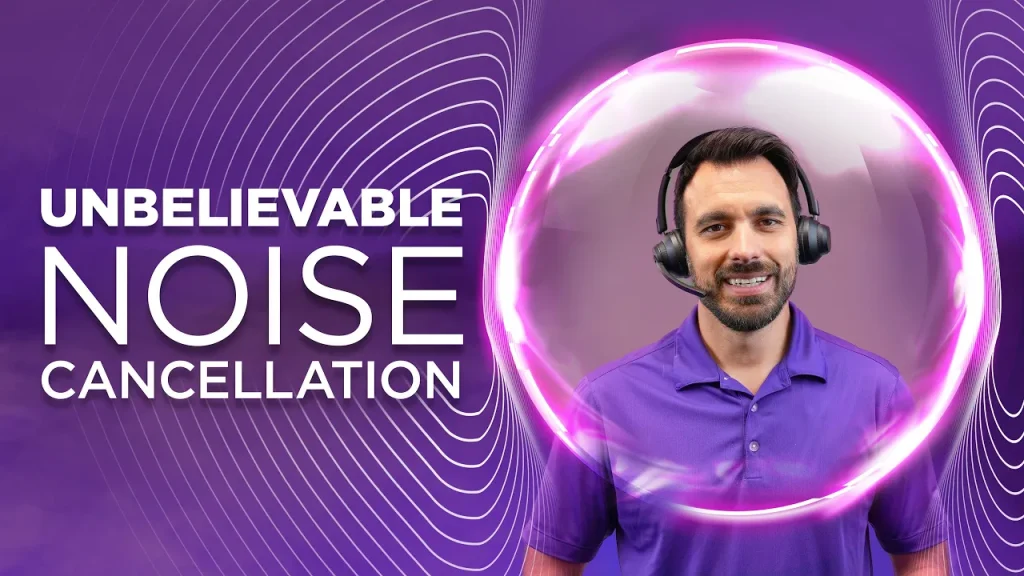
Yes, noise is annoying, and interferes with productivity, but thankfully, there’s an answer. Noise is the problem, and neep is the answer. It’s as simple as that.
Why neep?
There are many reasons for you to consider neep software. It really comes down to having a better sounding call, whether that’s voice, or video. And it also has to do with your image, level of frustration and being more productive.
- Improve the quality of your communications to your customers, colleagues, business partners and prospects.
- You’ll reduce your level of frustration and stress, as well as minimize fatigue brought on by exposure to sustained noise.
- You’ll be heard consistently clear without the distractions of background noise which helps you to have a more professional image.
- Improves the quality of your service by giving your callers a better experience.
- Improves the quality of your audio and video content
- You’ll have more productive calls
What neep works with
neep is compatible with a wide range of devices:
- Computer microphones
- Laptops
- Speakerphones
- Headsets
- Conference phones
Essentially, it works with any microphone or speaker that you use for your communications. And because neep is widely compatible, you won’t need to change out your hardware to take advantage of the superior sound quality, and noise reduction. Even if your device doesn’t remove background noise, don’t worry because neep takes care of that.
neep works with these operating systems
- Windows
- Mac
- Linux
With such broad compatibillity, you can use neep on all your systems, and devices. For the systems that most people use, neep is universally compatible which gives you peace of mind knowing the software will work with your system.
neep works with these communication platforms
- Microsoft Teams
- Google Meet
- Zoom
- Slack
- MicroTalk
- Discord
- Loom
- OBS
We all know how challenging it can be when you’re on an important call and there’s noise going on in the background. There are a ton of reasons to address noise, and very few to let it go unchecked.
We can’t control the people or the sounds around us, so we need to have a tool to filter the noise before it can distract us and our callers, and that’s where neep software brings a lot of value. A simple download is the gateway to better call quality, less frustration, and greater peace of mind.
Software and sliced bread
Is neep the greatest thing since sliced bread? Well, if we’re talking about software and noise reduction, then the answer is yes. But don’t take my word for it, have a listen for yourself by going to neep.com. There, you’ll see a video. Click on that, and you’ll be able to watch, and hear neep in action. I’d be shocked if you aren’t impressed.
neep is the real deal when it comes to putting noise in its place. So if you’re searching for a solution to silence your surroundings, you’ve found it.
Noise is the problem, neep is the answer.
Have questions? We’re here to help!

Just contact us at Headset Advisor and we’ll provide you with all the details.
neep is the noise cancelling software that does exactly this on any microphone, on both ends of the call. You can try neep free for 14 days, no credit card required.







I don’t think the title of your article matches the content lol. Just kidding, mainly because I had some doubts after reading the article.
Can you be more specific about the content of your article? After reading it, I still have some doubts. Hope you can help me.
Thank you for your sharing. I am worried that I lack creative ideas. It is your article that makes me full of hope. Thank you. But, I have a question, can you help me?
Your article helped me a lot, is there any more related content? Thanks! https://accounts.binance.com/register-person?ref=IXBIAFVY
I don’t think the title of your article matches the content lol. Just kidding, mainly because I had some doubts after reading the article.
Your point of view caught my eye and was very interesting. Thanks. I have a question for you.
I don’t think the title of your article matches the content lol. Just kidding, mainly because I had some doubts after reading the article.
I don’t think the title of your article matches the content lol. Just kidding, mainly because I had some doubts after reading the article. https://www.binance.com/register?ref=IHJUI7TF
I don’t think the title of your article matches the content lol. Just kidding, mainly because I had some doubts after reading the article. https://www.binance.com/ES_la/register?ref=VDVEQ78S
Can you be more specific about the content of your article? After reading it, I still have some doubts. Hope you can help me.
I don’t think the title of your article matches the content lol. Just kidding, mainly because I had some doubts after reading the article. https://accounts.binance.com/register-person?ref=IXBIAFVY
Can you be more specific about the content of your article? After reading it, I still have some doubts. Hope you can help me. https://www.binance.com/register?ref=IHJUI7TF
Thank you for your sharing. I am worried that I lack creative ideas. It is your article that makes me full of hope. Thank you. But, I have a question, can you help me? https://accounts.binance.info/register/person?ref=IHJUI7TF
I don’t think the title of your article matches the content lol. Just kidding, mainly because I had some doubts after reading the article. https://accounts.binance.com/register/person?ref=IXBIAFVY
Your point of view caught my eye and was very interesting. Thanks. I have a question for you. https://www.binance.bh/es/futures/ref?code=RQUR4BEO
Your article helped me a lot, is there any more related content? Thanks! https://www.binance.info/ru-UA/register?ref=JVDCDCK4
Can you be more specific about the content of your article? After reading it, I still have some doubts. Hope you can help me.
Your point of view caught my eye and was very interesting. Thanks. I have a question for you.
Your point of view caught my eye and was very interesting. Thanks. I have a question for you. https://accounts.binance.bh/register/person?ref=JW3W4Y3A
Your point of view caught my eye and was very interesting. Thanks. I have a question for you.
Your article helped me a lot, is there any more related content? Thanks!