How To Remove Background Noise 2025

If you’re like me, you probably find background noise distracting especially when you’re on important calls. Noise can not only be distracting, but it can be just plain annoying, not to mention how it can affect call quality, and worker productivity.

In order to explore ways to remove noise, it’s important to first better understand the source of noise, and how it affects you, your callers, and your calls.

So let’s take a closer look at the different types of noise; where it comes from, and how it puts a drain on productivity.

Noise Comes In Many FormsHere Are Just A Few

Office Noise. If you work in a busy office, you’ve probably experienced first hand the different noise challenges associated with working around a group of people. Noise can come from background conversations, office equipment sounds, doors closing, HVAC systems running, traffic noise and the list goes on. If you can hear the noise, you may become distracted by it, and your callers as well.

Home Office. For those who work from home, they’re not exempt from noise. Anyone who has children knows they can be distracting. And if you own a four legged friend, most will get enthusiastic if they spot a delivery truck like UPS, FedEx, Amazon or the US Postal Service. Then there’s the comforting sounds of landscape equipment such as lawn mowers and leaf blowers. The perfect touch to help close that deal, right? Of course not!

Hybrid Workers. If you’re someone who has a more nomadic style as to where you do your work, noise is all around you. If you set up shop at the local Starbucks, at the airport or train, you’re well aware of the full complement of noises going on around you. The sounds of dishes and utensils, cars, background conversations, background music, and the list continues. The bottom line is when you work remotely, you face an enormous challenge when it comes to noise.

The Impact That Noise Has On Us

frustrated woman office worker due to noise.

When you think about noise, and how it can affect you while on important calls, it doesn’t take long to conclude that its impact isn’t positive. So with that in mind, what are the specific problems caused by noise? Here are a few of them:

Causes you to lose your concentration. If you’re locked in on a conversation, and paying close attention to details, background noise can interfere with your ability to remain focused. If your focus, and concentration are negatively affected, then you’ll be less likely to accomplish your call objectives.

Distracts your callers. Like you, your callers can become distracted by the noise going on in your background. If this happens, they might miss important information, or misinterpret your message which can create problems and put important deals in jeopardy. That aside, noise can just irritate the heck out of your callers too.

Causes you to appear unprofessional. When noise finds its way into your calls, it’s easy for you to come across as unprofessional, unprepared, and even unworthy of securing a customer’s business. Noise creates an unfavorable impression that can truly derail deals. Impressions matter, and putting a lid on noise should be one of your high priorities.

Brings down worker productivity. In an era where there’s so much data, it’s easy to see who’s productive, and who’s not. These days, you need every advantage you can get, and if noise is an obstacle to being your most productive self, then doesn’t it make sense to address it?

When you get distracted by noise, and your callers get distracted by it, neither of you can perform at your best. Whether this distracts you consciously or unconsciously, noise is a problem, and it shouldn’t be ignored.

So What Can You Do To Tackle Noise?

Here are a few Things You Can Do:

Environmental

This applies to those who work in offices. Offices can be constructed using hard surface materials like glass, marble, granite and others similar materials. It can also incorporate sound absorbing materials like carpet, cubicles, or even acoustic wall and ceiling tiles. 
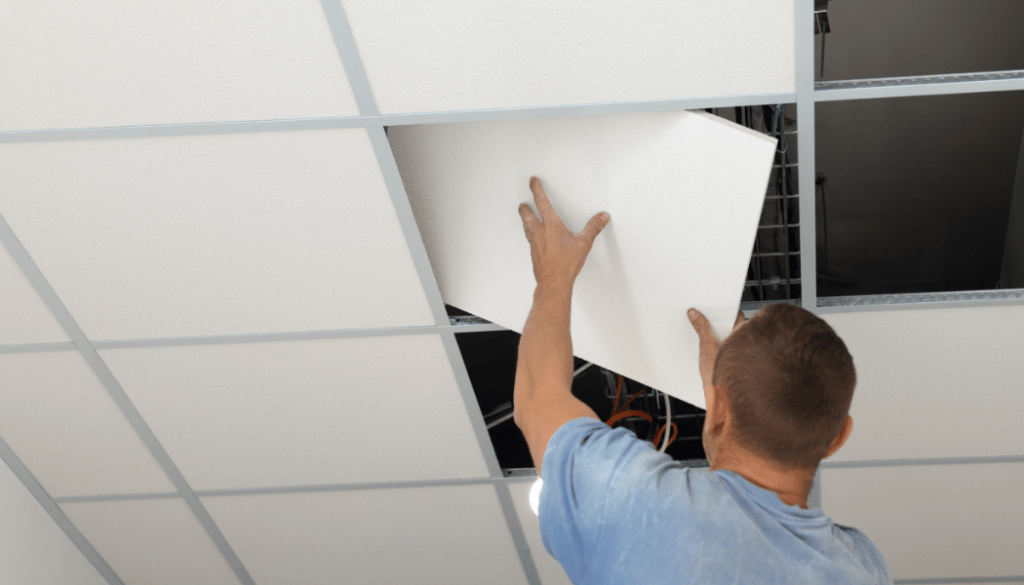
worker installing acoustic ceiling tiles

This may be a workable solution for some, but there are challenges to this including having the required budget to install sound absorbing material. The other drawback to this approach is it won’t filter out all the noise which means nearby conversations, for example, will still be heard. So even though installing cubicles or sound absorbing material is a good idea, it isn’t the total solution.

Seek a quiet spot. Maybe you just relocate to a quiet space whenever you need to get on an important call. That could work, but what if the quiet space isn’t available, or you get an unexpected call when not in a quiet space? Bottom line, this may work in some situations, but taking this approach isn’t the best one available to you as you’ll soon see.

Hardware

collage of communication devices, headset, Airpods, conference phone and microphone

Taking this approach, you’ll likely be considering:

  • A noise canceling headset
  • A noise canceling conference phone
  • Earbuds
  • A USB Microphone and speakers

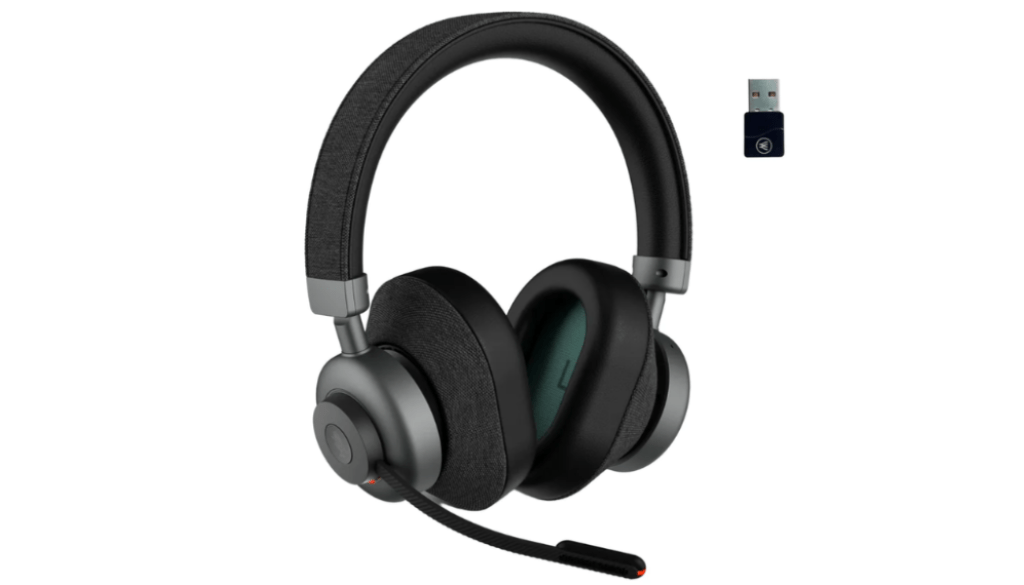
Headset. A headset that has a noise canceling microphone is a very good first step. But, keep in mind, a headset’s ability to remove noise varies greatly between model to model, and brand to brand. One thing for sure is no headset removes all background noise which means noise can still be a problem even if your headset is designed to remove it.

Noise canceling conference phone. Even though many conference phones come equipped with multiple noise canceling microphones, noise suppression, and echo cancellation, there remains some inherent shortcomings of this as your weapon against noise.

For starters, this is a handsfree, broadcast device that pushes the far end audio out of the central loudspeaker. By design, those sitting nearby are given the ability to hear, and be heard. But those who aren’t part of the call, but within hearing range of the call can also hear its contents. And if you’re dealing with sensitive information, that’s not ideal.

Like headsets, conference phones aren’t able to remove all the noise which leaves you with the problem, albeit improved, but still present.

Earbuds. Earbuds are an offshoot of headsets, and remain a popular choice for a lot of people. A lot of people use earbuds for business calls, many of which are unaware of the impact of their audio deficiencies. Generally speaking, earbuds are a poor choice for removing unwanted noise because most don’t do a good job, including popular brands like AirPods. 

Microphone audio quality, combined with poor noise cancellation are good reasons to give pause to earbuds for business calls. Beyond this, most earbud style headsets lack battery strength which means they might not be suitable for the talk time you need for a typical, or busy workday.

USB microphone and speakers . This approach represents my least favorite among those listed here. So much depends on the quality of the microphone as to how you’ll sound to your callers, and how much background noise is eliminated. Beyond that uncertainty, you’re back into broadcasting the content of your calls to anyone within hearing distance, and of course unable to leave your desk. Can this work? Of course, but there is a better option, which I’ll detail now.

Software

laptop with colorful icons suggesting apps

Recently, a new, advanced Ai based noise cancellation software was released called neep.

Yes, I know, it’s a funny name, but there’s nothing funny about the way it destroys background noise because when it comes to removing unwanted noise, neep is all business.

There are many advantages to using neep noise canceling software. Perhaps the biggest thing is it works with your current audio device such as those listed above, and with Windows, Mac and Linux operating systems. That makes neep highly versatile thereby avoiding the need to make additional purchases.

neep Performance

neep is designed to do exactly what you want and need, which is to eliminate background noise so you can have better, more professional sounding calls.

Real-Time Noise Reduction: neep utilizes advanced AI algorithms to analyze and remove background noise in real-time, ensuring uninterrupted and crystal-clear communication.

Professional Sound Quality. Sound quality goes far beyond the sound of your voice because sound quality also pertains to the total audio experience your callers hear. So yes, your voice audio quality matters, as does eliminating the noise in the background whether that’s the sound of coworkers, traffic noise, children, dogs or whatever, neep flat out gets the job done.

Isolates and enhances your voice. neep will isolate your voice from the sound of others, and at the same time, it works to improve your voice audio quality. Your callers will hear you loud, clear and professional, and your message will be understood.

Customizable Settings: You can fine-tune the noise reduction settings to suit your specific needs and preferences. Some might want more noise reduction, while others might prefer less. Either way, you can fine tune the settings to meet your specific needs.

Dual-Channel Noise Cancellation: neep not only eliminates noise on your end, but also tackles background noise from the other party’s audio feed, leading to a truly clear and focused conversation for everyone. So if your callers don’t have the tools to eliminate background noise, neep takes care of it.

User-Friendly Interface: The intuitive interface makes neep accessible to all users, regardless of technical expertise. Add to that we provide free personal assistance for help with questions, or set up. We even provide video tutorials for those who prefer that approach. Either way, we’re here to help make things easy for you.

Noise reduction for recorded audio files. Rather than using a third party application for enhancing the sound quality on your recorded audio files, neep can take care of that too. No need to use additional software.

Become A Believer – Try neep For Free

logo of neep software with caption of silence the noise for free

Free trial offer. Before committing to a subscription, you can try neep for free. This allows you to experience the benefits firsthand and see how it can improve your audio quality. Even if you use a device that claims to be noise reducing, these devices cannot remove all the noise. And when noise elevates, you need the best tools to eliminate it which is where neep comes in. No matter what audio device you use across Windows, Mac or Linux platforms, neep will dramatically improve the quality of your calls.

To get started with your free trial of neep, just go to neep.com today! 

If you still have questions about neep, you might want to visit our FAQ page for some answers.

Have Questions, Or Need Some Help?

smiling customer service rep

Don’t hesitate to reach out to us for some helpful assistance. Whether you have questions about neep software, or need a tailored headset recommendation, we’re here to help. We’ve been assisting customers with their communication needs for 30 years, and I’m sure we can help you too. So don’t hesitate to contact us because our knowledgeable and friendly Advisors are here to help.
How to Setup neep with Discord for More Noise Cancellation

Struggling with distracting background noise while using Discord? You’re not alone. Background noise can significantly hinder communication clarity and disrupt online interactions. This blog introduces neep noise cancellation software, a powerful solution to achieve crystal-clear audio quality on Discord.

Unleash Crystal-Clear Communication:

Traditional noise-canceling headsets offer limited noise reduction. neep goes beyond, employing advanced algorithms to suppress background noise from both your end and the remote participant’s audio feed. This ensures a noise-free conversation for everyone involved.

neep: Tailored for Optimal Discord Audio

neep doesn’t just remove unwanted noise; it also intelligently isolates and enhances your voice. This ensures you’re heard loud and clear, even in noisy environments. Here’s how to set up neep for seamless integration with Discord:

Simple Setup for Enhanced Audio:

  1. Download and Installation: Head over to neep.com and download the software compatible with your operating system. neep works with Windows, Mac, and Linux, as well as with your current audio device. Follow the straightforward prompts to complete the installation.
  2. Launching neep: Locate the purple “n” icon in your system tray and click it to launch the neep application.
  3. Audio Device Selection: Within neep, choose your current audio device from the microphone and speaker options (your specific headset, conference phone, etc. you use for communicating).
  4. Microphone and Speaker Settings: Ensure your microphone is set to “On” for clear audio transmission.  Conversely, keep the speaker setting to “Off” by default to prevent neep from suppressing media sounds. You can temporarily activate the speaker if a call participant has significant background noise.
  5. Discord App Integration: Open Discord, navigate to your user settings, and select “Voice & Video.” Under “Input Device” and “Output Device,” choose “neep microphone” and “neep speaker,” respectively.

Optimizing neep for Superior Audio Quality:

  1. Voice Registration: Within neep, under “My Profiles,” select “Register New Profile” followed by “Start.” This allows you to record your voice, so neep can learn and recognize it, enabling it to prioritize your audio while suppressing background noise.
  2. neep Settings Configuration:  Access the neep settings and ensure the following options are enabled:
    • Launch at System Startup: Guarantees neep automatically activates on device startup.
    • Echo Cancellation: Eliminates audio echoes for better sound conversations.
    • HD Voice: Enhances audio quality by improving voice clarity and reducing distortion.
    • Microphone and Speaker Levels: Set both levels to 100% for optimal audio input and output.
    • Under Premium Noise Cancellation Settings: Ensure “Enhanced Noise Cancellation” is checked for maximum background noise suppression.
  3. Testing and Verification: Utilize neep’s “Test Audio” feature to compare audio quality with and without noise cancellation, ensuring it functions as intended.

Experience the Power of neep:

colorful graphic depicting technology

neep offers more than just background noise suppression.  Explore additional features within the settings menu to find out other features available to you:

  • Tutorials: Access helpful guides for neep’s functionalities.
  • Profile Snapshot: View a summary of your noise cancellation profile.
  • File Enhancement: Improve the sound quality of existing audio files without the need for additional software. 
  • Voice Changer: Have some fun by modifying your voice for a unique twist..

Subscription Options:

neep offers both monthly and annual subscription plans to suit your needs. Alternatively, explore its capabilities through a free trial available on neep.com

Need Additional Assistance?

Headset Advisor was established in 1994, and we have extensive experience in communication solutions.  Our team is available to answer any questions you may have regarding neep, or offer tailored recommendations for compatible communication solutions. We can also assist you with configuring neep for optimal performance on Discord. So don’t hesitate to contact us, and one of our helpful Advisors will be happy to help.

By leveraging neep’s powerful noise cancellation technology, you can enhance your Discord audio experience and ensure clear, distraction-free communication.

How to Setup neep Noise Cancelling Software

Are you tired of distracting background noise hindering your voice and video calls?  neep noise canceling software offers you a powerful solution to the problem of noise, ensuring clear and professional communication across various UC platforms.  Whether you’re a current neep user or just curious about its capabilities, this blog will provide you with a detailed walkthrough on setting up neep for seamless integration with the communication application you use.

Broad Compatibility:

neep is exceptionally compatible, working seamlessly with all major UC platforms.  These include industry leaders like Microsoft Teams, RingCentral, Zoom, 8X8, Dialpad, Google Meet, Avaya, Cisco, and Mitel, and others, offering a comprehensive solution for diverse communication needs.

neep also extends its compatibility to various operating systems.  Whether you utilize Windows, Mac, or Linux, neep integrates effortlessly into your existing setup, ensuring a smooth user experience regardless of your OS or audio device..

Setting Up neep for Optimal Performance:

  1. Download and Install neep: Head over to neep.com and download the software compatible with your operating system. Follow the straightforward prompts to complete the installation process.
  2. Launch neep: Locate the purple “n” icon in your system tray and click it to launch the neep application.
  3. Audio Device Selection: Within the neep app, choose your current audio device from the microphone and speaker options. This could be a headset, conference phone, or any device you use for calls.
  4. Microphone and Speaker Settings: Ensure your microphone is set to “On” for clear audio transmission.  Conversely, keep the speaker setting to “Off” by default. This prevents neep from suppressing sounds from your media sources like podcasts or music. You can temporarily activate the speaker setting if a call participant has significant background noise.
  5. Communication App Integration: Open the communication app. You’re using. In our example we’re using Zoom. Navigate to the settings menu and select the “Audio” tab. Here, ensure both “neep Microphone” and “neep Speaker” are chosen as your audio input and output devices.

Optimizing neep for Enhanced Audio Clarity:

  1. Voice Registration: Within the neep app, under “My Profiles,” select “Register New Profile” followed by “Start.” This allows neep to learn and recognize your voice, enabling it to prioritize your audio while suppressing unwanted background noises, including other voices.
  2. neep Settings Configuration: Click the gear-shaped icon in the neep app’s settings menu and confirm that these options are enabled:
    • Launch at System Startup: Guarantees neep automatically activates whenever you power on your device.
    • Echo Cancellation: Eliminates audio echoes often encountered during calls for uninterrupted communication.
    • HD Voice: Enhances audio quality by improving voice clarity and reducing distortion.
    • Microphone and Speaker Levels: Set both levels to 100% for optimal audio input and output.
    • Under Premium Noise Cancellation Settings: Ensure “Enhanced Noise Cancellation” is checked for maximum background noise suppression.
  3. Testing and Verification: The neep app offers a “Test Audio” feature. This allows you to compare audio quality with and without neep’s noise cancellation technology in action, ensuring it functions as intended.

Experience the Power of neep:

Traditional headsets and conference phones can only offer limited noise reduction. Background noise disrupts communication flow, leading to frustration and potentially hindering the message you’re trying to convey. neep goes beyond, effectively suppressing even loud background noises, creating a distraction-free communication environment. And within the neep settings menu, you’ll discover additional capabilites such as;

  • Tutorials
  • Profile Snapshot
  • File Enhancement to improve the sound quality of your audio files, eliminating the need to utilize additional software.

When noise is your problem, neep is the answer.

Subscription Options:

neep offers both monthly and annual subscription plans to suit your needs. But if you’re researching, and not ready to move ahead, you can experience the capabilities of neep through a free trial available on our website, neep.com.

Need Additional Assistance?

Setting up new devices and software can sometimes be challenging. Don’t hesitate to contact us for some help! Headset Advisor was established in 1994 and we have extensive experience in communication solutions.  Our team is readily available to answer any questions you may have regarding neep or other tailored recommendations for compatible audio devices. Additionally, we can assist you with configuring neep for optimal performance.

By following the steps outlined in this blog, and leveraging neep’s powerful noise cancellation technology, you can enhance your voice and video call experience, ensuring clear, professional, and better overall communication.

Enhance Your Google Meet Calls: Eliminate Background Noise with neep

Have you ever been on an important Google Meet call, only to be interrupted by the sounds of barking dogs, noisy traffic, or noisy colleagues? Background noise is a constant battle for office workers, hindering communication and impacting professionalism. 

Traditional headsets and microphones offer some noise reduction, but their capabilities are often limited. Here’s where neep noise cancellation software steps in, transforming your Google Meet experience. 

The Problem with Background Noise in Google Meet:

Unwanted background noise is a significant issue for Google Meet users. It can manifest in various ways:

  • Office Noise: Working from a busy office environment can be distracting, with background noise and conversations interfering with your call.
  • Environmental Noise: Traffic noise, construction work, or even sirens can disrupt your audio and make it difficult for others to hear you clearly.
  • Home Office Challenges: Pets barking, children playing, or household appliance noise can create unwanted distractions during calls at home.
  • Hybrid Workers. If you work remotely, you can find yourself in coffee shops, Airports and other busy places. Noise is varied and abundant.

These distractions not only disrupt communication but can also:

  • Reduce Productivity: Difficulty focusing due to background noise can affect your ability to concentrate and complete tasks efficiently during calls.
  • Hinder Professionalism: Unwanted sounds create a perception of a less professional environment, potentially impacting your credibility.
  • Cause Frustration: Background noise can be frustrating for both you and your call participants, leading to misunderstandings and wasted time.

So if you’ve been searching for a solution to noise, you’ve come to the right place, because now there’s an answer.

neep: Your Solution for Crystal-Clear Google Meet Calls

neep is a powerful noise cancellation software designed to eliminate background noise from your Google Meet calls. It goes beyond the limitations of traditional headsets and microphones by utilizing intelligent noise-canceling technology. Here’s how neep elevates your Google Meet experience:

  • Superior Noise Cancellation: neep intelligently removes unwanted background noise from both your background and your caller’s. This ensures a distraction-free call for everyone.
  • Voice Isolation: neep doesn’t just remove noise; it learns your voice. With this advanced feature, neep isolates your voice from surrounding sounds, ensuring you’re heard clearly on every call.
  • Enhanced Audio Quality: neep not only removes noise but also enhances your audio quality. This results in a more crisp and professional-sounding voice for a positive impression.

Getting Started with neep for Google Meet:

Setting up neep with Google Meet is a simple process. Here’s a step-by-step guide to get you started:

  1. Download neep: Visit neep.com and download the software for your computer.
  2. Configure Google Meet Settings: Open Google Meet, access Settings, and under the “Audio” tab, select neep as your microphone and speaker device.
  3. Launch and Configure neep App: Locate the purple “n” icon in your system tray and launch the neep app. Choose your audio device (headset, conference phone, etc.). Set the microphone to “on” and the speakers to “off” (you can return here to set the speakers to “on” if you’re on a call where someone has noise in their background).
  4. Optimize Noise Cancellation: Within the neep app settings, activate “Enhanced background noise cancellation” for maximum noise removal. Additionally, register your voice by following the prompts for optimal voice enhancement and isolation.
  5. Fine-Tune for Optimal Performance: In the neep settings, ensure these features; “Launch at system startup,” “Echo cancellation,” and “HD Voice” are enabled. Additionally, under “Premium noise cancellation settings,” activate “Enhanced noise cancellation” and adjust microphone and speaker volume levels to 100%.
  6. Test and Verify: Utilize the “Test Audio” feature within the neep app to compare audio quality with and without neep noise cancellation enabled.
  7. Enjoy Noise-Free Google Meet Calls: Launch your Google Meet call and ensure “Noise cancellation” is turned OFF within Google Meet settings (as neep already handles noise cancellation).

Focus on What Matters, Not Background Noise

With neep, background noise becomes something you don’t have to think or worry about.  No longer will unexpected disruptions interrupt you or your callers.  Now you can focus on the conversation at hand, ensuring successful meetings and fostering stronger connections with colleagues and clients.

Ready to Experience Crystal-Clear Google Meet Calls?

Download neep today and see the difference for yourself. Visit neep.com to get started. And if you’re unsure if neep’s right for you, you can also enjoy a free trial that has all the same features and functionality as a neep subscription.

Have questions, or need some help?

Headset Advisor has been assisting customers with their communication needs since 1994. So if you have questions about your voice or video communications, or need a tailored, compatible recommendation, contact us today and one of our helpful Advisors will be happy to help. And if you’d like a hand getting neep up and running, we can help with that too.

How to Setup neep with Zoom for More Noise Cancellation

Zoom has become the go-to voice and video conferencing platform for countless businesses worldwide, offering high-quality voice and video calls. But background noise can disrupt your meetings. Whether it’s the distracting sounds of coworkers, pets, crying babies or outside sounds, noise is a problem, and up until now, there hasn’t been a good, universal solution. 

This blog discusses how neep noise canceling software enhances your Zoom audio experience no matter what audio device you’re using, and the steps to take to get started.

Why neep?

neep intelligently removes background noise from both your background and your caller’s. This allows both ends to experience a noise free call.  neep also learns your voice, isolating it from others allowing you to be heard consistehtly loud and clear. Additionally, neep enhances your voice for a crisp, professional sound.

Benefits of Using neep with Zoom:

  • Eliminate distracting background noise
  • Crystal-clear audio for both you and your callers
  • Project a more professional image
  • No need to repeat yourself due to background noise
  • Enhance your voice quality and sound like a professional

Setting Up neep with Zoom:

  1. Download neep from neep.com.
  2. Open Zoom and access Settings (click your profile picture in the top right corner).
  3. Go to “Audio” and select neep as your microphone and speaker.
  4. Under “Audio Profile,” choose “Original sound for musicians” for optimal audio.
  5. Open the neep app (purple “n” icon in the system tray).
  6. Select your audio device in the microphone and speakers drop down. For example, if you’re using a headset, select that headset in the mic and speaker box.
  7. Register your voice by following the prompts within neep. This is so neep can identify your voice over others.
  8. Enable “Enhanced background noise cancellation” for maximum noise removal.
  9. In neep settings (gear icon), ensure “Launch at system startup,” “Echo cancellation,” and “HD Voice” are enabled.
  10. Under “Premium noise cancellation settings,” check “Enhanced noise cancellation.”
  11. Set microphone and speaker volume to 100% within neep.
  12. Test your audio with and without neep using the “Test audio” feature in the neep app.

Experience the Difference

By using neep with Zoom, you’ll enjoy clearer, more professional sounding audio for all your voice and video calls. No more getting distracted, no more frustration – just better communication. And when noise is under control, everyone is happier and more productive.

Have Questions, Or Need Some Help?

Since 1994, Headset Advisor has been helping customers with their communication needs, so if you have questions, need a tailored, compatible recommendation, or just need a hand getting neep software set up and running, don’t hesitate to contact us, and we’ll be happy to help.
How To Setup neep With RingCentral For More Noise Cancellation

Elevate your RingCentral experience and say goodbye to distracting background noise!

This blog will explore how neep, a powerful noise cancellation software, seamlessly integrates with your RingCentral voice and video applications to give you crystal-clear communication. And, it will give you a step-by-step guide on how to get started using neep, and how to set it up.

Why neep for RingCentral?

While RingCentral delivers exceptional audio quality, external factors like your microphone can impact your sound. Even the best headsets or audio devices have limitations:

  • Partial Noise Cancellation: Headsets and conference phones, for example, vary in their noise canceling abilities, and these devices can’t eliminate all the background noise which means you and your callers are probably going to hear it. This can lead to distractions, frustration, decreased productivity, confidentiality issues as well as a compromised image.
  • Limited Functionality: Headsets don’t address your caller’s background noise, and because of this, you can easily get distracted by their noise. Additionally, typical audio devices are incapable of isolating and enhancing the sound of your voice which can lead to inconsistencies in how you come across to your callers.

For these, and other reasons, neep is the noise canceling solution you’ve been looking for.

neep Bridges The Gap:

neep noise cancellation software complements your existing audio devices (headsets, conference phones etc) to provide a superior RingCentral experience. Where your audio device leaves off, is where neep picks up.

Here’s how to set up neep when using RingCentral:

1. Download and Configure neep:

  • Visit neep.com and download the software.
  • Within RingCentral, navigate to “Settings” -> “Audio.”
  • Set the “Microphone” and “Speaker” to “neep microphone” and “neep speaker.”

2. Open and Configure neep App:

  • Launch neep from the taskbar up arrow and click on the purple “n” icon.
  • Select your audio device (headset, conference phone, or audio device you’re using) in the “Microphone” and “Speaker” drop-down menus.
  • Set “Microphone” to “On” and “Speaker” to “Off” (neep will suppress sounds like podcasts, music, movies etc, so you’ll want this off. Later, you can return here to change it to on, if you’re on a call with someone who has noise going on in their background).

3. Register Your Voice and Optimize Settings:

  • Follow the prompts to register your voice within neep.
  • When done registering your voice, make sure “Register your voice” is on and “Enhanced Background noise cancellation” is checked.
  • Click the settings icon (gear symbol) and under “General,” and verify the following:
    • Launch at system startup is checked
    • Echo cancellation is checked
    • HD Voice is checked
    • Microphone and Speaker noise reduction levels are both set to 100%
    • Click on “Premium Noise Canceling Settings” making sure that “Enhanced noise cancellation” is checked.

4. Test and Use neep:

  • Perform a test call within the neep app to experience the difference in audio quality with neep on, and off.
  • When making a RingCentral call, verify “neep microphone” and “neep speaker” are both displayed.
  • Click “Join audio by computer” to begin your clear and professional RingCentral call.

Better Sounding Calls Are Just A Click Away

When you choose neep noise canceling software, you’re making a statement that you take noise, and all the issues that go with it, seriously. Better sounding calls, a better image, less frustration, and greater productivity are a mouse click away. Just go to neep.com to get started.

We’re Here To Help:

For any questions or assistance setting up neep, Headset Advisor (established in 1994) is here to help! Contact us and unlock the power of crystal-clear RingCentral communication with neep noise cancellation software, or to get a personalized, compatible product recommendation.

Understanding the Impact of Noise Cancellation on Microphones: Enhancing Productivity and Focus

Ever been on a call where background noise interferes or disrupts your voice or video call? From keyboard clicks, coworker conversations, Call Center sound, at home noise to outside construction, noisy environments can be productivity killers. They disrupt focus, hinder clear communication, create frustration and also impact your professionalism.

This is where noise cancellation technology shows its true value. It offers a powerful solution for achieving crystal-clear communication, ensuring your voice takes center stage, and not the noise. But before jumping into the topic of noise cancellation, let’s understand the difference between noise cancellation and its opposite:

Non-Noise Cancellation: Many non-noise canceling microphones and headsets can pick up surrounding sounds – your voice and all the unwanted background noise. In noisy environments, your voice can become muffled or at the very least, hard to hear, creating communication challenges and the need to repeat yourself. No matter the source, noise creates issues, and frustrations, and having a device with a non-noise canceling microphone can be problematic.

The Power of Noise Cancellation: Noise cancellation technology employs three main strategies to filter out unwanted background noise:

  1. Passive Noise Cancellation:  This approach uses physical design elements to block out noise.  Headsets with thick, angled ear cups, create a physical barrier, passively dampening external sounds. Think of them as earmuffs that provide a layer of noise isolation where noise bounces off a hard surface.
  2. Active Noise Cancellation (ANC):  This technology actively combats background noise. Microphones embedded in the headset pick up external sounds. The system then creates an inverted “anti-noise” signal that cancels out unwanted noise before it reaches your ears. Essentially, it’s sound waves colliding and neutralizing each other. ANC adds noise with the opposite sound signature to effectively silence the unwanted background noise. Keep in mind if you’re shopping for a headset that has ANC, some will have ANC on/off, ANC high/low, while others may offer ANC with several levels of adjustment. Having several levels of ANC is beneficial in that it allows you to regulate how much noise you hear that’s coming from your background.
  3. Noise canceling microphones. These vary in their ability to remove noise, but in many cases they do a decent job. The best way to know if a headset has a microphone that’s capable of removing your noise is to try it before deciding to buy it. Make sure your vendor allows you to try it ahead of time. Otherwise, find a vendor that will. Noise canceling microphones in headsets may be your total answer, but it depends on the type of noise, the amount of noise, and the headset’s ability to remove it. 

Why These Noise Cancellation Strategies Matter for Productivity

While both passive and active noise cancellation offer benefits, understanding their differences can help you choose the right solution for your needs.

  • Passive Noise Cancellation:  This approach is ideal for constant, low-frequency noises like office chatter or traffic sounds. It’s a more affordable option and doesn’t rely on technology to do its job. However, it may not be as effective for higher-frequency noises common to most work environments, whether in an office, or for those noises while working from home. Also, the type of ear cushions on a headset can impact passive noise reduction performance. Ear cushions that encircle the ear will dampen more noise than those that go against the ear. One good headset to consider for passive noise reduction is the Discover Boomstick Wireless.
  • Active Noise Cancellation (ANC):  This technology offers a more comprehensive solution, effectively canceling out a wider range of background noises, including low and high frequencies. ANC headsets are particularly helpful in environments with unpredictable or varying noise levels, like barking dogs, crying babies or busy co-working spaces. However, many business headsets don’t have ANC so make sure to check this out before deciding to purchase new headsets. And whether the headsets you’re considering rely on passive or Active noise cancellation, remember that both are only designed to dampen noise for the wearer of the headset, and not for your callers. For that, you need a noise canceling microphone. To learn more about ANC, here’s a comprehensive article by Bang-Olufsen titled What Is Active Noise Cancellation?
  • Noise Canceling Headset. Unlike ANC, which is designed to remove noise in the headset wearer’s environment, a noise canceling microphone found on most headsets today, is designed to remove noise for your callers. That can be for voice or video calls, and many do a solid job. But as noted earlier, the best way to know if a headset is up to the challenge of removing your noise, is to try it prior to making a purchase.

The Bottom Line: Eliminating Noise Boosts Productivity

Whether your chosen solution incorporates the use of passive noise cancellation, Active Noise Cancellation, or a noise canceling microphone, each feature delivers undeniable benefits for those seeking greater solitude while on voice or video calls.

  • Enhanced Focus & Concentration: Blocking out distractions allows you to concentrate on the task at hand, leading to increased productivity. Imagine writing a complex report with noise in the background uninterrupted by those sounds. Noise cancellation creates a focused environment, helping to maximize your output, while giving you, and your callers a better listening experience.
  • Reduced Listening Fatigue: Constant background noise can be mentally tiring. Noise cancellation creates a more peaceful audio environment, minimizing fatigue and allowing you to stay engaged in calls for longer durations. Picture a multi-hour video conference. With noise cancellation, you won’t experience the mental drain often associated with extended sessions in noisy environments, and your brain won’t have the constant task of processing out the noise.
  • Improved Communication Clarity: With background noise neutralized, your voice comes through loud and clear, ensuring effective communication and reducing misunderstandings during calls. During crucial presentations where every detail matters, noise cancellation ensures your message is delivered clearly, fostering improved communication and better overall collaboration.
  • Professional Image Projection: When your voice quality is clear, you come across as professional and focused, creating a positive impression on colleagues and clients. Noise cancellation guarantees your voice projects authority and confidence, leaving a lasting positive impact.
  • Promotes Overall Wellbeing: Chronic exposure to noise pollution can have detrimental effects on stress levels and even contribute to health problems. Noise cancellation creates a calmer auditory environment, promoting a sense of well-being and reducing stress throughout the workday. And when you’re in a more relaxed state, you are more likely to have better concentration and results.

Noise Cancellation Solutions for a Quiet Office

Now that we’ve explored passive and Active Noise Cancellation, and touched on noise canceling microphones for voice and video calls, let’s look into this a bit more.

  • Noise-canceling Headsets: The most popular, and affordable choice, noise-canceling headsets provide a good audio solution by filtering out background noise for your outgoing audio. Ideal for individuals who frequently participate in calls or work in particularly noisy environments. Noise canceling headsets will give your callers a better sounding call without the distractions of background noise.
  • Noise-canceling Speakerphones:  Though the trend is towards the use of Softphones, deskphones are still widely used. Many deskphones today have adapted to the changes of technology and trends and include USB ports, and some include rich audio features such as better speakers and noise canceling microphones. 
  • Noise-canceling Conference Phones: Similar to speakerphones, noise-canceling conference phones cater to group meetings by delivering superior audio quality with built-in noise suppression, echo cancellation and full duplex audio. So if your need is for better group audio with an assembled team, then looking into a good quality conference phone may be the ticket.
  • neep Noise-canceling Software (Two-Way Noise Cancellation): Software solutions are emerging as another, and in many cases, better option. These programs analyze incoming and outgoing audio streams, filtering background noise to ensure clear communication on both ends of the call. Ideal for situations where traditional hardware solutions aren’t delivering the results you’re looking for. neep noise canceling software is professional grade, affordable and will remove noise for both ends of your voice and video calls. Even if your callers aren’t using a good microphone, neep will filter out their background noise so you can hear them and not the noise. Your callers get the same treatment, which makes neep a great option to consider if noise is the problem you’re looking to solve. So whether you’re an at home worker with typical home noise challenges, or if you work in a busy office or call center, neep will do an amazing job at silencing your background noise so you can stay focused, and have better sounding calls. And, if you’d like to sample neep for free to see how well it removes your noise, just go to neep.com to claim your free trial.

If you’d like to read more about noise cancellation technology, here’s an aticle that you might find interesting, and informative.

Have Questions? Headset Advisor is Here to Help!

Choosing the right noise cancellation solution depends on your specific needs and work environment.  If you have questions or need a tailored recommendation, contact us at Headset Advisor! Our helpful Advisors can guide you through the various noise-canceling options and recommend the perfect solution for your communication needs. With the power of noise cancellation by your side, you can experience a more focused, productive, and professional workday, while giving your coworkers and customers a far better calling experience.

Solving The Noise Problem; How To Silence Background Noise On Your Microphone

In today’s workplace, background noise can be a major obstacle to productivity and professionalism. Whether you’re conducting important voice or video client calls, or participating in team meetings, the last thing you want is distracting background noise to disrupt your conversations. Because when it does, nothing good comes out of it. Everyone gets frustrated, you have to repeat yourself, and there’s a chance that your message gets lost in the noise. And though you can’t stop a microphone from picking up noise, there are ways to deal with it.

In this blog, we’ll explore one highly effective strategy for eliminating background noise and ensuring crystal-clear audio quality, greater peace of mind, and improved productivity on all your computer based business calls.

Before we can talk about solutions, it’s important to know a little bit about microphones due to their strategic importance when it comes to audio quality, and noise reduction.

Understanding Microphones: The Key to Noise Reduction

Microphones come in various types, some of which include:

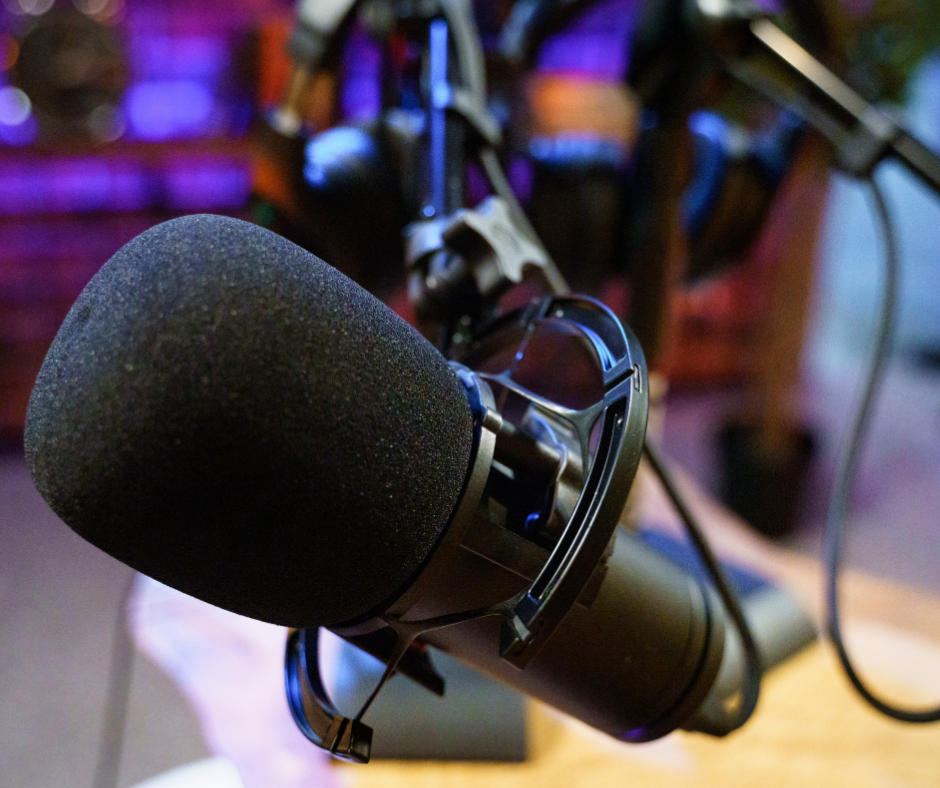
While noise-canceling microphones are designed to minimize background noise, no microphone can eliminate it entirely. Some models perform better than others, so it’s essential to choose the right microphone for your specific needs. For example, if you work in a private office,  you may not need a noise canceling microphone at all. But, if you work in an open plan office with many coworkers nearby, at home, or on the go, using a headset with a good noise canceling microphone would be a good idea.

Choosing the Right Headset: A Crucial Decision

When it comes to minimizing background noise on business calls, the choice of headset plays a critical role. There are a lot of headsets to choose from, but a good-quality, business-grade headset with noise-canceling capabilities can significantly improve audio quality, reduce distractions and eliminate the need to repeat yourself. Being that not all headsets are created equal, it’s essential to do your research and choose a headset that meets your specific requirements, and I have to say, there are a lot of different makes, and within each make you’ll find a number of different models. So with that in mind, how can you know if a given headset will work well for you in your specific workspace? Here’s one thing you can do:

Testing Before Buying: The Importance of an Evaluation

Before investing in a new headset, it’s advisable to test it out in your work environment to ensure that it meets your needs. Unfortunately, not all vendors offer this option, so it’s essential to find a vendor that allows you to evaluate the product before making a purchase decision. Testing the headset in your specific work environment will give you a better idea of its performance and suitability for your needs. And if your current vendor won’t allow you to try before you buy, it may be a wise decision to seek out a new vendor.

The Ultimate Noise Killing Solution: A One-Two Knockout Punch

For the ultimate in noise reduction on your computer based voice and video calls, we recommend a two-pronged approach: a good quality noise-canceling headset that also has Active Noise Cancellation (ANC) capabilities, paired with neep noise-canceling software. This powerful combination provides unparalleled noise reduction and ensures crystal-clear audio quality for both you and your callers.

Here’s how this tandem works to eliminate unwanted noise.

Noise Canceling Mic

As a foundation for your communication, you want to employ the use of a good quality headset that has a good noise canceling microphone. This is your first line of defense against intrusive background noise. 

The noise canceling microphone suppresses background noise while focusing on your voice so your callers hear you, and not all the noise going on around you. And as great as this may be, it won’t eliminate all the noise. And, realizing that a noise canceling microphone is designed to give your callers a noise free experience, what about you? Do you get distracted by this same noise? I’m betting you do. Well, here’s the answer to that noise problem.

Active Noise Cancellation: Achieving Solitude Amidst Distractions

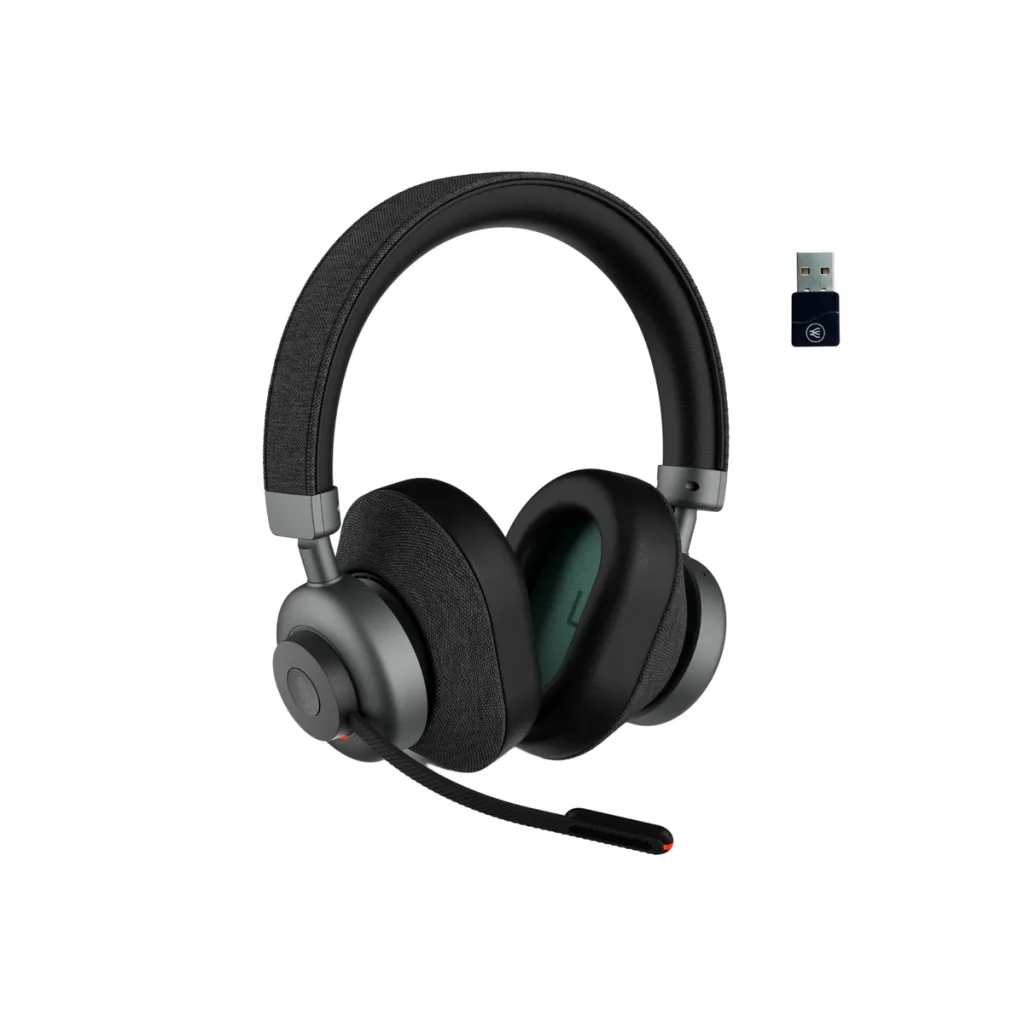
Active Noise Cancellation technology allows you to block out background noise and create a more focused, distraction-free environment. By using a headset with ANC capabilities, you can enjoy greater solitude and concentration, even in noisy work environments. But as you look for a headset with Active Noise Cancellation, keep in mind that ANC, just like noise canceling microphones, do vary. For example, you’ll find that many, if not most headsets don’t have ANC at all. And those that do, vary in their capabilities. Some offer ANC on/off, ANC high/low, or a select few might provide you with several levels of ANC adjustment, like the Orosound Tilde Pro, that comes with five levels of ANC adjustment. Having this expanded ability means you can control how much of the background noise you hear. So keep this in mind when shopping for a good quality headset.

So if a noise canceling microphone won’t remove all the noise, what else can you do to remove more of it? Here’s the answer you’ve been waiting for, and I have to say, it’s easy to use, it’s affordable, and it works amazingly well.

neep Noise Canceling Software: Enhancing Audio Quality

How neep works

neep noise-canceling software takes noise reduction to the next level by removing background noise from both your environment and your callers’ backgrounds. With its advanced voice isolation technology and automatic volume adjustment, neep ensures that you’re heard consistently loud and clear, regardless of the noise level in your surroundings. neep learns your voice thanks to AI technology. 

neep works with Windows, Mac and Linux operating systems, and will work with whatever microphone and speakers you’re now using. So if you want to use neep with your current setup, you’ll see a huge improvement in audio quality, and noise reduction. But as stated earlier, the ultimate approach to better sounding voice and video calls is to combine neep with a high quality, business grade headset.

The Benefits of a Noise-Free Calling Experience

By eliminating distracting background noise, you unlock a multitude of benefits:

  • Increased Productivity: Maintain focus and avoid interruptions during calls, maximizing your call time and achieving better results.
  • Improved Call Quality: Crystal-clear audio ensures every word is heard loud and clear, fostering effective communication and collaboration. No worry about your message being lost in the noise.
  • Enhanced Professionalism: Present a polished and professional image on every call, leaving a lasting positive impression on colleagues and clients even when noise is going on around you.
  • Reduced Stress: Don’t let background noise add unnecessary stress to your workday. neep creates a calmer and more focused calling environment.

Try neep For Free: Experience the Benefits Firsthand

Interested in experiencing the benefits of neep for yourself? You can try neep for free, with no credit card required. Simply visit neep.com to learn more and start your free trial today. Once you try neep, we think you’ll become a raving fan. Oh yeah, it’s that good. Oh, and did I mention that we have free support that’s available to answer your neep questions, or to help you get neep set up and running? Feel free to contact us, and we’ll be happy to help.
Help when you need it

At Headset Advisor, we’re committed to helping you achieve noise-free voice and video calls, and greater productivity. And we’ve been assisting customers with their communication needs since 1994. So If you have any questions or need assistance, don’t hesitate to contact us. Our team of experts is here to provide you with personalized recommendations and support to help you find the perfect communication solution matched for your specific needs. We can also help you with set up, so your headsets, and software are working perfectly.

Silence the Noise & Sound Amazing: Best Headset for Flawless Microsoft Teams Calls

I think we’d all agree that how we work today is quite a bit different from five years ago. The covid pandemic certainly changed things up, with many of us having returned to work at the office, though some have remained working from home, while others employ a work routine that’s a mix of both.  Wherever you work, and if you’re using Microsoft Teams for your voice or video calls, you stand to benefit by using a good quality, business grade headset.

Why Headsets Matter: The Foundation for Clear Communication

A dedicated headset offers numerous benefits over speakerphones or using your computer’s built-in microphone and speakers. Here’s why upgrading to a good headset is a crucial first step if you’re in search of better sounding Microsoft Teams calls:

  • Professional Audio: Dedicated microphones capture your voice clearly and consistently. This ensures you’re always heard loud and clear, even in moderately noisy environments.
  • Noise Reduction: Headsets with noise-canceling microphones help mitigate some background noise, minimizing distractions for both you and your callers.

And though there are a number of solid headset choices available, one that stands out in the crowd, and is an excellent choice for anyone using Microsoft Teams, is the Orosound Tilde Pro.

Headset Spotlight: Orosound Tilde Pro – A Feature-Packed Powerhouse

As an example of a premium headset, let’s consider the Orosound Tilde Pro. This headset has several features that help enhance your Microsoft Teams experience:

Professional grade audio. The Tilde Pro delivers voice fidelity that’s richer sounding than other headsets in this class. So if you want to sound better on your Microsoft Teams calls, then this is a headset well worth your time to consider.

Noise canceling microphone. Lets face it, noise is all around us. And the last thing any of us want is for that noise to be part of our calls. Noise is distracting, noise is frustrating, and noise interferes with our message being heard. The Tilde Pro has a superior noise canceling microphone which helps you to have a clear Microsoft Teams call, even when there’s noise going on around you.

Active Noise Cancellation. This useful feature blocks out background noise for the wearer of the headset, where a noise canceling microphone remove background noise for your callers. Some headsets have ANC, though many limit the Active Noise Cancellation feature to either on/off, or high/low only, without any adjustment. The Orosound Tilde Pro provides you with five levels of adjustment which allows you to control how much noise you hear. And when you hear less noise, you’re better able to stay focused on your work. To get a general overview of ANC, here’s an article from Bang and Olufsen that talks about ANC.

Aware+. Anyone who wears a headset knows the frustration associated with having to take off the headset everytime someone approaches wanting to have a face-to-face conversation. This can become frustrating over time, and it’s something solved when using the Tilde Pro. It has a feature called Aware+ that allows you to have a face-to-face conversation without having to remove the headset. We all have little frustrations in life, and the Aware+ feature allows us to check one of them off our list.

Long life battery. The Tilde Pro comes with a 28 hour battery, so you’ll have more than enough power for any of your Microsoft Teams meetings. You won’t have to worry about a battery going dead on you while on important calls. You’ll even be able to string together multiple days of use before a battery recharge is needed. Finally, you can continue using the Tilde Pro even when it’s plugged in for recharging, which makes it very convenient. Not all headsets have that ability, and require you to be without your headset while charging takes place.

Modularity. The Tilde Pro allows you to select the style of ear cushions, whether it be those that go against the ear, or those that fully circle them. You can use the headset with the included boom microphone, or remove it when not on calls because it attaches magnetically. Though you can still make calls without the boom mic, optimum sound quality is achieved when using it.

Without question, the Orosound Tilde Pro will elevate your audio when on Microsoft Teams calls. But this headset, like any headset, won’t remove all your background noise. So what’s the solution if you’re looking for a headset for Microsoft Teams calls, and what you’re now using just isn’t cutting it?

The Missing Piece: Noise-Canceling Software for Impeccable Audio

While the Tilde Pro is an excellent first step in achieving a better sounding Microsoft Teams voice or video call, combining it with neep noise canceling software is the final piece to this noise puzzle.

neep is a very affordable software download solely designed to remove noise. It’s compatible with Windows, Mac and Linux operating systems, and it will work with any speaker and microphone. So if you’re using headsets that you like, but just need more noise removal while on Teams calls, neep is an excellent choice to work in tandem with your current audio devices.

Here are a few of neep’s features that help make it a compelling solution to noise.

  • Unmatched Noise Removal: Advanced Ai noise-canceling software, neep utilizes sophisticated algorithms to remove a wider range of background noise compared to basic headset microphones. This eliminates distractions for you, and your callers, allowing them to focus on your message.
  • Bi-Directional Noise Cancellation: neep goes beyond simply removing your background noise. It also removes background noise from your callers end, creating a truly noise-free communication environment.
  • Voice Isolation: neep intelligently learns, then isolates your voice from other voices and surrounding sounds. This ensures your voice remains clear and intelligible, even in busy environments like offices, co-working spaces, coffee shops, or at home.
  • Automatic Volume Adjustment: neep automatically adjusts your microphone volume to maintain consistent audibility, even among distracting background noise.
  • Affordable Solution: neep software is a cost-effective way to significantly improve your audio quality. You can choose our month-to-month plan, or save 25% by selecting our annual plan. Either way, neep will give you an affordable solution to noise for better sounding Teams calls.

The Winning Combination: Headset + Noise-Canceling Software

By combining a high-quality headset like the Orosound Tilde Pro with noise-canceling software like neep, you create a winning combination for conquering noise in your Microsoft Teams calls. Here’s why this approach is so effective:

  • Crystal-Clear Communication: The headset provides a solid foundation with a high-quality microphone and noise reduction features. This represents your first line of defense against noise.
  • Advanced Noise Removal: neep software takes things a step further by eliminating a broader range of unwanted background noise; your noise and your callers.
  • Enhanced Focus: With distractions eliminated, you and your colleagues can maintain focus on the conversation and collaborate more effectively.
  • Increased Confidence: Knowing you sound clear and professional even when noise is present, can boost your confidence during virtual meetings and presentations.
  • Cost-Effective Solution: While premium headsets offer substantial improvements, neep software provides a cost-effective way to further enhance audio quality. And because neep works with any speaker and microphone, you have the option to use your current devices, and employ neep to achieve better sounding Microsoft Teams calls at an amazingly affordable rate.

Invest in Your Audio, Invest In Better Sounding Teams Calls

Upgrading to a good business headset is an excellent first step. However, for truly exceptional audio quality, consider the one-two approach – combining a quality headset, like the Orosound Tilde Pro, with neep advanced noise-canceling software. This combination creates a noise-free environment, allowing you to sound your best and stay focused on what matters: delivering your message with clarity, impact and confidence.

One good way to know if the Tilde Pro headset, and/or neep noise canceling software is the solution you’ve been looking for is to request a free demo.

  • Contact us to schedule your free Orosound Tilde pro demo
  • Go to neep.com and click on the “get neep free” button for your free neep download

Trying these either, or both products before making a buying decision is the best way to know if these solutions are right for you. It also helps to cut through the marketing noise and gets right down to business. So contact us today to get on the path of better sounding Microsoft Teams calls.

Have questions, or need some help?

Headset Advisor has been assisting customers with tailored, compatible communication solutions since 1994. Our U.S. based team is available to help answer your questions, and evaluate your needs to help you with a personalized solution. Contact us today and we’ll be happy to help.

Mastering Microphone Noise Cancellation for Crystal-Clear Communication

In today’s digital age, clear, uninterrupted and distraction free communication is extremely important. Whether you’re on important  conference calls or collaborating with colleagues remotely, background noise can really disrupt your experience.

Noise is well-known to be a problem that businesspeople struggle to control. Here are a few of the problems created by unwanted background noise.

  • It frustrates you, and your callers
  • It lowers worker productivity
  • It can cause your message to get lost in the noise
  • It can put you at risk with HIPAA compliance
  • It can be bad for your health

But don’t think that there’s no solution to this age-old problem, because there is.

But before we dive into a good, solid solution, let’s first take a quick look at the two most common types of microphones.

Understanding Microphone Noise Cancellation

Some microphones have built-in noise cancellation technology, designed to reduce unwanted ambient sounds for your callers while prioritizing your voice.

Here are the two main types::

  • Noise-Canceling Microphone: Actively filters out background noise using directional technology or software algorithms.
  • Non-Noise Canceling Microphone: Captures all sound in its vicinity, including your voice and background noise.

Most modern headset microphones fall into the noise-canceling category, offering a significant upgrade over laptop or webcam mics for example. However, the effectiveness of this noise cancellation can vary a lot. Cheaper headsets might make claims of having noise canceling microphones, but how well they perform can be hit or miss. Higher-end models with advanced technology provide superior filtering capabilities for better soundiing voice and video calls.

Beyond the Microphone: Two-Pronged Approach

While making use of a noise-canceling microphone is a great first step, it might not be the silver bullet solution in every situation. Here’s where a two-pronged attack comes in:

  • Finding a Quiet Space: Even before getting into our recommended solution, the simplest solution might be the most overlooked. If possible, relocate to a quiet area within your office, like a conference room, for example, when needing to make important voice or video calls. However, this isn’t always practical as you may need access to your desk or to collaborate with colleagues in real-time. You also might find a time of the day when the office isn’t as noisy, making it possible to make calls without distractions.
  • Soundproofing Your Environment: This involves installing sound-absorbing materials like acoustic panels on walls and ceilings. This can be expensive, disruptive, and might not completely eliminate noise, especially from your surroundings because not all the noise is captured by these materials. That leaves the remaining noise to run freely throughout your workspace, and unfortunately onto your calls.

There are other ways you can work to eliminate unwanted office noise, but the simplest, more direct and affordable solution is comprised of two things:

Fight Noise With A Professional Grade Headset

There are a number of microphones you can use to combat unwanted office noise, such as a standalone microphone, a conference phone, a webcam mic or even the microphone housed within your laptop. And though they will pickup your voice, they’ll fall short in solving your noise problem, because these types of microphones are generally not designed for a high level of noise removal.

Something to keep in mind is your background noise affects you, and your callers. And the noise from your callers background affects you. So with that in mind, what’s a good headset to help solve this problem?

Here’s one suggestion of a professional grade headset that is up to the task of removing noise for both you, and your callers: The Orosound Tilde Pro.

What makes the Tilde Pro worth our endorsement when it comes to removing noise?

  • Professional grade microphone. If you want to sound good, the Tilde Pro gives you better fidelity compared to other makes and models, even those household brands. You get a deep, rich sound that’s hard to find in business grade headsets.
  • Noise canceling microphone. The Tilde Pro removes background noise better than the majority of headsets, placing it in an elite category. So if you want a headset to help remove noise, this one is ready, willing and able.
  • Active Noise Cancellation. A standard feature on the Tilde Pro is Active Noise Cancellation (ANC). This is a feature you won’t find on all headsets, but those that do have it, may only give you ANC on/off, or ANC High/Low. The Tilde Pro headset gives you five levels of adjustment so you can control how much noise you hear. In the end, you eliminate noise distractions, and stay focused.

But having a good quality, professional grade headset is only half of the solution. Here’s what you need to pair it with in order to fully solve your office noise problem.

The Power of Software: Introducing neep

For a more versatile and affordable approach, consider noise-canceling software like neep. This software works seamlessly with Windows, Mac, and Linux operating systems, and it’s a simple download and affordable. 

Here’s how neep elevates your audio experience:

  • Advanced Noise Removal: neep goes beyond the capabilities of your microphone’s built-in noise cancellation, as microphones don’t remove all the noise, even those deemed to be noise canceling.
  • Voice Isolation: neep learns your voice and separates it from other voices and background noise, ensuring clarity for your callers no matter what noise is going on in your background. This is a game-changer for those who work in noisy offices, at home, or on the go.
  • Automatic Volume Adjustment: neep will intelligently adjust your voice volume based on background noise levels. This makes it easy for your callers to hear you. No repeating yourself, and no lost messages due to callers struggling to hear you.
  • Voice Enhancement: Improves the overall quality of your voice by reducing distortion and emphasizing clarity, and neep handles it automatically. A great feature for those who want to sound their best, especially when on important voice or video calls.

Combining Forces: Headset + Neep = Audio Bliss

The true magic happens when you combine a high-quality noise-canceling microphone with neep software. Imagine using a top-tier headset like the Orosound Tilde Pro with its advanced noise-canceling microphone,, and Active Noise Cancellation filtering out background noise. Now, add neep to the mix giving noise the knockout punch. You get crystal-clear audio for both yourself and your callers, and you can try neep for free.

Just go to neep.com to learn more, watch a demo, or claim your free trial of neep noise canceling software. And when you do, you’ll experience the sound of silence like never before.

The Benefits of a Noise-Free World

The advantages of conquering background noise extend far beyond simply improved audio quality. Here are some additional benefits to consider:

  • Increased Productivity: By eliminating the distractions and noise, you can focus on the conversation, leading to more productive meetings and calls, and less frustration.
  • Reduced Stress: Background noise can be mentally taxing. A quieter environment fosters a calmer, more focused state of mind, which leads back to greater productivity, and greater peace of mind.
  • Enhanced Professionalism: Crystal-clear audio projects a professional image, where having background noise infiltrate your calls paints the opposite.
  • Improved Client Satisfaction: When clients can hear you clearly, it fosters better communication and builds trust. Not only that, but rest assured your message is heard, and not lost in the distration and chaos of background noise.

Ready to Experience the Silence?

Don’t let background noise disrupt your communication. By understanding microphone noise cancellation, exploring environmental solutions, and leveraging software like neep, you can create a quiet and productive calling experience. 

Need Help Choosing the Right Tools?

Headset Advisor is here to assist you! We offer a wide range of noise-canceling headsets, and software and we can guide you towards the perfect solution for your needs. Don’t feel like you have to figure all this out on your own. Contact us today and discover a new world of clear communication.