How To Remove Background Noise 2025

If you’re like me, you probably find background noise distracting especially when you’re on important calls. Noise can not only be distracting, but it can be just plain annoying, not to mention how it can affect call quality, and worker productivity.

In order to explore ways to remove noise, it’s important to first better understand the source of noise, and how it affects you, your callers, and your calls.

So let’s take a closer look at the different types of noise; where it comes from, and how it puts a drain on productivity.

Noise Comes In Many FormsHere Are Just A Few

Office Noise. If you work in a busy office, you’ve probably experienced first hand the different noise challenges associated with working around a group of people. Noise can come from background conversations, office equipment sounds, doors closing, HVAC systems running, traffic noise and the list goes on. If you can hear the noise, you may become distracted by it, and your callers as well.

Home Office. For those who work from home, they’re not exempt from noise. Anyone who has children knows they can be distracting. And if you own a four legged friend, most will get enthusiastic if they spot a delivery truck like UPS, FedEx, Amazon or the US Postal Service. Then there’s the comforting sounds of landscape equipment such as lawn mowers and leaf blowers. The perfect touch to help close that deal, right? Of course not!

Hybrid Workers. If you’re someone who has a more nomadic style as to where you do your work, noise is all around you. If you set up shop at the local Starbucks, at the airport or train, you’re well aware of the full complement of noises going on around you. The sounds of dishes and utensils, cars, background conversations, background music, and the list continues. The bottom line is when you work remotely, you face an enormous challenge when it comes to noise.

The Impact That Noise Has On Us

frustrated woman office worker due to noise.

When you think about noise, and how it can affect you while on important calls, it doesn’t take long to conclude that its impact isn’t positive. So with that in mind, what are the specific problems caused by noise? Here are a few of them:

Causes you to lose your concentration. If you’re locked in on a conversation, and paying close attention to details, background noise can interfere with your ability to remain focused. If your focus, and concentration are negatively affected, then you’ll be less likely to accomplish your call objectives.

Distracts your callers. Like you, your callers can become distracted by the noise going on in your background. If this happens, they might miss important information, or misinterpret your message which can create problems and put important deals in jeopardy. That aside, noise can just irritate the heck out of your callers too.

Causes you to appear unprofessional. When noise finds its way into your calls, it’s easy for you to come across as unprofessional, unprepared, and even unworthy of securing a customer’s business. Noise creates an unfavorable impression that can truly derail deals. Impressions matter, and putting a lid on noise should be one of your high priorities.

Brings down worker productivity. In an era where there’s so much data, it’s easy to see who’s productive, and who’s not. These days, you need every advantage you can get, and if noise is an obstacle to being your most productive self, then doesn’t it make sense to address it?

When you get distracted by noise, and your callers get distracted by it, neither of you can perform at your best. Whether this distracts you consciously or unconsciously, noise is a problem, and it shouldn’t be ignored.

So What Can You Do To Tackle Noise?

Here are a few Things You Can Do:

Environmental

This applies to those who work in offices. Offices can be constructed using hard surface materials like glass, marble, granite and others similar materials. It can also incorporate sound absorbing materials like carpet, cubicles, or even acoustic wall and ceiling tiles. 
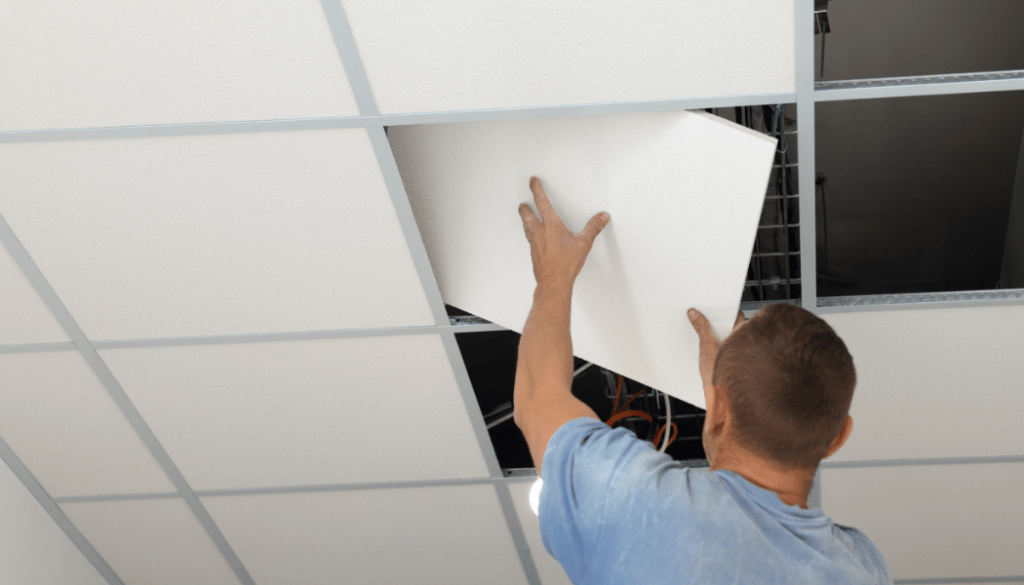
worker installing acoustic ceiling tiles

This may be a workable solution for some, but there are challenges to this including having the required budget to install sound absorbing material. The other drawback to this approach is it won’t filter out all the noise which means nearby conversations, for example, will still be heard. So even though installing cubicles or sound absorbing material is a good idea, it isn’t the total solution.

Seek a quiet spot. Maybe you just relocate to a quiet space whenever you need to get on an important call. That could work, but what if the quiet space isn’t available, or you get an unexpected call when not in a quiet space? Bottom line, this may work in some situations, but taking this approach isn’t the best one available to you as you’ll soon see.

Hardware

collage of communication devices, headset, Airpods, conference phone and microphone

Taking this approach, you’ll likely be considering:

  • A noise canceling headset
  • A noise canceling conference phone
  • Earbuds
  • A USB Microphone and speakers

Headset. A headset that has a noise canceling microphone is a very good first step. But, keep in mind, a headset’s ability to remove noise varies greatly between model to model, and brand to brand. One thing for sure is no headset removes all background noise which means noise can still be a problem even if your headset is designed to remove it.

Noise canceling conference phone. Even though many conference phones come equipped with multiple noise canceling microphones, noise suppression, and echo cancellation, there remains some inherent shortcomings of this as your weapon against noise.

For starters, this is a handsfree, broadcast device that pushes the far end audio out of the central loudspeaker. By design, those sitting nearby are given the ability to hear, and be heard. But those who aren’t part of the call, but within hearing range of the call can also hear its contents. And if you’re dealing with sensitive information, that’s not ideal.

Like headsets, conference phones aren’t able to remove all the noise which leaves you with the problem, albeit improved, but still present.

Earbuds. Earbuds are an offshoot of headsets, and remain a popular choice for a lot of people. A lot of people use earbuds for business calls, many of which are unaware of the impact of their audio deficiencies. Generally speaking, earbuds are a poor choice for removing unwanted noise because most don’t do a good job, including popular brands like AirPods. 

Microphone audio quality, combined with poor noise cancellation are good reasons to give pause to earbuds for business calls. Beyond this, most earbud style headsets lack battery strength which means they might not be suitable for the talk time you need for a typical, or busy workday.

USB microphone and speakers . This approach represents my least favorite among those listed here. So much depends on the quality of the microphone as to how you’ll sound to your callers, and how much background noise is eliminated. Beyond that uncertainty, you’re back into broadcasting the content of your calls to anyone within hearing distance, and of course unable to leave your desk. Can this work? Of course, but there is a better option, which I’ll detail now.

Software

laptop with colorful icons suggesting apps

Recently, a new, advanced Ai based noise cancellation software was released called neep.

Yes, I know, it’s a funny name, but there’s nothing funny about the way it destroys background noise because when it comes to removing unwanted noise, neep is all business.

There are many advantages to using neep noise canceling software. Perhaps the biggest thing is it works with your current audio device such as those listed above, and with Windows, Mac and Linux operating systems. That makes neep highly versatile thereby avoiding the need to make additional purchases.

neep Performance

neep is designed to do exactly what you want and need, which is to eliminate background noise so you can have better, more professional sounding calls.

Real-Time Noise Reduction: neep utilizes advanced AI algorithms to analyze and remove background noise in real-time, ensuring uninterrupted and crystal-clear communication.

Professional Sound Quality. Sound quality goes far beyond the sound of your voice because sound quality also pertains to the total audio experience your callers hear. So yes, your voice audio quality matters, as does eliminating the noise in the background whether that’s the sound of coworkers, traffic noise, children, dogs or whatever, neep flat out gets the job done.

Isolates and enhances your voice. neep will isolate your voice from the sound of others, and at the same time, it works to improve your voice audio quality. Your callers will hear you loud, clear and professional, and your message will be understood.

Customizable Settings: You can fine-tune the noise reduction settings to suit your specific needs and preferences. Some might want more noise reduction, while others might prefer less. Either way, you can fine tune the settings to meet your specific needs.

Dual-Channel Noise Cancellation: neep not only eliminates noise on your end, but also tackles background noise from the other party’s audio feed, leading to a truly clear and focused conversation for everyone. So if your callers don’t have the tools to eliminate background noise, neep takes care of it.

User-Friendly Interface: The intuitive interface makes neep accessible to all users, regardless of technical expertise. Add to that we provide free personal assistance for help with questions, or set up. We even provide video tutorials for those who prefer that approach. Either way, we’re here to help make things easy for you.

Noise reduction for recorded audio files. Rather than using a third party application for enhancing the sound quality on your recorded audio files, neep can take care of that too. No need to use additional software.

Become A Believer – Try neep For Free

logo of neep software with caption of silence the noise for free

Free trial offer. Before committing to a subscription, you can try neep for free. This allows you to experience the benefits firsthand and see how it can improve your audio quality. Even if you use a device that claims to be noise reducing, these devices cannot remove all the noise. And when noise elevates, you need the best tools to eliminate it which is where neep comes in. No matter what audio device you use across Windows, Mac or Linux platforms, neep will dramatically improve the quality of your calls.

To get started with your free trial of neep, just go to neep.com today! 

If you still have questions about neep, you might want to visit our FAQ page for some answers.

Have Questions, Or Need Some Help?

smiling customer service rep

Don’t hesitate to reach out to us for some helpful assistance. Whether you have questions about neep software, or need a tailored headset recommendation, we’re here to help. We’ve been assisting customers with their communication needs for 30 years, and I’m sure we can help you too. So don’t hesitate to contact us because our knowledgeable and friendly Advisors are here to help.

How to soundproof your open office space

The open office revolution was aimed to spark collaboration and provide for a vibrant work atmosphere. And, to a large extent, that’s exactly what it does, and what its accomplished.  However, the constant barrage of background noise such as; coworker conversations, ringing phones, keyboard clicks, elevators, doors, traffic, fans and the list goes on, can all be a productivity killer.  So in spite of its benefits, open plan offices have their challenges simply due to the design.

In order to help solve this problem, you might be tempted to throw money at soundproofing materials like ceiling tiles, sound absorbing wall panels, new cubicles, or even white noise machines. But before you embark on a costly renovation, or upgrade, consider a simpler, more affordable solution that’s readily available, and highly effective, plus it travels with you.

This solution to your noise problem lives within a powerful, yet affordable, combination: a professional-grade headset like the Orosound Tilde Pro, and cutting-edge neep noise cancellation software.  Let’s explore why this approach, its benefits, and why it trumps traditional soundproofing methods:

Why Traditional Soundproofing Approaches Can Fall Short:

  • Costly: Soundproofing materials and renovations can be expensive, often requiring significant investment with limited guarantees on effectiveness.It’s hard to know in advance how well soundproofing approaches will turn out. If they end up coming up short in their effectiveness, you will have spent a lot of money and time.
  • Limited Impact: Even with soundproofing, a certain level of noise remains. Open office layouts inherently lack physical barriers, so sound can still travel and disrupt your focus. Picture an open-plan office with workers doing what workers do. Some will be sitting, some standing, and some may be walking, and either talking or making other kinds of noise. If you’re in a direct line to any of this, that noise, no matter what it is, and no matter how much soundproofing has been installed, will come straight to you.
  • Disruptive Implementation: Renovations take time and can disrupt your entire office workflow. Anyone who has had any remodeling done in a home can understand how things like this can be disruptive. Needless to say, it’s not ideal, and can be frustrating.

The Headset & Software Advantage: A Combination Hard To Beat

Here’s how a professional headset and noise canceling software create a personalized zone of quiet even within the open plan office:

  • Superior Noise Cancellation: Headsets like the Orosound Tilde Pro provide you with Active Noise Cancellation (ANC) technology, and multiple levels of adjustment.  This technology utilizes strategically placed microphones to detect and cancel out ambient noise, effectively creating a quieter environment around your ears. And because it gives you several steps of adjustment, you can determine how much noise to let in. Other headsets either don’t offer ANC, offer it with on/off only, or high/low. 
  • Crystal-Clear Communication: The Orosound Tilde Pro goes a step further with its noise-canceling microphone. This ensures callers hear you loud and clear, even in noisy surroundings. No more battling background noise to get your message across! The Tilde Pro gives you a very professional, rich sound, and it removes more noise compared to other headsets, even name brand models.
  • neep AI: Your Intelligent Noise Removal Partner:  While headsets can remove a lot of the noise, there isn’t a headset made that removes all of it. That’s where you get a lot of value when using  neep noise cancellation software. neep not only removes your background noise, but it also suppresses noise from your caller’s end. And when that happens, you both get a quieter, more productive voice or video call.
  • Voice Isolation & Enhancement:  neep noise canceling software utilizes advanced AI technology to isolate your voice from other voices, and from surrounding noise. This ensures your voice is consistently clear and well-balanced, even in the noisiest of environments. 
  • Automatic Volume Adjustment:  neep noise canceling software automatically adjusts call volume in real-time. This means you won’t have to constantly fiddle with controls to ensure clear communication. This feature helps to eliminate the need to repeat yourself when your callers are struggling to hear you.

The Benefits of a Tech-Driven Solution:

colorful graphic depicting technology
  • Cost-Effective: Investing in a high-quality headset and neep software is significantly more affordable than extensive soundproofing renovations.
  • Portable & Personalized: Your sound solution travels with you! Use your headset and neep software at your desk, in a conference room, or even while working remotely. In this nomadic work life that many of us have, it’s truly helpful to have noise canceling solutions that can silence your surroundings wherever work takes you. Soundproofing solutions are stationary, and limit you to wherever it’s been installed making it not portable.
  • Immediate Results: Unlike renovations, the benefits of a headset and software are immediate. Experience a quieter, more focused work environment from the moment you put on your headset, and get on your voice or video call. 
  • Easy Setup & Use: Headsets like the Orosound Tilde Pro are simple to use and connect to your devices. neep noise canceling software offers a user-friendly interface for a seamless experience.

Invest in your productivity and well-being

Don’t settle for the constant distractions of the open office.  Create your own sound silencing solution and experience the focus and clarity you deserve. Noise is clearly the problem, and the Orosound Tilde Pro, and neep noise canceling software is clearly the solution. 

Have questions, or need some help?

To experience the benefits of the Orosound Tilde Pro for yourself, reach out to Headset Advisor for a demo. And for those interested in trying neep noise-canceling software for free, simply visit neep.com to get started. 

With over 25 years of experience in providing tailored communication solutions, the team at Headset Advisor is dedicated to helping you find the perfect, compatible solution for your needs. Whether you have questions or need professional assistance, we’re here to help. Contact us today to learn more and take the first step toward a quieter, more productive work environment.

The Complete Guide to Soundproofing Your Open Office Space

In today’s fast-paced work environments, open office spaces have become increasingly prevalent, fostering collaboration and communication among team members. However, with this openness comes a common challenge: noise. Whether it’s the buzz of conversation, the clatter of keyboards, or the hum of machinery, excessive noise can disrupt workflow, hinder concentration, and diminish productivity. Fortunately, soundproofing techniques offer effective solutions to mitigate these issues and create a more conducive work environment.

Sound Absorbing Ceiling Tiles:

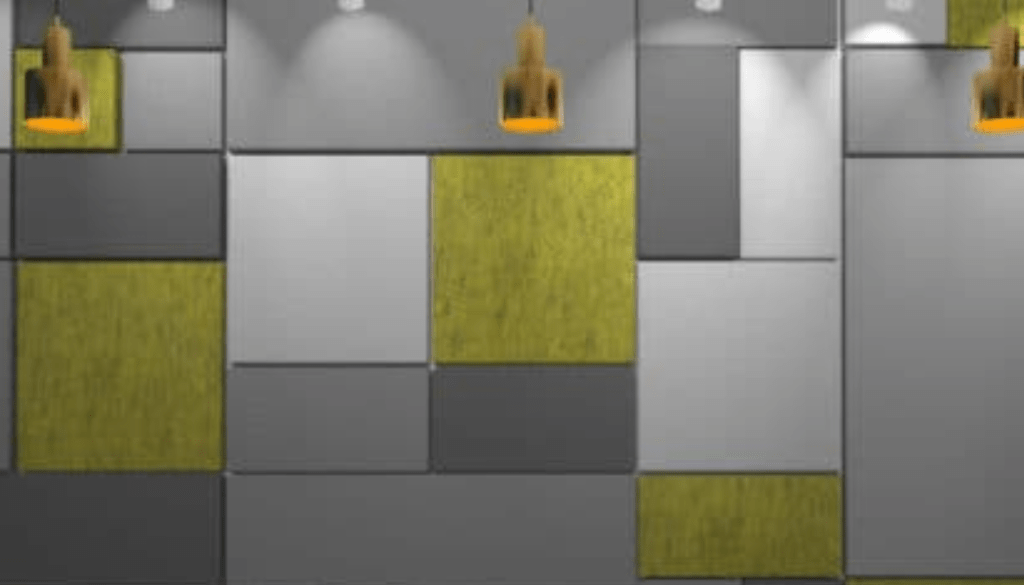
  • Installing sound-absorbing ceiling tiles is an excellent first step in soundproofing your open office space. These tiles are designed to absorb and dissipate sound waves, reducing reverberation and minimizing noise levels. By strategically placing sound-absorbing tiles throughout the ceiling area, you can significantly attenuate unwanted noise and create a quieter, more comfortable workspace for employees.

Wall Panels:

  • In addition to ceiling tiles, wall panels can also play a crucial role in soundproofing your office space. These panels are typically constructed from acoustic materials that absorb sound waves, preventing them from bouncing off hard surfaces and causing reverberation. By strategically placing wall panels in areas prone to noise transmission, such as conference rooms or common areas, you can effectively reduce sound propagation and create a quieter, more private environment for employees.

Helpful Tip:   Not all wall panels are created equal. Look for panels with a Noise Reduction Coefficient (NRC) rating. The higher the NRC (between 0 and 1), the greater the sound absorption. Go here to learn more about NRC as well as STC sound ratings.

Cubicles:

  • For larger open office spaces, cubicles offer an effective way to partition the workspace and minimize noise transmission. By dividing the area into smaller, more secluded workstations, cubicles help to create individualized workspaces where employees can focus and concentrate without being disrupted by surrounding noise. Additionally, the walls of cubicles can be outfitted with sound-absorbing materials to further enhance noise reduction and improve overall acoustics. Here’s a website that has some helpful information on types of cubicles, and which is right for you.

Privacy Pods and Booths:  

  • These self-contained workspaces are perfect for focused tasks or confidential calls.  Privacy pods and booths typically come in various sizes, accommodating individual or small group needs. Framery has some insightful information as to the value of privacy pods as well as some images and additional information. You may want to check it out to learn more. 

White Noise – Sound Masking Machines:

  • White noise, or sound masking machines emit a consistent, soothing sound that masks background noise and creates a more tranquil environment. By producing a steady stream of neutral sound, these devices help to drown out distractions and promote concentration, making them an ideal solution for open office spaces where ambient noise levels can fluctuate. Additionally, white noise machines can be customized to suit individual preferences, allowing employees to adjust the volume and tone to their liking. Here’s an article by Autonomous titled “What is Office White Noise? Benefits and Disadvantages.”

SoundEar Noise Monitoring Systems:

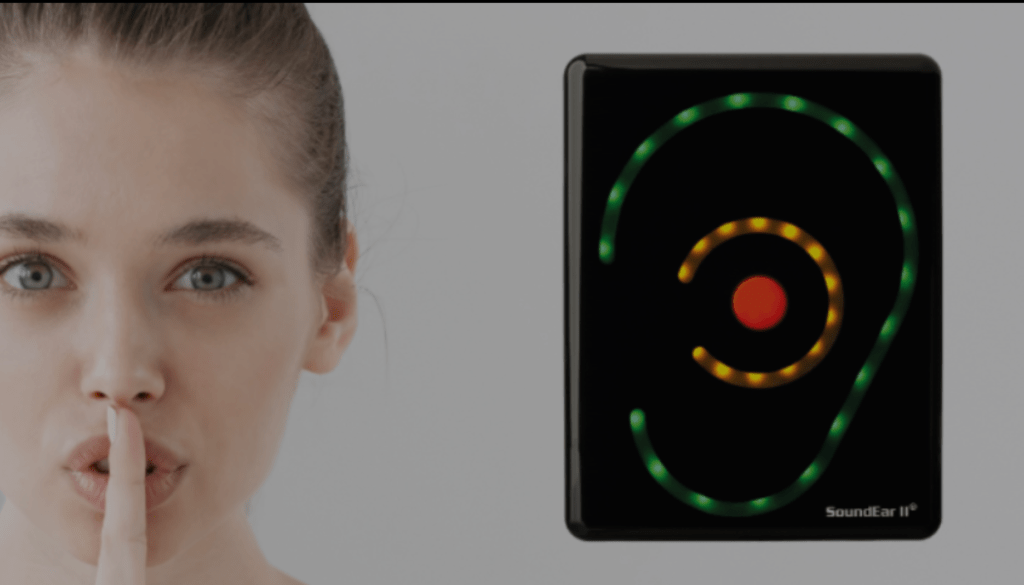
  • SoundEar is a state-of-the-art noise monitoring system that provides real-time feedback on ambient noise levels in the workplace. By placing SoundEar sensors throughout your office space, you can track noise levels over time and identify areas where soundproofing measures may be needed. Additionally, SoundEar can help raise awareness of noise-related issues among employees, fostering a culture of respect and consideration for noise management in the workplace.

Professional Quality Business Grade Headsets:

  • For employees who frequently engage in voice and video calls, investing in a professional-quality business-grade headset, like the Orosound Tilde Pro, is essential. These headsets are equipped with advanced features such as superior noise-canceling microphones, which reduce background noise and ensure clear, intelligible communication. Additionally, you’ll want a headset with Active Noise Cancellation (ANC) technology to provide wearers with relief from environmental noise, allowing them to focus and concentrate without distraction from all the sounds going on in the background. The Tilde Pro, unlike other headsets, gives you several levels of ANC adjustability. You can dial up, or dial down how much noise you want to remove. Other brands limit you to ANC on/of, or ANC high/low. 

neep AI Noise Canceling Software:

How neep works
  • To achieve the ultimate in noise reduction and audio clarity, consider integrating an Orosound Tilde Pro headset with neep AI noise-canceling software into your communication setup. Compatible with Windows, Mac, and Linux operating systems, neep removes background noise from both the wearer’s and the caller’s environment, ensuring uninterrupted communication and enhanced sound quality. No more struggling to hear over the distracting background noise, and no more having to repeat yourself. By learning the wearer’s voice and isolating it from others, neep delivers a personalized audio experience that maximizes clarity and minimizes distractions. So whether you work in an open-plan office with noisy coworkers, at home with the sounds of kids, pets, and landscapers, or on the go like at the local coffee shop, neep software will handle the noise so you can handle your business. No distractions, no frustration, and no message getting lost in the chaos. neep is available to try free of charge, and no credit is required. A simple download and you’re on your way to a better, noise free voice or video call. Try neep for free today.

Soundproofing your open office space is essential for creating a productive, comfortable work environment. By implementing a combination of sound-absorbing materials, partitioning solutions, and advanced audio technologies, you can effectively minimize noise transmission and improve overall acoustics. Whether it’s installing ceiling tiles, investing in professional-grade headsets, or integrating neep AI noise-canceling software, taking proactive measures to address noise-related issues will benefit both employees and employers alike.

Have questions, or need some help?

For personalized guidance and expert advice on finding a tailored audio solution, reach out and we’ll be happy to help. With over 25 years of experience in providing tailored communication solutions, our team is dedicated to helping you create a quieter, more productive work environment. Contact us today to learn more.

Clear and Present Danger: Unraveling the Risks of Unchecked Office Noise

In the typical office workspace, the issue of distracting background noise often goes underestimated, and in many cases, not given its proper credit for how it impacts workers health, well-being and overall productivity.

From the constant sounds of office machines to the audible interactions of coworkers, the repercussions of unchecked office noise can reverberate throughout the professional landscape, impacting workers in different ways. This blog aims to put a light on this subject, pointing out the risks associated with leaving office noise unaddressed, and how it contributes to a less-than-ideal work environment.

The Annoyance Factor

Most office workers would agree that noise, quite simply, is annoying. It’s the leading cause of worker dissatisfaction in the workplace. It disrupts concentration, interrupts focus, and creates a backdrop to an otherwise noise free, peaceful work environment. From the regular ringing of phones to the clicking sounds of keyboards, the constant presence of office ambient noise can become irritating to even the most patient of workers.

Communication Challenges

The frustrations extend beyond annoyance, because it can disrupt your communication. Because we live in an era where virtual meetings, softphone and video calls are the norm, background noise becomes a disruptive force on both ends of the conversation. From  the constant sounds of voices, dog barking, or all the other noises we deal with regularly, unchecked noise introduces a layer of frustration that impedes effective communication. And when you have goals that you’re wanting to accomplish on your calls, noise works against them. 

Here’s a short article that talks about office noise, and how it impacts communication.

Impacts on Health and Productivity

The consequences of unaddressed office noise also finds its way into the realms of physical and mental health. Studies have linked prolonged exposure to noise with increased stress levels, heightened blood pressure, and decreased overall well-being. In a workplace that fails to address noise concerns, the toll on employee health is an undeniable risk. Managers are always interested to better understand worker dissatisfaction, and noise is one of the most overlooked areas.

Background noise also takes a toll on worker productivity. Employees find it challenging to maintain focus, leading to increased errors, missed deadlines, and a general decline in overall output. The detrimental impact on productivity is a silent but significant risk that businesses cannot afford to overlook.

You might find this article an interesting read on this topic.

Open Offices and Beyond

Open office designs, often celebrated for their collaborative potential, ironically contribute to the noise epidemic. The lack of physical barriers exacerbates sound transmission, creating an environment where noise freely flows through the workspace. However, the risks associated with unchecked noise extend beyond the confines of open offices.

For remote workers, the challenges of ambient noise take on new forms. Barking dogs, household commotion, and other domestic sounds introduce a layer of complexity to remote work. Even those who opt to work from the local coffee shop find themselves grappling with noise-related hurdles. There’s no denying that noise is a problem, and it’s something that’s very hard to escape from.

To learn more about the impact of noise on our mental, and physical well-being, here’s an article that you might find interesting.

As challenging as unwanted background noise is, and how impactful it can be, there is good news! 

neep AI Noise Canceling Software

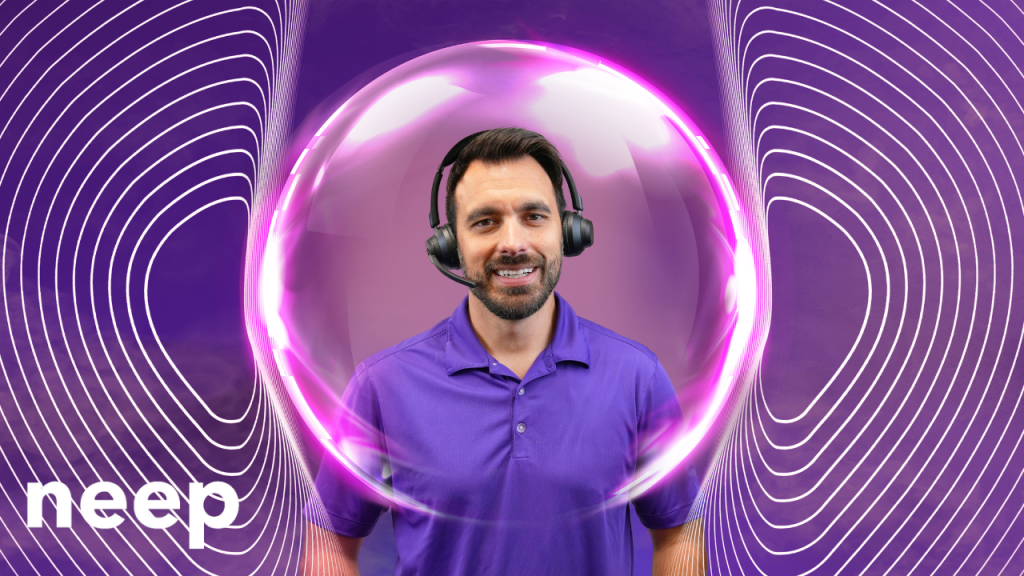
man wearing a headset with imaginary bubble around his head and shoulders forming a noise shield

As the challenges posed by unchecked office noise become evident, it’s crucial to consider effective solutions. neep AI noise-canceling software is truly one of the very best solutions in the battle against workplace noise. Unlike traditional solutions that may require additional hardware, neep offers a streamlined approach, allowing users to leverage their existing audio devices which saves money, and keeps them using the devices they know, trust, and prefer.

neep’s sophisticated AI technology removes background noise for both ends, creating a focused and distraction-free environment to have a more productive, voice or video call. Whether you work in an open office, a chaotic household, or a busy coffee shop, neep adapts to your surroundings, ensuring crystal-clear communication and heightened concentration. Noise is a problem, and neep is the solution. Go to neep.com to learn more, or to request your free trial download. We think you’ll be pleasantly impressed by how well neep works. 

Summary

Unchecked office noise poses multifaceted risks that extend beyond mere annoyance. From communication breakdowns to the toll on physical and mental health, the repercussions are far-reaching. Open office designs amplify the challenge, and remote workers face a different, and unique set of noise-related hurdles. However, the solution is at hand with neep AI noise-canceling software—a versatile and efficient tool that allows you to reclaim the silence when on calls, regardless of your location or existing audio devices. In the quest for a quieter, more productive voice and video call, neep stands as a testament to the power of innovative technology in overcoming the clear and present danger of unchecked office noise.

Have questions, or need some help?

graphic of service support for Headset Advisor

At Headset Advisor, we’re here to answer your questions. We’ve been helping customers with their technology challenges since 1994, and I’m confident that we can help you too. Contact us today to speak to one of our helpful, knowledgeable Advisors to get answers to your pressing technology questions. We’ll carefully listen, and once we fully understand your challenges, and concerns, we’ll provide you with a tailored solution that’s guaranteed to be compatible with your system. 

Quiet Conversations: How Orosound Tilde Pro and neep AI Software Redefine the Noise-Free Calling Experience

Do you work in an office, at home, or on the go? If you do, the battle against office noise has become an integral part of the quest for productivity and focus, and for some, their sanity because noise is bothersome. 

Softphone and video calls, essential components of modern day communication, often bear the brunt of distracting background noises. And you probably know what I’m talking about if you’ve ever been on one of these calls with distractions going on around you. Noise makes it hard to concentrate. Noise distracts you, and your callers, and noise is flat out nothing you want to ignore.

The truth is, office noise has been around for as long as offices have been in existence. You’d think by now that this age-old problem would have been solved by now, yet noise remains. So what can you do if you’re in search of the sounds of silence for you, and your caller’s when on softphone and video calls? Yes, noise is a problem, and yes, there is an answer.

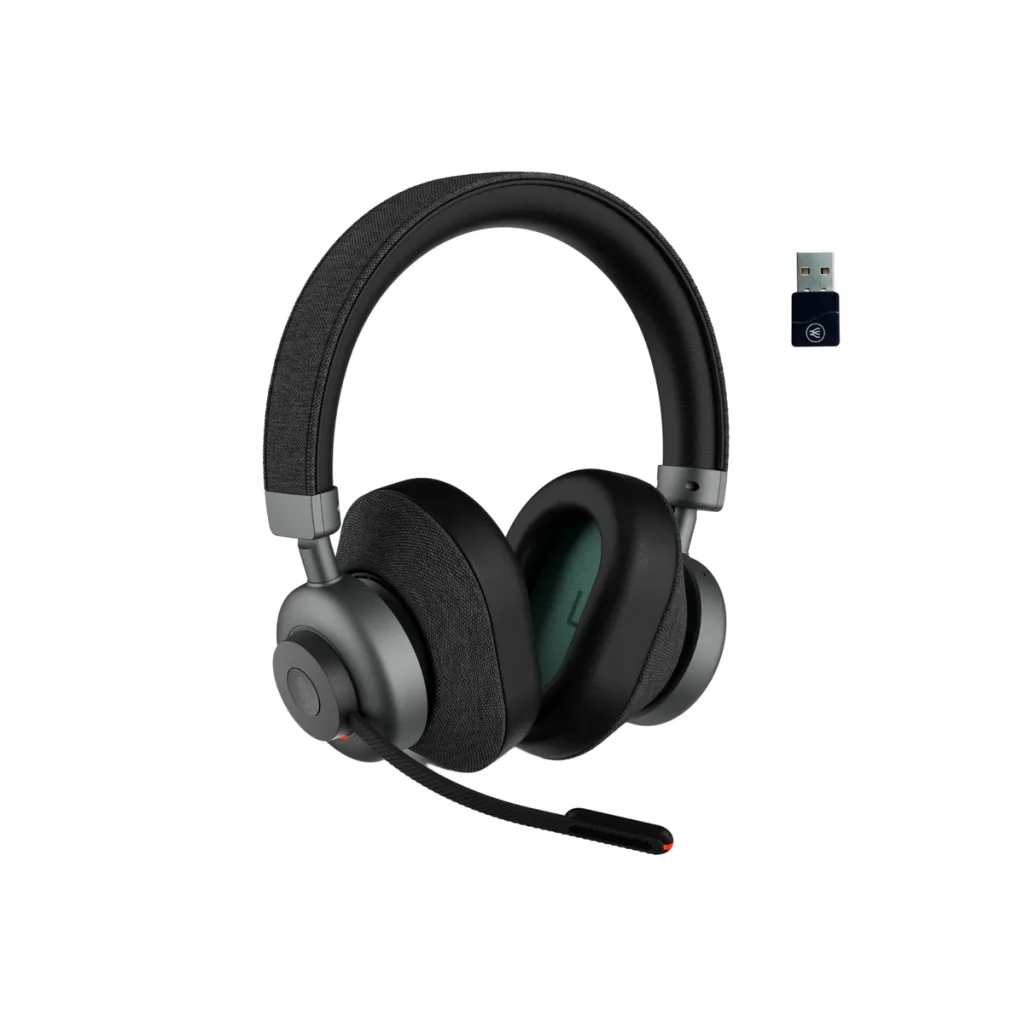
Orosound Tilde Pro Bluetooth Wireless Headset + neep AI noise canceling software

This dynamic duo is designed to redefine your listening experience by giving you the silence you’ve been looking for. 

In this blog, I’ll cover the key features of the Orosound Tilde Pro headset, and the transformative capabilities of neep AI software, showcasing why their synergy represents the pinnacle of noise elimination in the professional office.

Orosound Tilde Pro: A Fortress Against Distractions

The Orosound Tilde Pro is designed, and manufactured in France. That alone makes it a Unicorn among headsets given most others are made in Asia. But its French roots don’t really matter when it comes to the serious business of noise removal, but the features on this headset do. Let’s have a quick look. 

Fully Surrounding Ear Cups For Passive Noise Reduction:

The Tilde Pro takes a proactive approach to noise reduction with ear cups that fully encircle the ears, providing an effective barrier against ambient sounds. This design not only enhances comfort during extended wear but also serves as a foundational element for passive noise reduction, creating a peaceful acoustic environment. Music and voices sound better when outside noise isn’t intruding. If you don’t prefer to have your ears fully covered, and instead prefer ear speakers that rest against the ear, those are available as well.

Multi-Stages Of Active Noise Cancellation (ANC):

The Tilde Pro doesn’t stop at passive noise reduction; it gives you 5 levels of Active Noise Cancellation. These levels work harmoniously to shield wearers from the distractions and annoyances of background noise. Whether it’s the continuous sounds of office equipment or the chatter of coworkers, the Tilde Pro’s ANC adapts to the unique acoustics of your environment, delivering a personalized and immersive auditory experience. So when you want to let some sound in so you don’t feel like you’re in a soundproof chamber, you can. Or, if you want to silence the background noise so you can concentrate better, you can adjust noise levels to your liking. Other headsets that have ANC may only give you ANC on/off, or ANC high/low. Having the ability to fine tun the noise levels can be a significant advantage.

Noise-Canceling Microphone For Crystal-Clear Communication:

In the realm of softphone and video calls, the Tilde Pro’s noise-canceling microphone is a game-changer. By intelligently filtering out background noise, the microphone ensures that your callers hear your voice with pristine clarity, free from the interference of surrounding distractions. This feature becomes a cornerstone for effective communication, eliminating the need to repeat yourself or navigate through awkward silences. Trust me when I say, not all “noise canceling” microphones are the same. Some do a better job at removing noise compared to others.  The Tilde Pro is on the premium side of noise cancellation.

Leak-Proof Sound For Enhanced Privacy:

The Tilde Pro’s commitment to acoustic excellence extends to its leak-proof sound design. This ensures that your private conversations remain confidential, with minimal sound leakage to the external environment. It’s not just about eliminating incoming noise; it’s about creating a secure auditory space for your softphone and video calls. Privacy is one topic that continues to rise in importance, so making even small strides to protect privacy is worth considering.

Battery Plus Wired Mode

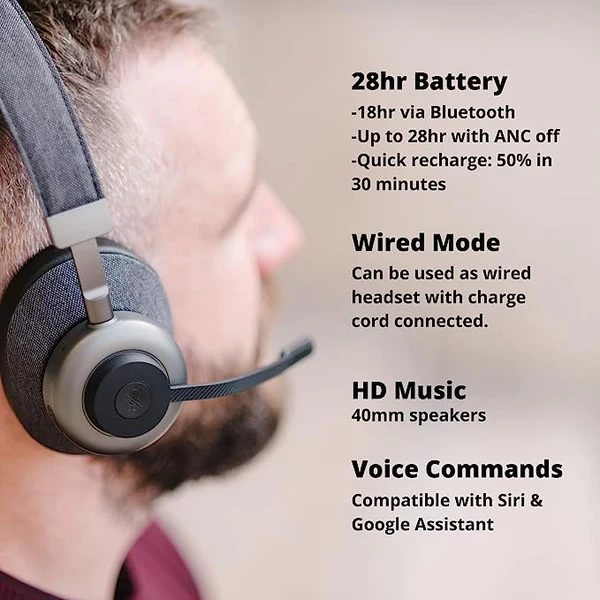
The Orosound Tilde Pro provides up to 28 hours of battery life before a recharge is needed. And if you find yourself in the middle of a call when the battery is begging you for a recharge, no need to worry. You can plug in the included USB cable to begin the recharging process, and continue with your call while the battery is recharging.

Boom Mic Or headphone mode; Your Choice

Before I leave the topic of the Tilde Pro, I’d be remiss if I didn’t mention the fact that you can use the Tilde Pro with, or without the boom microphone. So when you’re on a call, and need the best sound quality, and noise reduction, attach the magnetic boom microphone. And for those times when you’re chilling to some of your favorite music or Podcast, the boom mic is easily removed and can be stored away for use later on. It’s like getting a professional business grade headset, and a pair of entertainment headphones in one.

Next up let’s take a look into the software side of this noise eliminating solution, with neep AI

neep AI Noise Canceling Software: Elevating The Experience

When you are completely reliant on hardware to remove noise, you may find that you come up short. For example, a noise canceling microphone only removes your background noise giving your callers a quieter experience. But what about their noise? Depending on the device they’re using, you may get distracted by the noises stemming from their surroundings.

What about if your hardware malfunctions, or breaks, or for some reason is unavailable? You’ll be left scrambling to find a replacement that hopefully works equally well, which may, or may not happen.

And if either side of the conversation is being distracted by noise, trouble, and frustration mounts, and productivity suffers. The good news is neep AI noise canceling software works in the background seamlessly to eliminate the noise no matter what audio device you’re using. Here’s a few details that help to illustrate the different features of neep, its value, and why this is software you should be using.

Noise Elimination For Both Ends Of The Conversation:

neep AI takes the concept of noise cancellation a step further by addressing both ends of the conversation. While traditional solutions focus on the listener’s experience, neep ensures that your voice is transmitted clearly, without the annoying distractions of background noise, enhancing the overall communication quality. Softphone and video calls become a seamless exchange, unmarred by the disruptions of sound..

Voice Enhancement For Easier Understanding:

neep goes beyond noise elimination; it enhances your voice for optimal intelligibility. Your messages are not just heard; they are understood with precision. This voice enhancement feature becomes invaluable in virtual meetings and calls where conveying information accurately is paramount. Your callers won’t struggle to hear you, and your message will be heard, and understood.

Voice Separation For Unrivaled Clarity:

neep’s sophisticated technology excels in separating your voice from other voices, resulting in unparalleled audio quality and speech clarity. Whether you’re engaging in a one-on-one conversation or participating in a virtual conference with multiple speakers, neep ensures that each voice stands out distinctly, eliminating the confusion of overlapping sounds. And frankly, it’s hard not to appreciate a better sounding meeting.

Compatibility With Your Current Devices:

One of neep’s strengths lies in its compatibility with your existing devices. There’s no need to invest in additional hardware; neep seamlessly integrates with your preferred audio devices, transforming them into powerful tools for noise reduction. This flexibility allows you to leverage the benefits of neep without the hassle of equipment upgrades.

Seamless Integration With Leading Platforms:

to show the different UC platforms neep AI software works with

One of the appealing aspects of neep AI software lies in its seamless integration with the leading communication platforms that professionals rely on daily. Whether you’re navigating Microsoft Teams’ collaborative landscape, participating in virtual meetings on Zoom, conducting calls through RingCentral, or engaging in discussions on Google Meet or Slack, neep AI is your steadfast companion. Its compatibility extends across a spectrum of platforms, ensuring a consistent and superior noise-canceling experience regardless of the communication platform you prefer. 

This versatility not only simplifies the user experience but also amplifies the impact of the Orosound Tilde Pro and neep AI combination, making it a universally applicable solution for achieving auditory excellence in all your voice and video interactions. With neep AI, your journey to a noise-free calling environment is not limited by platform constraints but rather elevated by a harmonious integration across the digital communication landscape.

Suite Of Voice Profiles For Creative Expression:

neep AI brings an element of creativity to the noise-canceling landscape with its suite of voice profiles. Elevate your softphone and video call experiences by changing up how you sound to others. From professional tones to playful personas, neep’s voice profiles allow you to infuse a touch of imagination into your virtual interactions.

Sweet Sound For Your Content Creations

neep AI noise canceling software can also be used with your voice and video content projects. This not only gives you a much better audio track, but it eliminates the need for you to spend money on additional software to accomplish this. neep keeps you on track, and sounding professional across different applications. So whether it’s a podcast you’re creating, or a video to inform, instruct or entertain, neep AI software keeps your voice in that sweet spot.

The Ultimate Solution For Better Calls

If you’re searching for the ultimate noise reduction solution for softphone and video calls, the combination of the Orosound Tilde Pro and neep AI Noise Canceling Software is an unparalleled, unrivaled solution. Together, these exceptional technological tools create a symphony of silence, transforming the myriad of office noise and distractions into a serene environment where frustrations fade, and productivity is allowed to flourish. You simply can’t find a better solution to the problem of office noise.

As professionals navigate the challenges of business communication, the Tilde Pro and neep AI redefine the standards of clarity, focus, and creativity. Softphone and video calls become more than mere exchanges; they become better experiences where your voice takes center stage, unencumbered by the distractions. And you’ll feel a sense of pride and satisfaction with the audio clarity on your content creating projects. And if there’s a wild child that resides within, have a little fun with the voice changer. However you use these tools, you can’t help but have a more professional outcome, and create a few grins along the way.

Embrace the future of noise elimination with the Tilde Pro professional wireless headset and neep AI noise cancelling software, and discover the benefits that lies at the heart of effective communication.

Have questions, or need some help?

Don’t feel like you have to scour the internet alone to find the answers to your questions. Headset Advisor is here to help, and we’ve been helping customers since 1994. So don’t hesitate to contact us because our Advisors are available to help you find the right, compatible solution to your technology challenges and needs. Help is as close as your phone or keyboard, so if you have questions, we have answers.

5 Tips for Clear Communication in Noisy Offices

Offices today, many of which are open, are the hub of activity, where collaboration and innovation thrive. But amidst the energy and all that collaboration, a subtle enemy lurks: the many, and varied sounds of background noise. From the sounds of office machines working in the background to coworkers chatting, this constant hum of noise can easily become a productivity killer, dulling focus and hindering communication. And if you work in one of these open offices, you probably know how fertile the ground is for noise to flourish.

The Ripple Effect of Noise:

While the open-plan layout championing collaboration may inadvertently overlook the crucial factor of sound, the negative impact of office noise extends far beyond mere annoyance. It affects everyone from those seeking solitude for focused attention, to those on business voice and video calls. Noise doesn’t discriminate because it’s an equal opportunity concentration killer. And the disruptions can have a notable impact.

The ramifications of noise is far-reaching:

  • Miscommunication and Errors: Distorted words and disrupted comprehension lead to misunderstandings and project errors.
  • Reduced Clarity and Impact: Muffled voices and competing sounds make it difficult to deliver messages convincingly and leave a lasting impression. When you’re not heard clearly and consistently, you probably won’t be understood well. 
  • Loss of Focus and Productivity: Constant noise drains mental energy, hinders concentration, and slows down work pace. When you’re facing deadlines, or wanting to do your best work, noise represents a barrier to being your most productive self. 
  • Increased Stress and Frustration: The struggle to be heard and understood fuels tension and diminishes employee morale. Increased tension can lead to physical and psychological issues, and leave workers feeling frustrated and fatigued.

Beyond the Device:

It’s important to remember that the impact of noise isn’t limited to specific devices. Whether it’s a speakerphone blasting a call across the room, computer or smartphone speakers adding to the fray, or a poorly positioned conference phone creating distracting sounds, the overall office environment plays a significant role. So when you take into account all the different noises that are created by the different devices used within an office, it’s easy to see that it can sound like a poorly constructed symphony eating away at you. And that’s just the devices at our fingertips. Add to that, the sounds of office machines, HVAC systems, elevators, doors, chatter, traffic noise and more, and you can have audio chaos for the ages.

Seeking Harmony in the Chaos:

woman putting on a headset smiling.

Fortunately, there are ways to navigate the distractions of office noise and reclaim clarity:

  • Embrace Noise-Canceling Technology: Investing in quality headsets or earphones with noise canceling microphones, and if available, Active Noise Cancellation (ANC) feature which can significantly improve call quality and focus. Noise canceling microphones give your callers a quieter experience, where ANC is designed to give the person wearing the headset a tool to fight their noise. Noise canceling microphones, and ANC vary in their effectiveness from brand to brand, but if you have the choice, choose both. One great option is the Orosound Tilde Pro.
  • Utilize Dedicated Communication Spaces: Soundproofed conference rooms offer a haven for confidential calls and critical meetings, ensuring privacy and optimal clarity. And if you don’t have a conference room to use, try establishing a quiet zone for purposes of giving workers a quiet place to go whenever they’re needing a quieter place to work, or use for voice and video calls.
  • Promote Noise Awareness: Encourage office etiquette surrounding noise generating device usage, voice volume, and mindful noise generation overall to create a more considerate environment.
  • Invest in Sound Solutions: Acoustic panels, carpets, and white noise machines can absorb and dampen ambient noise, creating a calmer, more call friendly atmosphere.
  • Embrace Technology Solutions: Explore software like neep AI noise canceling software, which eliminates noise from both sides of calls, ensuring crystal-clear communication regardless of the office environment. It also isolates your voice from others, and enhances it which allows you to be heard, and understood. Neep allows you to use your normal devices too, so you don’t have to spend money on hardware to take advantage of neep’s professional features. You can try neep for free, or learn more by going here.

And for the ultimate in noise elimination, combine neep AI noise canceling software with an Orosound Tilde Pro professional Bluetooth wireless headset. The headset has a noise canceling microphone for filtering background noise, and it comes with variable Active Noise Cancellation and ear cups that fully encircle the ear. When you tackle noise with the Tilde Pro and neep software, noise doesn’t stand a chance.

Working To Create The Sound Of Success:

By acknowledging the detrimental effects of office noise and implementing proactive measures, we can create an office environment where communication thrives, and productivity is optimized. Imagine a workday where every phone call is crisp, every presentation impactful, and every conversation stress-free, heard and understood. This is the promise of a noise-optimized office, where productivity soars and clarity reigns supreme.

Taking the First Step:

Don’t let office noise steal your productivity, your focus, your health and well-being, and even your sanity. Start your journey right now, this very minute, towards a quieter, more productive and effective workday by implementing these tips. Remember, a peaceful office is a productive office, and with a little effort, we can all enjoy the success that comes with having a better, and quieter place to work.

Have questions, or need some help?

Customer support Agent

If you have questions about how to remove noise in your office, or need a headset recommendation? reach out to us at Headset Advisor, and one of our helpful Advisors will be glad to assist you. We’ve been helping customers since 1994, and I’m sure we can help you too. Our Advisors will carefully listen to you to understand your needs, and then tailor a solution that’s guaranteed to be compatible. So don’t feel like there’s no help available, because we’re here to help, and just a phone call, or mouse click away.

Silence the Buzz: Strategies for Crystal-Clear Communication in Noisy Offices

In the typical office, there’s the constant hum of activity in the background, and many of those sounds aren’t welcomed especially if you happen to be on important voice or video calls.This is particularly pronounced for those reliant on communication devices with microphones, such as speakerphones, headsets, and conference phones. In this blog, I’ll delve into the multifaceted challenges that noise poses, uncovering the annoyances, productivity pitfalls, and the potential health implications. I’ll also provide some solutions that can help eliminate noise from your calls, no matter what device you use to make your calls. First, the negative impact of noise in the office.

The Annoyances of Office Noise

1. Distracting Conversations:

Imagine participating in a crucial conference call while your colleagues engage in animated discussions nearby. Maybe you don’t have to imagine this, because perhaps this is one of your daily challenges. The distraction posed by these background conversations can turn what should be a focused and productive meeting into a challenging exercise in concentration. What you may end up with is a call that requires your split concentration; partly concentrating on the call, and partly concentrating on the noises in your background. That places a drag on your productivity, and efficiency.

2. Unwanted Interruptions:

For those using speakerphones or headsets, unexpected noise from the surroundings can lead to interruptions that disrupt the flow of conversation. Whether it’s the ringing of a nearby phone or the sounds of office equipment, these interruptions can be both frustrating and counterproductive. Communication hardware, like many technologies, is advancing, and with those advancements have come better noise reduction features. However, not all of these devices are equipped with noise canceling features, which leaves you vulnerable to the noise around you.

Loss of Productivity

1. Reduced Concentration:

The challenges posed by office noise can significantly impact concentration levels during phone or video calls. Maintaining focus becomes a constant struggle, leading to diminished productivity and the potential for critical details to be overlooked.

2. Employee Frustration

Studies show that distracting background noise is one of the leading causes of worker frustration. Noise can come from many sources, and it’s not always an easy thing to fix. Noise can come from a freeway nearby. It can also come from a rooftop mounted HVAC system, or the constant sounds of nearby elevators and automatic doors. Many of these sounds can’t be eliminated, which adds to the challenge. And when noise is left unaddressed, it can lead to worker dissatisfaction, and even turnover.

3. Extended Meeting Times:

Coping with noise-related distractions often results in longer meeting durations. What could have been a concise and efficient discussion becomes extended as participants navigate through interruptions and repeated clarifications.

4. Increased Error Rates:

The heightened stress and cognitive load induced by noise contribute to higher error rates in communication. Misunderstandings, missed cues, and inaccuracies become more prevalent, impacting the overall quality of work.

The Health Implications of Office Noise

1. Elevated Stress Levels:

Constant exposure to disruptive noise in the office can lead to elevated stress levels. For individuals relying on communication devices, this stress is compounded during important conversations, potentially affecting their overall well-being. The constant sound of noise can lead to a number of different physical, and psychological health issues. In this article  by Corporate Wellness, it details some of these.

2. Fatigue and Burnout:

Coping with the challenges of office noise can lead to mental fatigue and burnout. Professionals find themselves drained by the end of the day, impacting their ability to sustain high levels of performance.

3. Communication Strain:

Struggling to communicate in a noisy environment places strain on individuals, both physically and mentally. This strain can manifest in vocal fatigue, increased frustration, and a diminished sense of job satisfaction. 

With the pandemic in our review view mirror, there’s a push to have employees return to work in the office. That’s being met with hesitation, and skepticism because many are worried about the impact of noise and their ability to concentrate. Here’s an article by Fast Company, written by Jennifer Alsever that talks about this. You might find it interesting. 

Overcoming Challenges with Innovative Solutions

colorful graphic depicting technology

1. Noise-Canceling Technology:

One innovative solution that holds promise in overcoming the challenges of office noise is the integration of noise-canceling technology in communication devices. Devices equipped with advanced noise-canceling features can intelligently filter out unwanted background sounds, preserving the clarity of communication.

Noise cancellation generally falls into two categories; passive noise canceling, and active noise canceling. Passive speaks to non-tech modalities such as physical barriers to noise. An example of this is when wearing headphones that have ear speakers that fully encircle the ears, those ear cups serve as a noise barrier.

Active noise canceling generally includes things that involve technology. Headsets that feature noise canceling microphones for room noise filtering, or Active Noise Cancellation (ANC) that counters incoming noise with technology designed to produce anti-noise, effectively canceling it out. Noise canceling microphones provide a quieter experience for those you’re speaking to. Active Noise Cancellation provides the speaker with a quieter experience.

If you’d like to read an article on this subject, here’s an article written by Derek Phillips that appeared in ElectronicDesign that discusses it.

And if you’re looking for a professional grade business headset that covers both ears (passive noise cancellation), as well as has the electronic feature of Active Noise Cancellation, and a noise canceling microphone, then you might be interested in the Orosound Tilde Pro Bluetooth wireless headset. And when you use the Tilde Pro in combination with neep AI noise canceling software discussed below, you have more than a 1,2 punch; you have a noise knockout!

2. Adaptive Audio Algorithms:

Communication devices with adaptive audio algorithms can dynamically adjust to the surrounding environment. These algorithms analyze incoming sound data and apply real-time adjustments to ensure that the user’s voice remains clear and free from the interference of background noise.

A few examples of devices that use this technology include:

  • Headsets and headphones
  • Mobile phones
  • Smart speakers
  • Televisions
  • Speech recognition software
  • Hearing Aids

3. Personalized Settings:

Empowering users with personalized settings allows them to tailor their communication devices to their unique preferences. Customizable noise-canceling profiles, sensitivity adjustments, and adaptive features put control back in the hands of the user, ensuring a more comfortable and effective communication experience. This may require the approval from IT, but well worth it. Pushing out the same audio profile across an enterprise may not be the best solution, because everyone is unique and has different audio requirements.

4. Software App that eliminates noise:

image of man with imaginary bubble around his head which promotes noise canceling software

Emerging as a new solution to the age-old problem of distracting office noise is software. In particular, neep AI software that’s a real game changer, and comes with an array of impressive features:

Noise reduction

We all want to hear our callers, and have them hear us without the distraction of background noise, and without the need to repeat ourselves. Neep AI software not only removes your noise, but it removes the noise stemming from your callers background too. That gives you the assurance that noise will no longer be a problem for you and your callers. So if you’re on a softphone call, or having a video meeting, neep AI software will clean up the noise and leave you with a crystal clear call.

Voice enhancement

Neep AI software will isolate your voice from other voices, and in doing so, it will enhance your voice making it sharper, and clearer to your listeners. Clarity of communication leads to better understanding which can lead to a more productive call.

Personalized control

Neep AI Software allows you to customize your sound preferences by giving you access to different noise profiles, and intensity levels, so you can dial it up, or down to meet your personal needs.

Works on any device

There’s no need to buy expensive hardware to take advantage of neep’s features. So if you have a favorite device that you prefer using, you’re able to use that, while capturing the many features offered by neep. Even if your device doesn’t remove room noise, neep will be working intelligently in the background to give you, and your callers a better experience. Softphone call, or video meeting, either way, neep has you covered.

Better Audio for voice and video projects

If you do a podcast, or record video content, neep AI software will work on those projects to enhance your voice so it’s sharp and clear. That means you won’t need to use or acquire additional software to get a better sound. With neep you’ll sound great on all your voice and video projects.

Voice profiles for a dash of fun

If you’re a kid at heart, neep AI software fits right in. Within the application you can select from a variety of voice profiles to change how you sound. So if you want to have some fun with coworkers, and mix it up while gaming, use neep AI software to sprinkle in a dash of fun.

To learn more about neep AI software, or to try it out for free, click here.

THE WRAP: Harmonizing Communication Amidst the Noise

woman putting on a headset smiling.

In the ebb and flow of office life, the challenges posed by noise are ever-present. From distracting conversations to the subtle annoyances that disrupt our workflow, the impact of office noise reaches far beyond the surface inconveniences. It infiltrates our productivity, heightens stress levels, and even threatens our overall well-being.

However, as we navigate the complexities of the modern workplace, innovative solutions are continuing to emerge to help improve our communication by working to silence the noise. Noise-canceling technology, adaptive audio algorithms, and intelligent noise canceling software offer the possibilities of a solution to the age-old problem of noise in the workplace. Distractions are costly to every business, and they’re also costly to the individual.

In the pursuit of a better, quieter communication experience, professionals should recognize the transformative potential of these innovations, seek out these solutions, and embrace the technology. By addressing the challenges posed by office noise head-on, we can all reclaim our productivity, reduce stress, and foster a healthier work environment. 

Have questions, or need some help?

Customer support Agent

Headset Advisor has been assisting customers since 1994. We have a lot of experience, and a lot of answers. So don’t feel like you’re alone in your search for solutions to your communication challenges. Contact us today and one of our friendly, knowledgeable and helpful Advisors will be glad to assist. 

Ditch the noise: How to Make Airpods Work for Crystal-Clear Business Calls

AirPods, you know, those elegant white buds that have redefined how we tune in what we like, and tune out the rest. And for a very long time, Airpods have been, and continue to be, the buds of choice for countless people across all walks of life. They’re small, discreet, comfortable, they sound great, and they’re a freaking Apple product which means there’s a lot to like about them.  

Yet, while the Pro and Max models come with Active Noise Cancellation (ANC) and Transparency Mode for convenience and noise reduction, the standard editions aren’t as nicely appointed in that same way. So if you’re using Airpods without these premium tech features, you’ll have more challenges when it comes to dealing with the noise around you.

Are you using Airpods for business calls? How about video calls? Because if you are, the sound quality may not be the best because noise can easily find its way onto your calls which can be very distracting to you, and to your callers. It can also be a productivity drain as well. That can leave you frustrated, and curious. Frustrated from the noise intrusion, and curious as to what you can do about it, because parting ways with your Airpods, even for your business calls, isn’t something you probably want to do.

And though your Airpods might not have Active Noise Cancellation or Transparency for dealing with distracting noise, there are some things you can do to improve your call quality when using Airpods. Hopefully this blog will give you some help in keeping noise to a minimum, and you and your callers being less distracted by it.

Using Airpods for business calls, and want better noise reduction? Here are some tips

  • The Power of Fit: Forget one-size-fits-all! That’s rarely the case. Instead, experiment with the different ear tip sizes to achieve a snug seal. This natural barrier dampens ambient noise, giving your AirPods passive noise-canceling. What you want to avoid is using an ear tip that isn’t snug because if it is, noise will find its way in. And you don’t want to use those that are too tight because it probably won’t take long for your ears to be oozing in pain. So take your time, experiment with the different sizes to find the ones that provide a good noise seal, but not so much that you can’t wear them comfortably.
  • Seek Refuge in Silence: Location matters! Escape to an office, conference room, or any other available place that offers a more quiet place to work. Remember, every decibel shaved off becomes meaningful in your pursuit of a better, quieter call.
  • White Noise : Play calming nature sounds, white noise, or ambient music through your AirPods. allowing these soothing sounds to truly envelop you, and it gives you something better to hear compared to sounds known to be distracting. Though this isn’t possible if you’re on calls, it can help to lessen the negative effects of noise when you’re doing other tasks.
  • Bump the bass: Crank up the bass! Well, at least to a certain degree. Deep, resonant sounds naturally mask high-frequency distractions like chatter or traffic noise. So if you’re listening to music, make sure to adjust up the bass so those high pitched sounds, like keyboard clacking, doors closing, and machine noise can be muffled so you won’t hear them at all. And that’s just one more thing you can do to fight back against the annoyances of distracting noise.
  • Software over hardware: Consider using neep AI software. It’s affordable, and it will eliminate the noise on both ends of the conversation. Whether it’s a softphone call, or an important video call, neep AI will silence the noise. It will isolate your voice from other voices, and it will enhance the sound of your voice which gives your callers a better audio experience. And if you’re still a kid at heart, you can alter the sound of your voice across several voice profiles to have a little fun. Best of all, you can try neep for free!  There’s no better way to find out how good it is than by trying it out in your exact working environment. Once you do, I’m betting you’ll love it because your Airpods may not remove noise, but neep will. And that means you can confidently use your Airpods on all your voice and video calls knowing that noise is no longer a problem. 

Tips beyond neep AI software

Whether you rock the Pros, Max, or the classic editions, these simple tips can help you further in your pursuit of silence. 

  • Headphones over Pod: Double down on silence! Wear noise-canceling headphones over your AirPods. This might sound like audio overkill, but for environments like airplanes or construction zones, it’s a game-changer. You continue using your favorite earbuds, while shielding them from the barrage of noise around them. 
  • Tech Tweaks: Unlocking Hidden Potential: Dive into your device settings! Many phones and laptops offer audio enhancements like bass boost or spatial audio that can help mask background noise. So don’t overlook your Airpods settings, as well as settings in your computer.

Conquering noise is a journey, not a destination. Experiment with these tips, discover what resonates with you, and don’t be afraid to get creative! Here are some bonus hacks:

  • Music with a Mission: Choose music with prominent instrumental sections or natural soundscapes. These can offer further masking for high-frequency disturbances.
  • The Power of Timing: Schedule calls or noisy activities for quieter times of the day. Avoid scheduling your important calls at times when a general sales meeting is getting started for example. Timing matters, so keep that in mind if you want to give yourself a better chance of  having a call when noise isn’t at its peak.
  • Embrace Focus Modes: Some AirPods models offer Focus Mode, allowing you to amplify specific sound directions. Use this to prioritize the speaker in a noisy conference room which can be helpful in not missing part of the conversation.
  • Mindfulness Matters: Take breaks from noise altogether. Step outside, listen to the wind, or enjoy the quiet hum of nature. These moments can recharge your ears and enhance your appreciation for audio clarity when you return. I think we’re all guilty of not taking enough breaks throughout the day. Set an alarm as a reminder, and don’t turn it off, and resume working. Breaks are necessary, and beneficial for a host of reasons.

Remember, noise can be dampened, or even eliminated with some patience, and effort

Each of us experiences sound differently. Embrace the flexibility of your AirPods, utilize hacks, and explore the power of neep AI’s voice clarity and noise cancellation magic. Whether you use the Pros, Max, or the classic editions, you hold the key to crafting your own silent surroundings. So, you now have a few things you can try in order to help improve your noise problem while using Airpods. Remember, if the hacks don’t work, neep will. Either way, I wish you the best in your search for silence when using Airpods as your headset of choice while on business calls.

Have questions, or need some help?

Don’t feel like you have to go it alone. Finding the right solution can be complicated because there’s a lot to know, and a lot of options to consider. Headset Advisor has been assisting customers since 1994, and I know we can help you too. We’ll listen carefully so we understand your needs, and we’ll make a tailored recommendation that’s guaranteed to be right for your situation. 

Contact us today, and one of our Advisors will be happy to help!

AirPods For Business: Slay Noise, Boost Focus With These Noise Canceling Hacks

Ah, AirPods. Those sleek white buds that revolutionized wireless listening.

But amidst the convenience, and coolness, a silent nemesis lurks: ambient noise. The chatter of the coffee shop crowd, vehicle noise, the insistent sounds of construction work, or your favorite four legged friend – all conspiring to drown out your calls and intrude on your focus, and productivity.

Noise in the workplace is not only annoying, but it negatively affects productivity, and can actually be detrimental to your health. Here’s an article that talks about noise, and its negative health impacts on your body. And when you’re using many of the models of Airpod earbuds, noise can be a problem because they’re not the best at handling noise. So when it comes to your personal well-being, and productivity, noise in the workplace isn’t something that should be ignored.

But what can you do when you’re using your favorite pair of Airpods knowing that they may not be the best at dampening those annoying sounds? Are you getting distracted? Are your callers hearing everything going on around you? And the thought of using a traditional pair of headphones just doesn’t cut it.

Fear not because there’s hope on the horizon. This blog post is your quick guide to conquering noise on your AirPods allowing you to reclaim serenity, and that beautiful sound of silence for you and your callers.

Airpods have been a fan favorite for a very long time, and for a lot of good reasons. They’re small, lightweight, they sound great, and they’re an Apple product, so what’s not to like about that? And if you own Airpods Pro, or Airpods Max, you have the added advantage of Active Noise Cancellation, and Transparency features. So if noise is your problem, and you’re using one of these Apple products, then there may be some hope for you to dampen the noise around you, and have better, more productive calls. And even if you’re using a different Airpods model, you won’t be left out, because there’s a solution for you too.

Below are some ideas to consider if you’re using the Apple Airpods Pro, or Max.

  • Optimize ANC and Transparency Modes:
    • ANC: Ensure ANC is active and experiment with the different ANC strength options available on your iPhone or through the Control Center. Adjust the strength based on the specific office noise (low rumble vs. high-pitched chatter).
    • Transparency Mode: If you need occasional situational awareness, consider using Transparency Mode, which blends ambient noise with your audio. You can choose between “Off,” “On,” and “Adaptive” Transparency depending on your preference and how much awareness you need. This feature is generally found on high-end business headsets, and less common on earbuds. And being able to keep the earbuds in place and not having to remove them everytime you want to have a coworker conversation, or hear what’s going on around you is a nice feature to have.
  • Optimize Audio:
    • Play background noise: Use white noise or nature sounds through Apple Music or a dedicated soundscape app. Masking noise can effectively drown out lower-frequency disruptions like hums and air conditioning. This gives you something more pleasing to listen to, and draws your attention away from more distracting, or annoying sounds.
    • Focus on the bass: Choose bass-heavy music or audio tracks. Deeper frequencies can naturally mask higher-pitched office noises like keyboard clicks and conversations. Anything you can do to not get distracted will pay dividends in your frame of mind, and your ability to get things done.
  • Physical Adjustments:
    • Fit check: Ensure your AirPods Pro fit snugly in your ears. A loose fit allows more noise to creep in, reducing the effectiveness of ANC. Consider using different ear tip sizes for a better seal. We all have different sizes of ears, and ear openings. Don’t settle for close enough. Instead, find the ear tip that best fits your ears, and stick with those.
    • Minimize noise leaks: If possible, find a quieter corner in your office or wear additional ear protection over your AirPods for extra noise blocking.

BONUS TIP: Affordable Noise Canceling Software

If you’ve tried all of these things, and noise is still getting in your way, then here’s a suggestion that’s guaranteed to give you a noise free voice or video call when using your Apple earbuds, or headphones.

neep AI noise canceling software

neep software is affordable for anyone, and it flat out works. It’s chocked full of features that guarantee you’ll have a noise free, stress free, high quality call no matter what microphone and speaker you’re using. Whether that’s an Apple device, a traditional headset, or even a hands free conference phone, neep will work with all of them which means there’s no need to invest in costly hardware to take advantage of neep’s amazing features.

Not only will you sound great to your callers without the distraction of background noise, but your voice will be isolated from other voices, and enhanced. And if that weren’t enough, the noise in your caller’s background will be removed as well, which is pretty awesome. So no matter where the noise is coming from, neep takes care of it, while at the same time, making you sound great.

And if you’re a Gamer with a sense of humor, the voice changer feature will likely appeal to you. So if you want to sound robotic for example, just select that voice profile and you’re good to go.

neep can also give you enhanced audio for any of your voice or video projects. Working on a Podcast or Youtube video? Let neep sharpen things up so you have stellar audio.

Give it a try for free, and when you do, I’m confident you’ll be impressed by how well it removes the noise when using Airpods, or any other audio device. So if you use Airpods for business, and you’ve been looking for a noise cancelling solution, I’d say you just found it.

Follow these simple tips to escape the noise and enjoy clear communication and better focus and productivity. Remember, AirPods are powerful tools for enjoying music and staying connected, and by following this advice, combined with using neep software, you can truly unlock their full potential.

Have questions, or need some help?

Headset Advisor has been helping customers for the past 30 years. Our aim is, and has always been, to help you find the right technology solution so that you’re as productive, and comfortable as possible, with service that’s second to none. Our Advisors are available to answer your questions, so don’t hesitate to contact us if we can help you in any way.