Silence the Noise & Sound Amazing: Best Headset for Flawless Microsoft Teams Calls

I think we’d all agree that how we work today is quite a bit different from five years ago. The covid pandemic certainly changed things up, with many of us having returned to work at the office, though some have remained working from home, while others employ a work routine that’s a mix of both.  Wherever you work, and if you’re using Microsoft Teams for your voice or video calls, you stand to benefit by using a good quality, business grade headset.

Why Headsets Matter: The Foundation for Clear Communication

A dedicated headset offers numerous benefits over speakerphones or using your computer’s built-in microphone and speakers. Here’s why upgrading to a good headset is a crucial first step if you’re in search of better sounding Microsoft Teams calls:

  • Professional Audio: Dedicated microphones capture your voice clearly and consistently. This ensures you’re always heard loud and clear, even in moderately noisy environments.
  • Noise Reduction: Headsets with noise-canceling microphones help mitigate some background noise, minimizing distractions for both you and your callers.

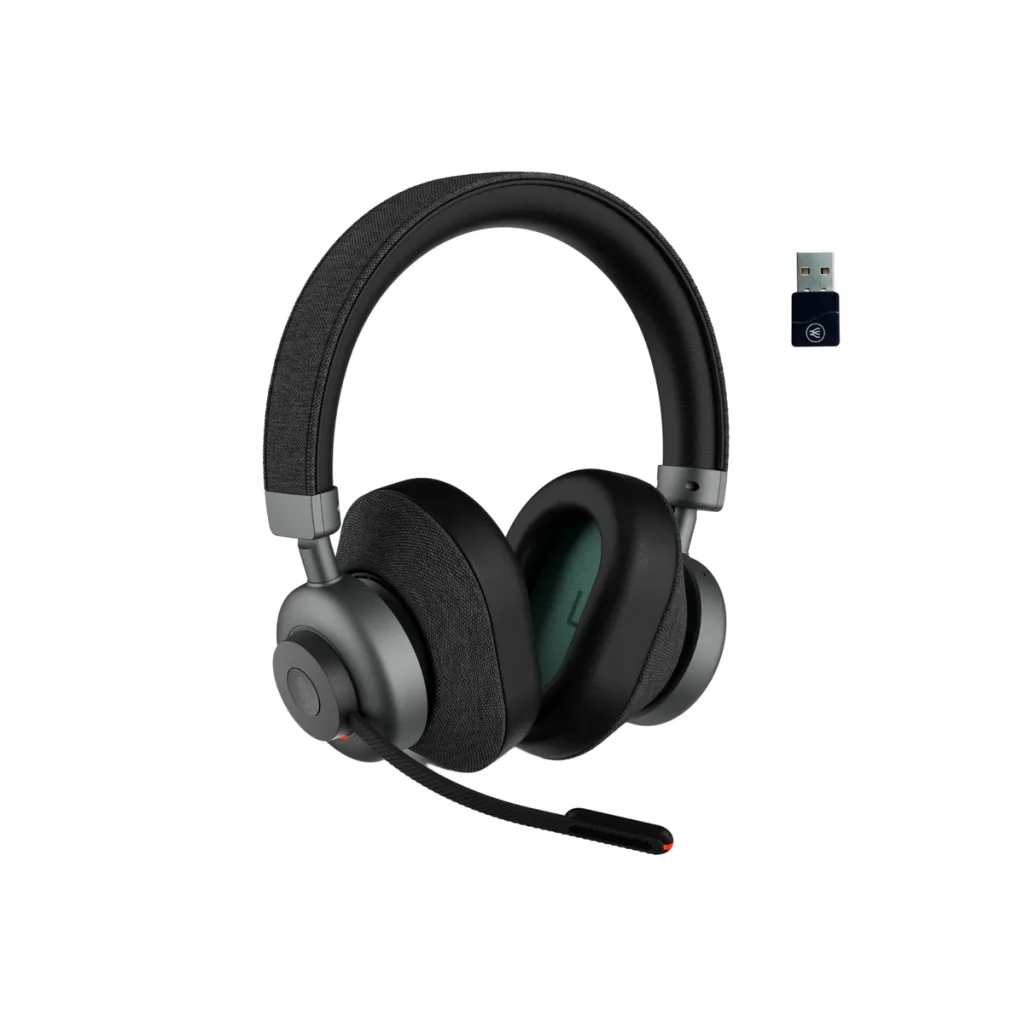
And though there are a number of solid headset choices available, one that stands out in the crowd, and is an excellent choice for anyone using Microsoft Teams, is the Orosound Tilde Pro.

Headset Spotlight: Orosound Tilde Pro – A Feature-Packed Powerhouse

As an example of a premium headset, let’s consider the Orosound Tilde Pro. This headset has several features that help enhance your Microsoft Teams experience:

Professional grade audio. The Tilde Pro delivers voice fidelity that’s richer sounding than other headsets in this class. So if you want to sound better on your Microsoft Teams calls, then this is a headset well worth your time to consider.

Noise canceling microphone. Lets face it, noise is all around us. And the last thing any of us want is for that noise to be part of our calls. Noise is distracting, noise is frustrating, and noise interferes with our message being heard. The Tilde Pro has a superior noise canceling microphone which helps you to have a clear Microsoft Teams call, even when there’s noise going on around you.

Active Noise Cancellation. This useful feature blocks out background noise for the wearer of the headset, where a noise canceling microphone remove background noise for your callers. Some headsets have ANC, though many limit the Active Noise Cancellation feature to either on/off, or high/low only, without any adjustment. The Orosound Tilde Pro provides you with five levels of adjustment which allows you to control how much noise you hear. And when you hear less noise, you’re better able to stay focused on your work. To get a general overview of ANC, here’s an article from Bang and Olufsen that talks about ANC.

Aware+. Anyone who wears a headset knows the frustration associated with having to take off the headset everytime someone approaches wanting to have a face-to-face conversation. This can become frustrating over time, and it’s something solved when using the Tilde Pro. It has a feature called Aware+ that allows you to have a face-to-face conversation without having to remove the headset. We all have little frustrations in life, and the Aware+ feature allows us to check one of them off our list.

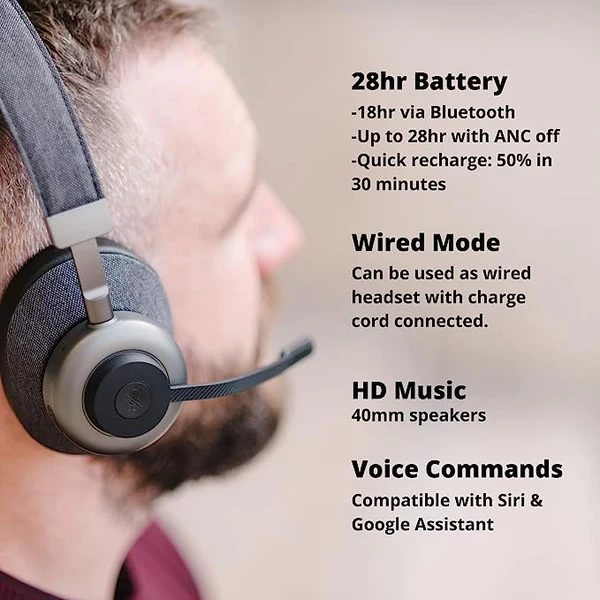
Long life battery. The Tilde Pro comes with a 28 hour battery, so you’ll have more than enough power for any of your Microsoft Teams meetings. You won’t have to worry about a battery going dead on you while on important calls. You’ll even be able to string together multiple days of use before a battery recharge is needed. Finally, you can continue using the Tilde Pro even when it’s plugged in for recharging, which makes it very convenient. Not all headsets have that ability, and require you to be without your headset while charging takes place.

Modularity. The Tilde Pro allows you to select the style of ear cushions, whether it be those that go against the ear, or those that fully circle them. You can use the headset with the included boom microphone, or remove it when not on calls because it attaches magnetically. Though you can still make calls without the boom mic, optimum sound quality is achieved when using it.

Without question, the Orosound Tilde Pro will elevate your audio when on Microsoft Teams calls. But this headset, like any headset, won’t remove all your background noise. So what’s the solution if you’re looking for a headset for Microsoft Teams calls, and what you’re now using just isn’t cutting it?

The Missing Piece: Noise-Canceling Software for Impeccable Audio

While the Tilde Pro is an excellent first step in achieving a better sounding Microsoft Teams voice or video call, combining it with neep noise canceling software is the final piece to this noise puzzle.

neep is a very affordable software download solely designed to remove noise. It’s compatible with Windows, Mac and Linux operating systems, and it will work with any speaker and microphone. So if you’re using headsets that you like, but just need more noise removal while on Teams calls, neep is an excellent choice to work in tandem with your current audio devices.

Here are a few of neep’s features that help make it a compelling solution to noise.

  • Unmatched Noise Removal: Advanced Ai noise-canceling software, neep utilizes sophisticated algorithms to remove a wider range of background noise compared to basic headset microphones. This eliminates distractions for you, and your callers, allowing them to focus on your message.
  • Bi-Directional Noise Cancellation: neep goes beyond simply removing your background noise. It also removes background noise from your callers end, creating a truly noise-free communication environment.
  • Voice Isolation: neep intelligently learns, then isolates your voice from other voices and surrounding sounds. This ensures your voice remains clear and intelligible, even in busy environments like offices, co-working spaces, coffee shops, or at home.
  • Automatic Volume Adjustment: neep automatically adjusts your microphone volume to maintain consistent audibility, even among distracting background noise.
  • Affordable Solution: neep software is a cost-effective way to significantly improve your audio quality. You can choose our month-to-month plan, or save 25% by selecting our annual plan. Either way, neep will give you an affordable solution to noise for better sounding Teams calls.

The Winning Combination: Headset + Noise-Canceling Software

By combining a high-quality headset like the Orosound Tilde Pro with noise-canceling software like neep, you create a winning combination for conquering noise in your Microsoft Teams calls. Here’s why this approach is so effective:

  • Crystal-Clear Communication: The headset provides a solid foundation with a high-quality microphone and noise reduction features. This represents your first line of defense against noise.
  • Advanced Noise Removal: neep software takes things a step further by eliminating a broader range of unwanted background noise; your noise and your callers.
  • Enhanced Focus: With distractions eliminated, you and your colleagues can maintain focus on the conversation and collaborate more effectively.
  • Increased Confidence: Knowing you sound clear and professional even when noise is present, can boost your confidence during virtual meetings and presentations.
  • Cost-Effective Solution: While premium headsets offer substantial improvements, neep software provides a cost-effective way to further enhance audio quality. And because neep works with any speaker and microphone, you have the option to use your current devices, and employ neep to achieve better sounding Microsoft Teams calls at an amazingly affordable rate.

Invest in Your Audio, Invest In Better Sounding Teams Calls

Upgrading to a good business headset is an excellent first step. However, for truly exceptional audio quality, consider the one-two approach – combining a quality headset, like the Orosound Tilde Pro, with neep advanced noise-canceling software. This combination creates a noise-free environment, allowing you to sound your best and stay focused on what matters: delivering your message with clarity, impact and confidence.

One good way to know if the Tilde Pro headset, and/or neep noise canceling software is the solution you’ve been looking for is to request a free demo.

  • Contact us to schedule your free Orosound Tilde pro demo
  • Go to neep.com and click on the “get neep free” button for your free neep download

Trying these either, or both products before making a buying decision is the best way to know if these solutions are right for you. It also helps to cut through the marketing noise and gets right down to business. So contact us today to get on the path of better sounding Microsoft Teams calls.

Have questions, or need some help?

Headset Advisor has been assisting customers with tailored, compatible communication solutions since 1994. Our U.S. based team is available to help answer your questions, and evaluate your needs to help you with a personalized solution. Contact us today and we’ll be happy to help.

Mastering Microphone Noise Cancellation for Crystal-Clear Communication

In today’s digital age, clear, uninterrupted and distraction free communication is extremely important. Whether you’re on important  conference calls or collaborating with colleagues remotely, background noise can really disrupt your experience.

Noise is well-known to be a problem that businesspeople struggle to control. Here are a few of the problems created by unwanted background noise.

  • It frustrates you, and your callers
  • It lowers worker productivity
  • It can cause your message to get lost in the noise
  • It can put you at risk with HIPAA compliance
  • It can be bad for your health

But don’t think that there’s no solution to this age-old problem, because there is.

But before we dive into a good, solid solution, let’s first take a quick look at the two most common types of microphones.

Understanding Microphone Noise Cancellation

Some microphones have built-in noise cancellation technology, designed to reduce unwanted ambient sounds for your callers while prioritizing your voice.

Here are the two main types::

  • Noise-Canceling Microphone: Actively filters out background noise using directional technology or software algorithms.
  • Non-Noise Canceling Microphone: Captures all sound in its vicinity, including your voice and background noise.

Most modern headset microphones fall into the noise-canceling category, offering a significant upgrade over laptop or webcam mics for example. However, the effectiveness of this noise cancellation can vary a lot. Cheaper headsets might make claims of having noise canceling microphones, but how well they perform can be hit or miss. Higher-end models with advanced technology provide superior filtering capabilities for better soundiing voice and video calls.

Beyond the Microphone: Two-Pronged Approach

While making use of a noise-canceling microphone is a great first step, it might not be the silver bullet solution in every situation. Here’s where a two-pronged attack comes in:

  • Finding a Quiet Space: Even before getting into our recommended solution, the simplest solution might be the most overlooked. If possible, relocate to a quiet area within your office, like a conference room, for example, when needing to make important voice or video calls. However, this isn’t always practical as you may need access to your desk or to collaborate with colleagues in real-time. You also might find a time of the day when the office isn’t as noisy, making it possible to make calls without distractions.
  • Soundproofing Your Environment: This involves installing sound-absorbing materials like acoustic panels on walls and ceilings. This can be expensive, disruptive, and might not completely eliminate noise, especially from your surroundings because not all the noise is captured by these materials. That leaves the remaining noise to run freely throughout your workspace, and unfortunately onto your calls.

There are other ways you can work to eliminate unwanted office noise, but the simplest, more direct and affordable solution is comprised of two things:

Fight Noise With A Professional Grade Headset

There are a number of microphones you can use to combat unwanted office noise, such as a standalone microphone, a conference phone, a webcam mic or even the microphone housed within your laptop. And though they will pickup your voice, they’ll fall short in solving your noise problem, because these types of microphones are generally not designed for a high level of noise removal.

Something to keep in mind is your background noise affects you, and your callers. And the noise from your callers background affects you. So with that in mind, what’s a good headset to help solve this problem?

Here’s one suggestion of a professional grade headset that is up to the task of removing noise for both you, and your callers: The Orosound Tilde Pro.

What makes the Tilde Pro worth our endorsement when it comes to removing noise?

  • Professional grade microphone. If you want to sound good, the Tilde Pro gives you better fidelity compared to other makes and models, even those household brands. You get a deep, rich sound that’s hard to find in business grade headsets.
  • Noise canceling microphone. The Tilde Pro removes background noise better than the majority of headsets, placing it in an elite category. So if you want a headset to help remove noise, this one is ready, willing and able.
  • Active Noise Cancellation. A standard feature on the Tilde Pro is Active Noise Cancellation (ANC). This is a feature you won’t find on all headsets, but those that do have it, may only give you ANC on/off, or ANC High/Low. The Tilde Pro headset gives you five levels of adjustment so you can control how much noise you hear. In the end, you eliminate noise distractions, and stay focused.

But having a good quality, professional grade headset is only half of the solution. Here’s what you need to pair it with in order to fully solve your office noise problem.

The Power of Software: Introducing neep

For a more versatile and affordable approach, consider noise-canceling software like neep. This software works seamlessly with Windows, Mac, and Linux operating systems, and it’s a simple download and affordable. 

Here’s how neep elevates your audio experience:

  • Advanced Noise Removal: neep goes beyond the capabilities of your microphone’s built-in noise cancellation, as microphones don’t remove all the noise, even those deemed to be noise canceling.
  • Voice Isolation: neep learns your voice and separates it from other voices and background noise, ensuring clarity for your callers no matter what noise is going on in your background. This is a game-changer for those who work in noisy offices, at home, or on the go.
  • Automatic Volume Adjustment: neep will intelligently adjust your voice volume based on background noise levels. This makes it easy for your callers to hear you. No repeating yourself, and no lost messages due to callers struggling to hear you.
  • Voice Enhancement: Improves the overall quality of your voice by reducing distortion and emphasizing clarity, and neep handles it automatically. A great feature for those who want to sound their best, especially when on important voice or video calls.

Combining Forces: Headset + Neep = Audio Bliss

The true magic happens when you combine a high-quality noise-canceling microphone with neep software. Imagine using a top-tier headset like the Orosound Tilde Pro with its advanced noise-canceling microphone,, and Active Noise Cancellation filtering out background noise. Now, add neep to the mix giving noise the knockout punch. You get crystal-clear audio for both yourself and your callers, and you can try neep for free.

Just go to neep.com to learn more, watch a demo, or claim your free trial of neep noise canceling software. And when you do, you’ll experience the sound of silence like never before.

The Benefits of a Noise-Free World

The advantages of conquering background noise extend far beyond simply improved audio quality. Here are some additional benefits to consider:

  • Increased Productivity: By eliminating the distractions and noise, you can focus on the conversation, leading to more productive meetings and calls, and less frustration.
  • Reduced Stress: Background noise can be mentally taxing. A quieter environment fosters a calmer, more focused state of mind, which leads back to greater productivity, and greater peace of mind.
  • Enhanced Professionalism: Crystal-clear audio projects a professional image, where having background noise infiltrate your calls paints the opposite.
  • Improved Client Satisfaction: When clients can hear you clearly, it fosters better communication and builds trust. Not only that, but rest assured your message is heard, and not lost in the distration and chaos of background noise.

Ready to Experience the Silence?

Don’t let background noise disrupt your communication. By understanding microphone noise cancellation, exploring environmental solutions, and leveraging software like neep, you can create a quiet and productive calling experience. 

Need Help Choosing the Right Tools?

Headset Advisor is here to assist you! We offer a wide range of noise-canceling headsets, and software and we can guide you towards the perfect solution for your needs. Don’t feel like you have to figure all this out on your own. Contact us today and discover a new world of clear communication.

From Noise to Nirvana: Transform Your Calls with Advanced Noise-Canceling Microphones

In today’s typical work environments, background noise can be a major hindrance to effective communication. Whether you’re working in a noisy office, at home, or on the go, finding a microphone that effectively cancels out unwanted noise is essential for maintaining clear, uninterrupted conversations. Because when noise gets in the way, you can lose focus, your callers can lose your message, and frustration can increase.

But with so many audio options available on the market, it can be challenging to determine which device, and which microphone is the best choice for your needs. In this blog, we’ll explore some microphone options you can consider that can help remove background noise, including:

  • Laptops
  • Webcams
  • Business Headsets
  • Conference Phones
  • Noise Canceling Software

Let’s start with webcams and laptops. Though Laptops, and webcams wouldn’t be our recommended go-to solution, it may be one that works for you, depending on the amount of noise in your environment, and the degree of noise you’re wanting to suppress.

Webcams:  

Some high-end webcams, like the Logitech 4K Pro Webcam, are starting to incorporate noise-canceling microphones, catering to the growing demand for clear audio during video calls. And if this approach solves your problem, great! But the noise on softphone calls will remain. But if you only need noise suppression for video calls, then this may be something to consider, though I’d try the camera before buying it to make sure it removes enough of your noise. Otherwise, you’ll have to go through the return process, and depending on where you bought it, that could be difficult. 

Laptops:

Some laptops these days include noise canceling software, which might be enough to take care of your problem. If you’re at your desk, and on a softphone or video call, the resident noise canceling software may do the trick. Then again, what happens if you need to step away from your desk to grab some coffee, go to the bathroom, or have a side conversation with a coworker? That may prove to be inconvenient for a variety of reasons. So is this the best option? I’d argue not. So let’s continue.

Headsets with Noise-Canceling Microphones:

Headsets equipped with noise-canceling microphones, and Active Noise Cancellation, are an excellent option for individuals looking to remove background noise during voice and video calls. Employing this option brings you closer to solving your noise problem. Noise canceling microphones use advanced technology to filter out unwanted sounds, ensuring that your voice comes through loud and clear to your callers. Something to keep in mind if you’re shopping for a noise canceling headset for your softphone or video calls, is to make sure you know what kind of microphone the headset has. Some headsets have non-noise canceling microphones, which don’t remove any background noise. Others have noise canceling, or ultra-noise canceling microphones. And with these different microphone types, it’s hard to know how well it will perform at removing your background noise. And if it does a superb job at removing your noise, what happens to the voice audio quality? Does it suffer, as some headsets do? Like with the webcam advice above, I’d recommend trying the headset before deciding to buy it. This way, you’ll know in advance if the headset you’re considering will perform to your expectations. 

One model we can endorse without reservation for superior noise canceling, is the Orosound Tilde Pro. The Tilde Pro microphone removes a high amount of noise, and the audio quality is excellent. Add to that, the Tilde Pro comes with Active Noise Cancellation, with multiple levels of adjustment. ANC cancels background noise so you don’t get distracted by it. The microphone removes noise for your callers, and ANC removes noise for you. Not all headsets have ANC, and those that do may only offer on/off, or high/low. The Tilde Pro lets you control how much noise you hear. To learn more about ANC, here’s a good article by Bang and Olufsen titled “What is Active Noise Cancellation?”

Conference Phones:

For individual or group calls or meetings, conference phones with noise-canceling microphones offer an ideal solution. Some brands utilize a single, omni-directional microphone that picks up sound from all directions, while removing some of the background noise. Other brands employ multiple gated microphones that turn on and off depending on which direction the voice is coming from. In both cases, you can expect to receive echo cancellation, noise suppression, and full-duplex audio. These conference phones are perfect for collaborative environments where multiple voices need to be heard with minimal interference from background noise. And though I’m repeating myself here, you may want to try a conference phone prior to making a buy decision because performance does vary from model to model, and brand to brand.

neep Noise Canceling Software:

How neep works

In addition to hardware solutions, specialized software like neep offers a powerful way to remove background noise from both ends of a conversation. Compatible with Windows, Mac, and Linux operating systems, neep is a simple download that provides highly effective noise cancellation at an affordable price. By learning your voice and isolating it from other sounds, neep ensures that you’re always heard loud and clear, even in the noisiest environments. The software automatically adjusts the volume to compensate for background noise, ensuring that your callers don’t struggle to hear you. And if you’re a content creator and would like to improve the audio quality of your creations, neep can be used for that too.

As a stand alone solution, neep is rock solid, but there’s a way to take this to the next level.

The Ultimate Noise-Canceling Combo: Headset + Software

While noise-canceling microphones in headsets offer a significant improvement, pairing them with software like neep noise cancellation software can take your call clarity to the next level. Here’s why:

  • Double the Noise Reduction: neep AI software works on both ends of the call, removing background noise from both your microphone and your caller’s microphone. This ensures a truly noise-free conversation, regardless of your environment.
  • Voice Isolation & Enhancement: neep noise canceling software utilizes advanced AI technology to recognize, and then isolate your voice from surrounding noise. This ensures your voice is consistently clear and well-balanced, even in the noisiest environments.
  • Automatic Volume Adjustment: No more fiddling with volume controls! neep AI noise canceling software automatically adjusts call volume in real-time, ensuring a smooth and consistent listening experience for both parties.

So if you’re challenged by the distracting sounds of an office, or the unique noises when working at home, you do have tools to help you fight back. When you combine the power of a good quality, business grade headset with neep noise canceling software, I can assure you that noise doesn’t stand a chance when up against these two noise assassins. In our view, your best, and most readily accessible tool to help combat intrusive noise is combining the use of these two products.

Final Thoughts:

Finding the right microphone that cancels background noise is essential for maintaining clear and productive communication in any environment; at the office, at home, or on the go. Whether you opt for a headset, conference phone, or specialized software solution like neep, investing in technology that prioritizes noise cancellation will undoubtedly improve the quality of your conversations. And though it may take some time to sort through your options, it’s time well spent. After all, better quality conversations are worth a lot wouldn’t you agree?

Headset Advisor: Finding Your Perfect Noise-Canceling Solution

If you have questions or need assistance finding the perfect solution for your needs, don’t hesitate to reach out to Headset Advisor. With decades of experience in providing tailored communication solutions, we’re here to help you find the perfect microphone for your needs. We’ll tailor a perfect, compatible solution, and help you every step of the way, including with installation and troubleshooting. Contact us today and we’ll be happy to help.

How to soundproof your open office space

The open office revolution was aimed to spark collaboration and provide for a vibrant work atmosphere. And, to a large extent, that’s exactly what it does, and what its accomplished.  However, the constant barrage of background noise such as; coworker conversations, ringing phones, keyboard clicks, elevators, doors, traffic, fans and the list goes on, can all be a productivity killer.  So in spite of its benefits, open plan offices have their challenges simply due to the design.

In order to help solve this problem, you might be tempted to throw money at soundproofing materials like ceiling tiles, sound absorbing wall panels, new cubicles, or even white noise machines. But before you embark on a costly renovation, or upgrade, consider a simpler, more affordable solution that’s readily available, and highly effective, plus it travels with you.

This solution to your noise problem lives within a powerful, yet affordable, combination: a professional-grade headset like the Orosound Tilde Pro, and cutting-edge neep noise cancellation software.  Let’s explore why this approach, its benefits, and why it trumps traditional soundproofing methods:

Why Traditional Soundproofing Approaches Can Fall Short:

  • Costly: Soundproofing materials and renovations can be expensive, often requiring significant investment with limited guarantees on effectiveness.It’s hard to know in advance how well soundproofing approaches will turn out. If they end up coming up short in their effectiveness, you will have spent a lot of money and time.
  • Limited Impact: Even with soundproofing, a certain level of noise remains. Open office layouts inherently lack physical barriers, so sound can still travel and disrupt your focus. Picture an open-plan office with workers doing what workers do. Some will be sitting, some standing, and some may be walking, and either talking or making other kinds of noise. If you’re in a direct line to any of this, that noise, no matter what it is, and no matter how much soundproofing has been installed, will come straight to you.
  • Disruptive Implementation: Renovations take time and can disrupt your entire office workflow. Anyone who has had any remodeling done in a home can understand how things like this can be disruptive. Needless to say, it’s not ideal, and can be frustrating.

The Headset & Software Advantage: A Combination Hard To Beat

Here’s how a professional headset and noise canceling software create a personalized zone of quiet even within the open plan office:

  • Superior Noise Cancellation: Headsets like the Orosound Tilde Pro provide you with Active Noise Cancellation (ANC) technology, and multiple levels of adjustment.  This technology utilizes strategically placed microphones to detect and cancel out ambient noise, effectively creating a quieter environment around your ears. And because it gives you several steps of adjustment, you can determine how much noise to let in. Other headsets either don’t offer ANC, offer it with on/off only, or high/low. 
  • Crystal-Clear Communication: The Orosound Tilde Pro goes a step further with its noise-canceling microphone. This ensures callers hear you loud and clear, even in noisy surroundings. No more battling background noise to get your message across! The Tilde Pro gives you a very professional, rich sound, and it removes more noise compared to other headsets, even name brand models.
  • neep AI: Your Intelligent Noise Removal Partner:  While headsets can remove a lot of the noise, there isn’t a headset made that removes all of it. That’s where you get a lot of value when using  neep noise cancellation software. neep not only removes your background noise, but it also suppresses noise from your caller’s end. And when that happens, you both get a quieter, more productive voice or video call.
  • Voice Isolation & Enhancement:  neep noise canceling software utilizes advanced AI technology to isolate your voice from other voices, and from surrounding noise. This ensures your voice is consistently clear and well-balanced, even in the noisiest of environments. 
  • Automatic Volume Adjustment:  neep noise canceling software automatically adjusts call volume in real-time. This means you won’t have to constantly fiddle with controls to ensure clear communication. This feature helps to eliminate the need to repeat yourself when your callers are struggling to hear you.

The Benefits of a Tech-Driven Solution:

colorful graphic depicting technology
  • Cost-Effective: Investing in a high-quality headset and neep software is significantly more affordable than extensive soundproofing renovations.
  • Portable & Personalized: Your sound solution travels with you! Use your headset and neep software at your desk, in a conference room, or even while working remotely. In this nomadic work life that many of us have, it’s truly helpful to have noise canceling solutions that can silence your surroundings wherever work takes you. Soundproofing solutions are stationary, and limit you to wherever it’s been installed making it not portable.
  • Immediate Results: Unlike renovations, the benefits of a headset and software are immediate. Experience a quieter, more focused work environment from the moment you put on your headset, and get on your voice or video call. 
  • Easy Setup & Use: Headsets like the Orosound Tilde Pro are simple to use and connect to your devices. neep noise canceling software offers a user-friendly interface for a seamless experience.

Invest in your productivity and well-being

Don’t settle for the constant distractions of the open office.  Create your own sound silencing solution and experience the focus and clarity you deserve. Noise is clearly the problem, and the Orosound Tilde Pro, and neep noise canceling software is clearly the solution. 

Have questions, or need some help?

To experience the benefits of the Orosound Tilde Pro for yourself, reach out to Headset Advisor for a demo. And for those interested in trying neep noise-canceling software for free, simply visit neep.com to get started. 

With over 25 years of experience in providing tailored communication solutions, the team at Headset Advisor is dedicated to helping you find the perfect, compatible solution for your needs. Whether you have questions or need professional assistance, we’re here to help. Contact us today to learn more and take the first step toward a quieter, more productive work environment.

The Complete Guide to Soundproofing Your Open Office Space

In today’s fast-paced work environments, open office spaces have become increasingly prevalent, fostering collaboration and communication among team members. However, with this openness comes a common challenge: noise. Whether it’s the buzz of conversation, the clatter of keyboards, or the hum of machinery, excessive noise can disrupt workflow, hinder concentration, and diminish productivity. Fortunately, soundproofing techniques offer effective solutions to mitigate these issues and create a more conducive work environment.

Sound Absorbing Ceiling Tiles:

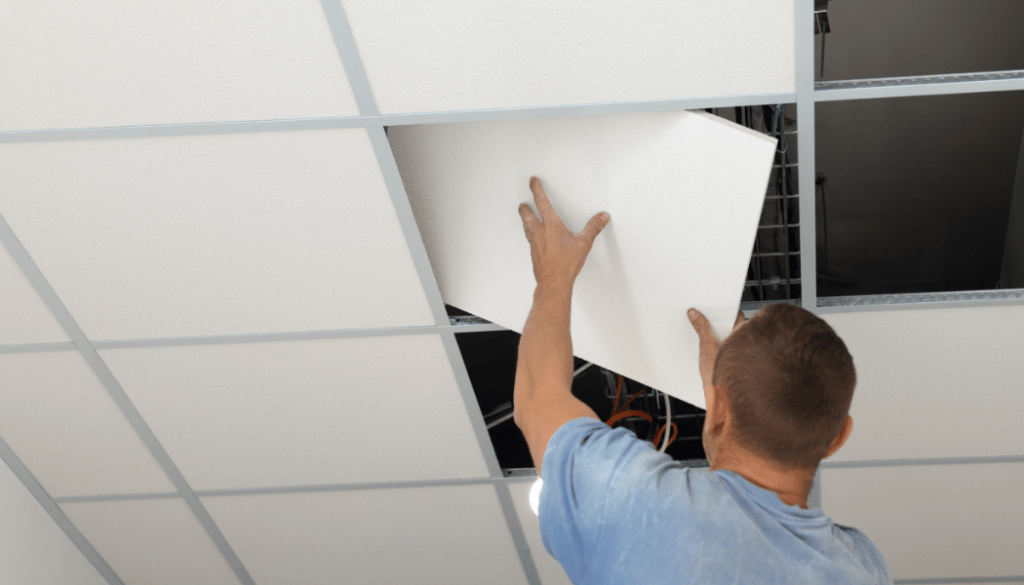
  • Installing sound-absorbing ceiling tiles is an excellent first step in soundproofing your open office space. These tiles are designed to absorb and dissipate sound waves, reducing reverberation and minimizing noise levels. By strategically placing sound-absorbing tiles throughout the ceiling area, you can significantly attenuate unwanted noise and create a quieter, more comfortable workspace for employees.

Wall Panels:

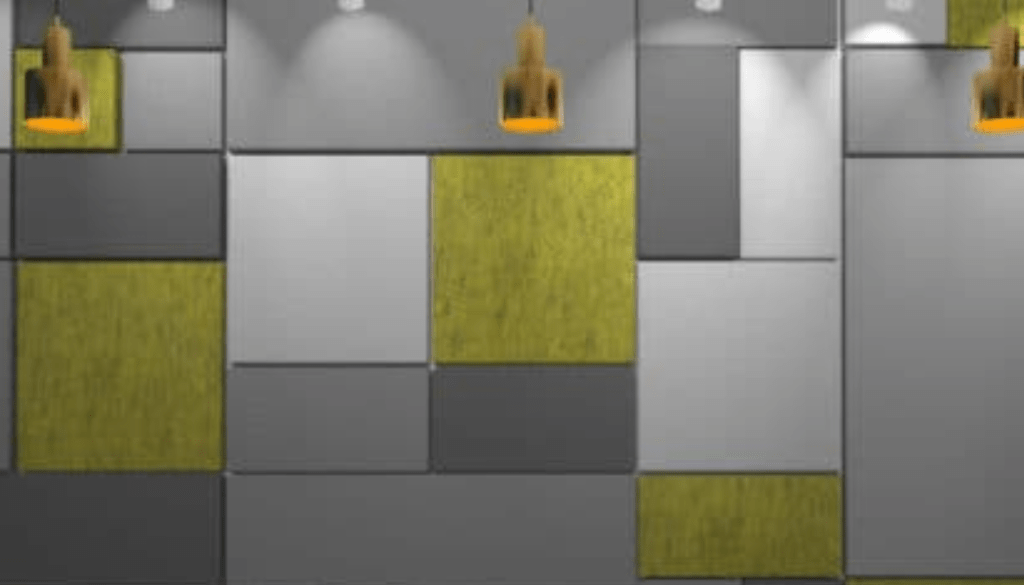
  • In addition to ceiling tiles, wall panels can also play a crucial role in soundproofing your office space. These panels are typically constructed from acoustic materials that absorb sound waves, preventing them from bouncing off hard surfaces and causing reverberation. By strategically placing wall panels in areas prone to noise transmission, such as conference rooms or common areas, you can effectively reduce sound propagation and create a quieter, more private environment for employees.

Helpful Tip:   Not all wall panels are created equal. Look for panels with a Noise Reduction Coefficient (NRC) rating. The higher the NRC (between 0 and 1), the greater the sound absorption. Go here to learn more about NRC as well as STC sound ratings.

Cubicles:

  • For larger open office spaces, cubicles offer an effective way to partition the workspace and minimize noise transmission. By dividing the area into smaller, more secluded workstations, cubicles help to create individualized workspaces where employees can focus and concentrate without being disrupted by surrounding noise. Additionally, the walls of cubicles can be outfitted with sound-absorbing materials to further enhance noise reduction and improve overall acoustics. Here’s a website that has some helpful information on types of cubicles, and which is right for you.

Privacy Pods and Booths:  

  • These self-contained workspaces are perfect for focused tasks or confidential calls.  Privacy pods and booths typically come in various sizes, accommodating individual or small group needs. Framery has some insightful information as to the value of privacy pods as well as some images and additional information. You may want to check it out to learn more. 

White Noise – Sound Masking Machines:

  • White noise, or sound masking machines emit a consistent, soothing sound that masks background noise and creates a more tranquil environment. By producing a steady stream of neutral sound, these devices help to drown out distractions and promote concentration, making them an ideal solution for open office spaces where ambient noise levels can fluctuate. Additionally, white noise machines can be customized to suit individual preferences, allowing employees to adjust the volume and tone to their liking. Here’s an article by Autonomous titled “What is Office White Noise? Benefits and Disadvantages.”

SoundEar Noise Monitoring Systems:

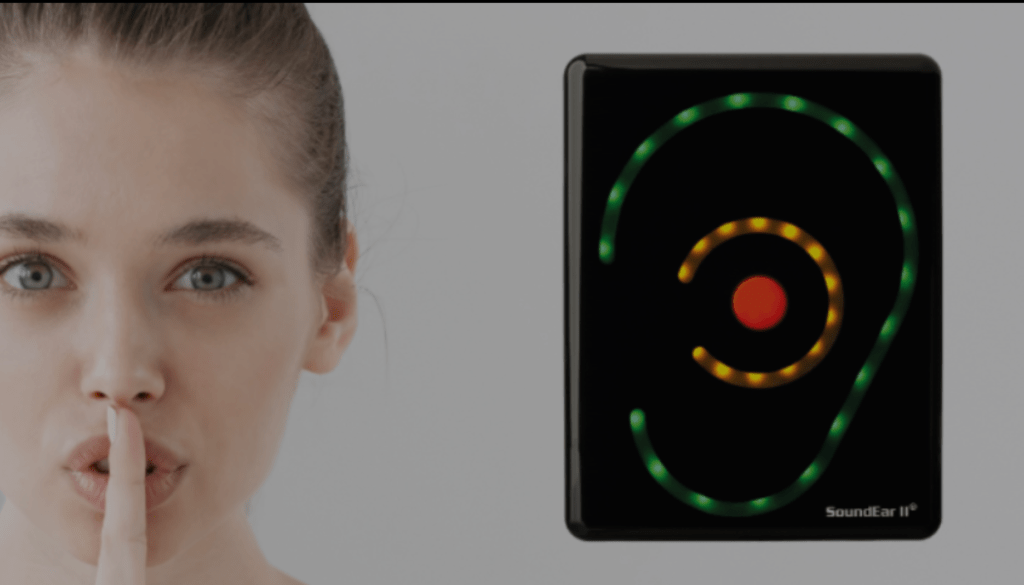
  • SoundEar is a state-of-the-art noise monitoring system that provides real-time feedback on ambient noise levels in the workplace. By placing SoundEar sensors throughout your office space, you can track noise levels over time and identify areas where soundproofing measures may be needed. Additionally, SoundEar can help raise awareness of noise-related issues among employees, fostering a culture of respect and consideration for noise management in the workplace.

Professional Quality Business Grade Headsets:

  • For employees who frequently engage in voice and video calls, investing in a professional-quality business-grade headset, like the Orosound Tilde Pro, is essential. These headsets are equipped with advanced features such as superior noise-canceling microphones, which reduce background noise and ensure clear, intelligible communication. Additionally, you’ll want a headset with Active Noise Cancellation (ANC) technology to provide wearers with relief from environmental noise, allowing them to focus and concentrate without distraction from all the sounds going on in the background. The Tilde Pro, unlike other headsets, gives you several levels of ANC adjustability. You can dial up, or dial down how much noise you want to remove. Other brands limit you to ANC on/of, or ANC high/low. 

neep AI Noise Canceling Software:

How neep works
  • To achieve the ultimate in noise reduction and audio clarity, consider integrating an Orosound Tilde Pro headset with neep AI noise-canceling software into your communication setup. Compatible with Windows, Mac, and Linux operating systems, neep removes background noise from both the wearer’s and the caller’s environment, ensuring uninterrupted communication and enhanced sound quality. No more struggling to hear over the distracting background noise, and no more having to repeat yourself. By learning the wearer’s voice and isolating it from others, neep delivers a personalized audio experience that maximizes clarity and minimizes distractions. So whether you work in an open-plan office with noisy coworkers, at home with the sounds of kids, pets, and landscapers, or on the go like at the local coffee shop, neep software will handle the noise so you can handle your business. No distractions, no frustration, and no message getting lost in the chaos. neep is available to try free of charge, and no credit is required. A simple download and you’re on your way to a better, noise free voice or video call. Try neep for free today.

Soundproofing your open office space is essential for creating a productive, comfortable work environment. By implementing a combination of sound-absorbing materials, partitioning solutions, and advanced audio technologies, you can effectively minimize noise transmission and improve overall acoustics. Whether it’s installing ceiling tiles, investing in professional-grade headsets, or integrating neep AI noise-canceling software, taking proactive measures to address noise-related issues will benefit both employees and employers alike.

Have questions, or need some help?

For personalized guidance and expert advice on finding a tailored audio solution, reach out and we’ll be happy to help. With over 25 years of experience in providing tailored communication solutions, our team is dedicated to helping you create a quieter, more productive work environment. Contact us today to learn more.

Struggling With Open-Plan Office Noise? Here’s How To Fight Back!

Offices these days can be loaded with an assortment of distractions. From the constant sounds of coworker conversations to the clicking sounds of keyboards, open-plan environments can wreak havoc on your focus and productivity. Just by the sheer nature of their open design, sound is everywhere.  And for those working from home, the sounds of children, barking dogs, or landscapers can also be very disruptive to concentration, especially during crucial voice or video calls. We’ve all been there; you’re in the middle of an important call, when all of a sudden, you get surprised by some unexpected noise which can easily distract you, as well as your caller. Further, you run the risk of compromising your image, and having your message lost in the chaos.

These sounds can be detrimental for anyone who relies on clear audio communication to get their message across. And no doubt you know what I’m referring to or you wouldn’t be reading this blog.

The way it normally goes is the noise pops up at the least convenient times. That’s like those times when presenting to a client and your coworkers talk volume elevates, or when you struggle to silence the sounds of children or pets when working from home.  These distractions not only disrupt your own workflow but can also leave a negative impression on those you’re communicating with. And these days, we need every advantage we can get, whether that’s the advantage of better focus, or instilling a better image to your customers, it all matters.

The impact of these distractions is notable. Studies show that noise can

  • Cause you to be less productive
  • Leave you and your callers frustrated, and annoyed
  • Cause you health issues
  • Leave you with a less than professional image
  • Require as much as 20 minutes to regain your level of focus once distracted

So with all the noise doom and gloom, what can you do if you work in an open-plan office environment, from home, or remotely? 

Yes, you can plead with your Management to silence the noisy ones, or encourage them to install costly noise abatement fixtures such as cubicles, sound absorbing materials on the ceiling and walls, but no doubt that’d be an uphill battle, so good luck with that.

But, before you come to the conclusion that a solution is merely a pipe dream, or a nice, but elusive thought, there is good news: there are effective solutions to combat the distractions of noise and achieve crystal-clear audio for your voice and video calls. And on the begging and pleading scale, it’s doable.

Here are a few things you might consider:

Invest in a Professional Headset:

Ditch the earbuds, cheap headsets, using a speakerphone or low-quality mics. Upgrading to a professional headset specifically designed for business calls offers a significant leap in audio quality. And when your job performance and image are on the line, investing in a professional grade headset makes a lot of sense.

Look for features like:

  • Noise-Canceling Microphone: This feature reduces background noise from your surroundings, ensuring your voice comes through loud and clear. But be aware that not all business headsets come with a microphone that can remove noise well. Some do a better job over others, so you’ll need to do some research. Once you’ve decided on a model, try it out in your office before deciding to purchase it. And if your headset company won’t allow you to try before you buy, then find a company that will.

You may find microphones labeled non-noise canceling, noise canceling, ultra-noise canceling, omni-directional, uni-directional and the list goes on. The main thing is to make sure that the headset you acquire provides you with professional sound quality, and high level noise reduction, such as the Orosound Tilde Pro, which is an excellent choice with incredible sound quality.

  • Active Noise Cancellation (ANC): Take control of your surroundings by using a headset that has ANC technology. ANC actively cancels out ambient noise, creating a focused environment for you to work and participate in calls without distractions. Unlike a noise canceling microphone, which is designed to remove background noise for your callers, ANC helps you to avoid being distracted by the sounds going on around you. The result is you keep your concentration, and stay on point no matter what distracting sounds you have in your background. But like headset microphones, not all headsets that have Active Noise Cancellation are the same. Some give you ANC on/off only, others will give you ANC high/low, but the better ones, such as the Orosound Tilde Pro I mentioned earlier, gives you multi-stages of ANC adjustment. This allows you to dial up, or dial down the amount of noise you hear.
  • Double ear design. It stands to reason that when you buy a headset to help combat noise, you should be looking at the type that covers both ears. That’s because you get passive noise reduction by having both ears covered, which helps shelter you from intrusive noise. And though you can find Active Noise Cancellation on a mono style headset (though rare), it somewhat defeats the feature’s purpose of blocking noise if one ear is left uncovered. So my advice is seek out a headset that covers both ears, and has ear cushions made of a leatherette material rather than foam. Foam ear cushions are far more porous, which allows sound to infiltrate into the ear. Leatherette material is denser, which helps to better filter out sound.

Double Down to Eliminate Open-Office Noise With neep Ai Noise Canceling Software

For the ultimate in noise reduction, especially in noisy open-plan offices, consider pairing your professional headset with advanced noise-canceling software like neep. This software employs sophisticated algorithms to eliminate background noise from both your end and the caller’s side of the conversation. So you both enjoy a quieter, noise free calling experience.

Here’s how neep noise canceling software elevates your audio experience:

  • Eliminates Background Noise: Say goodbye to all the unwanted sounds like keyboard clicks, chatter, traffic noise, babies crying, dogs barking and the list goes on. neep noise canceling software effectively filters them all out, ensuring a distraction-free environment. And when you’re not distracted, you maintain your concentration, and get more done. And as I mentioned a moment ago, neep noise canceling software removes the sounds coming from your caller’s background too, so everyone gets a better experience.
  • Enhanced Voice Quality: neep optimizes your voice audio, removing background noise and ensuring you sound professional and clear on every call. neep doesn’t stop at noise removal, it goes further. Not only is the noise eliminated, but your voice is enhanced so you always sound your best, no matter what’s going on around you. 
  • Isolates your voice: neep can identify your voice over others, and isolate and enhance it while eliminating the sounds of other voices. neep learns to recognize your voice which allows you to be heard just like you want; loud and clear, while not being overtaken by the sounds of voices in the background.
  • Automatic Volume Adjustment: No more awkward volume fluctuations, or having to repeat yourself. neep noise canceling software automatically adjusts your microphone volume to maintain a consistent level, even as background noise levels change.

Other Tips for a Quieter Workspace:

  • Talk to Your Manager: In an open-plan office, discuss options with your manager. Perhaps designated quiet zones can be established for focused work, or explore noise-reducing office furniture options such as cubicles or sound absorbing products. And though your outreach might not be met with cooperation, that shouldn’t prevent you from asking. You never know unless you ask.
  • Utilize Scheduling Tools: Plan calls during times when the office is typically quieter. This could be mid-morning once everyone has had their coffee, or right after lunch when digestion is in full swing and your coworkers appear to be in a food coma. Collaboration tools that have scheduling features can help you find pockets of peace for important calls. With some advance planning and thought, you may find a workable solution to this ongoing noise problem through this approach.
  • Noise-Canceling Earbuds/Headphones (for Non-Call Situations): While not ideal for calls, noise-canceling earbuds or headphones can be helpful for individual work sessions when you simply need to block out distractions. This may not be a good solution for many, but for others, it may be a good workaround, but not for those times when you’re on calls.
  • Install Noise Monitoring Devices: There are devices available that can be installed in offices that monitor noise levels. Many are adjustable which gives you the opportunity to set the level to your preference. Once noise reaches your pre-established limit, you can be alerted. This may be in the form of a light on a tower that changes color from green, to amber to red as noise escalates. That color change will alert Supervisors to get staff to quiet down. One example of this is made by SoundEar

By implementing these strategies, you can transform your noisy workspace into a haven of focus and productivity. A high-quality, professional headset equipped with good noise-canceling features, combined with powerful neep noise canceling software, empowers you to deliver clear, professional audio on every call –  no matter the background noise. So ditch the distractions, embrace the power of technology, and reclaim your focus in the face of all these noise challenges.

Have questions, or need some help?

Headset Advisor has been assisting customers with tailored communication solutions since 1994. We have a U.S. based team that can help you find the perfect solution to your communication challenges and needs.

We analyze your needs, offer a tailored solution, assist with ordering, provide prompt shipments, and even help you with setup, and provide free, ongoing support. These are things you won’t find anywhere else. So contact us today because we’re here to help.

Looking For A Mic That Cancels Background Noise? Here’s Your Solution!

In today’s hyper-connected world, clear communication is extremely important. Whether you’re jumping on a conference call, collaborating with colleagues remotely, or interacting with customers, unwanted background noise can be a major problem. Disruptive sounds of traffic, coworker chatter, keyboard clicks and if you work from home, children and pet sounds all can not only hinder communication but also impact your focus and productivity.

This begs the questionis there a microphone that can truly cancel out all background noise? The answer, unfortunately, isn’t a simple yes or no. While significant advancements in noise-canceling technology have been made in recent years, achieving complete silence remains elusive. However, there are solutions available to significantly reduce noise interference and vastly improve your audio experience.

To begin, it’s important to distinguish between the noise you hear, and the noise your callers hear. Both may need to be taken into consideration when searching for a solution. That is, unless background noise is only distracting one side of the conversation (you or your caller), but that’s not normally the case.

But let’s say you’re on an important video call, and you have noisy coworkers chatting it up in the background. That can be very distracting to you, and if you don’t suppress those background noises, it can also distract your callers. And if either of you get distracted by this noise, focus is compromised, and your message can easily get lost. And, if you’re wanting to bring your A game, that noise isn’t your friend.

In this example, you have a few things to contend with:

  • Your background noise that can be distractive to you
  • Your background noise that can distract your callers
  • And, the noise in your caller’s background that can be distracting you as well.

All of this can be frustrating to everyone as you try to have a productive conversation. So what can you do, or what tools can you employ to help eliminate the noise? Is there a mic that cancels background noise?

Exploring Your Noise-Canceling Options:

1. Microphones with Noise-Canceling Capabilities:

Several microphones claim to have built-in noise-reduction features. These microphones typically use directional pick-up patterns, focusing on sounds originating directly in front of the mic (usually your voice) and attenuating sounds coming from other directions. Popular microphone types with noise-reduction include:

  • Headsets: These combine a microphone with headphones for a convenient all-in-one solution. Many modern headsets, particularly those designed for business use, integrate noise-reduction technology to enhance audio quality during calls. This feature has become the standard in today’s business headsets. But as you’ll quickly learn, they all vary significantly in their ability to remove noise. This underscores the importance of selecting the right headset, one that can remove your noise. One of the best ways to know is to try the headset before deciding to purchase it. And if your headset vendor won’t allow you to try it before purchasing, I would recommend that you find a new vendor.
  • Speakerphones: These hands-free devices are ideal for conference calls or situations where a few people need to participate in a conversation. While not all speakerphones incorporate noise-reduction, some high-end models feature this technology for clearer audio. But like the other options listed here, a speakerphone isn’t the total solution to this noise problem.
  • Conference Phones: Designed specifically for group calls, and a massive audio improvement over a speakerphone, conference phones often prioritize noise reduction to ensure everyone’s voice is heard clearly. Many come with features such as multiple noise canceling microphones, echo cancellation, noise supression and full duplex audio. Though a tremendous help as enhanced audio is concerned, conference phones fall short in providing you with the total noise elimination package.

Beyond Hardware: Software Solution for Enhanced Noise Reduction:

neeping the Noise Away:

While hardware plays a crucial role, and can be a good first step towards adressing the noise problem, software solutions like neep Ai can take your noise cancellation game to the next level. neep utilizes advanced algorithms to analyze and remove unwanted background noise in real-time, working seamlessly with your existing microphone. This software can be a game-changer, particularly for those who struggle with disruptive and irritating background noise in their environment.

neep will not only remove the noise in your background, so your callers don’t hear it, but it also removes the noise coming from your caller’s background too. And as amazing as that is, it still doesn’t address how the noise in your background that distracts you, and interferes with your ability to concentrate. So if that leaves you wondering about a solution, then wonder no more because there is an answer.

The Ultimate Noise-Canceling Combo: Hardware and Software

For the ultimate noise-reduction experience, give noise the 1-2 punch by considering combining a high-quality noise-canceling headset with neep advanced noise-canceling software . Here’s a powerful example:

The Orosound Tilde Pro Headset + Neep AI:

The Orosound Tilde Pro headset is renowned for its exceptional sound quality and noise-canceling technology. It features advanced microphones that actively filter out background noise, creating an immersive audio environment. When you pair this headset with neep, you achieve a remarkable two-pronged approach to noise cancellation. The Tilde Pro tackles background noise through hardware, while neep further improves the audio by eliminating the noise, and even quieter disruptions through software processing. This dynamic duo provides the ultimate solution for crystal-clear, noise-free communication.

To help you concentrate better when the noise gets distracting, the Orosound Tilde Pro has a feature that can really help out. It comes with adjustable Active Noise Cancellation technology, or ANC for short. Essentially, ANC will produce an anti-noise signal to counter incoming sounds. So when noise gets distracting, simply activate the ANC feature on the Tilde Pro, and you’ll immediately hear the noise fade away. Between this ANC feature, the Tilde’s superior noise canceling microphone, and neep noise canceling software, you’ll have a combination that tackles noise at the highest level, leaving you and your callers with a quieter, more productive conversation.

Choosing the Right Solution for You:

The ideal noise-canceling solution depends on your specific needs and budget. Here’s a breakdown to help you decide:

  • For occasional calls with moderate background noise: A headset with a noise canceling microphone, or conference phone might suffice. Testing and getting feedback from your callers would be a good approach.
  • For frequent calls with regular background noise: Invest in a high-quality noise-canceling headset, like the Orosound Tilde Pro.
  • For the absolute best in noise cancellation: Combine a high-quality noise-canceling headset or speakerphone with neep noise canceling software. And, just like with hardware solutions, you can try neep for free. And I can assure you of this; once you download the free trial of neep Ai software, and get everything setup correctly, you’ll discover noise reduction like never before. But, when you do, be prepared to be showered with compliments from your callers. Yep, it’s that good!

The Takeaway:

While a completely silent communication experience might still be a futuristic dream, advanced noise-canceling technology has come a very long way. By understanding the capabilities of noise-reduction microphones and exploring software solutions like neep, you can dramatically reduce background noise and ensure clear, uninterrupted communication. And when you have that kind of silence, you’ll concentrate better, and both ends of the conversation will be treated to the beautiful sounds of silence. More engaging conversations, better productivity, and no frustration due to distracting sounds.

Need Help Finding the Perfect Noise-Canceling Solution?

Headset Advisor is your best source for all your communication needs. Our team of experts can help you navigate through the various noise-canceling options and recommend the perfect solution for your specific needs and budget. We’ve been helping customers since 1994, and I know we can put together a solution that’s just right for you. So don’t hesitate to contact us so we can help you discover the perfect solution to your communication challenges.

Clear and Present Danger: Unraveling the Risks of Unchecked Office Noise

In the typical office workspace, the issue of distracting background noise often goes underestimated, and in many cases, not given its proper credit for how it impacts workers health, well-being and overall productivity.

From the constant sounds of office machines to the audible interactions of coworkers, the repercussions of unchecked office noise can reverberate throughout the professional landscape, impacting workers in different ways. This blog aims to put a light on this subject, pointing out the risks associated with leaving office noise unaddressed, and how it contributes to a less-than-ideal work environment.

The Annoyance Factor

Most office workers would agree that noise, quite simply, is annoying. It’s the leading cause of worker dissatisfaction in the workplace. It disrupts concentration, interrupts focus, and creates a backdrop to an otherwise noise free, peaceful work environment. From the regular ringing of phones to the clicking sounds of keyboards, the constant presence of office ambient noise can become irritating to even the most patient of workers.

Communication Challenges

The frustrations extend beyond annoyance, because it can disrupt your communication. Because we live in an era where virtual meetings, softphone and video calls are the norm, background noise becomes a disruptive force on both ends of the conversation. From  the constant sounds of voices, dog barking, or all the other noises we deal with regularly, unchecked noise introduces a layer of frustration that impedes effective communication. And when you have goals that you’re wanting to accomplish on your calls, noise works against them. 

Here’s a short article that talks about office noise, and how it impacts communication.

Impacts on Health and Productivity

The consequences of unaddressed office noise also finds its way into the realms of physical and mental health. Studies have linked prolonged exposure to noise with increased stress levels, heightened blood pressure, and decreased overall well-being. In a workplace that fails to address noise concerns, the toll on employee health is an undeniable risk. Managers are always interested to better understand worker dissatisfaction, and noise is one of the most overlooked areas.

Background noise also takes a toll on worker productivity. Employees find it challenging to maintain focus, leading to increased errors, missed deadlines, and a general decline in overall output. The detrimental impact on productivity is a silent but significant risk that businesses cannot afford to overlook.

You might find this article an interesting read on this topic.

Open Offices and Beyond

Open office designs, often celebrated for their collaborative potential, ironically contribute to the noise epidemic. The lack of physical barriers exacerbates sound transmission, creating an environment where noise freely flows through the workspace. However, the risks associated with unchecked noise extend beyond the confines of open offices.

For remote workers, the challenges of ambient noise take on new forms. Barking dogs, household commotion, and other domestic sounds introduce a layer of complexity to remote work. Even those who opt to work from the local coffee shop find themselves grappling with noise-related hurdles. There’s no denying that noise is a problem, and it’s something that’s very hard to escape from.

To learn more about the impact of noise on our mental, and physical well-being, here’s an article that you might find interesting.

As challenging as unwanted background noise is, and how impactful it can be, there is good news! 

neep AI Noise Canceling Software

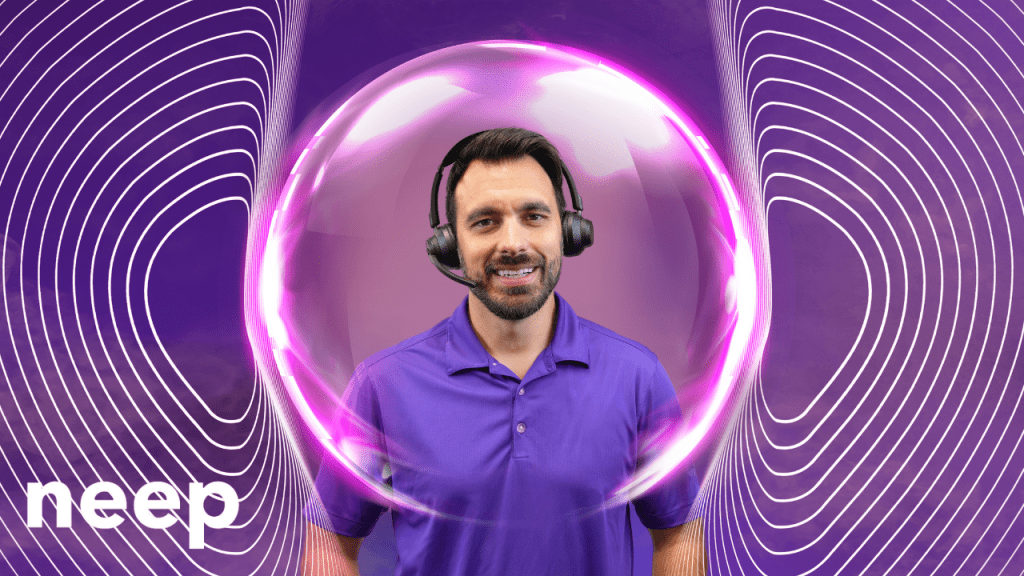
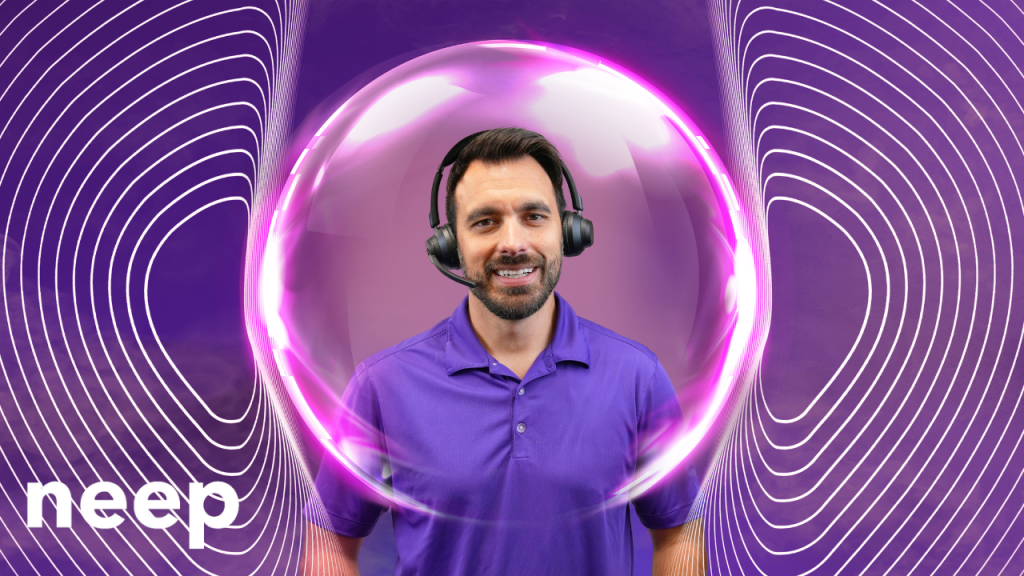
man wearing a headset with imaginary bubble around his head and shoulders forming a noise shield

As the challenges posed by unchecked office noise become evident, it’s crucial to consider effective solutions. neep AI noise-canceling software is truly one of the very best solutions in the battle against workplace noise. Unlike traditional solutions that may require additional hardware, neep offers a streamlined approach, allowing users to leverage their existing audio devices which saves money, and keeps them using the devices they know, trust, and prefer.

neep’s sophisticated AI technology removes background noise for both ends, creating a focused and distraction-free environment to have a more productive, voice or video call. Whether you work in an open office, a chaotic household, or a busy coffee shop, neep adapts to your surroundings, ensuring crystal-clear communication and heightened concentration. Noise is a problem, and neep is the solution. Go to neep.com to learn more, or to request your free trial download. We think you’ll be pleasantly impressed by how well neep works. 

Summary

Unchecked office noise poses multifaceted risks that extend beyond mere annoyance. From communication breakdowns to the toll on physical and mental health, the repercussions are far-reaching. Open office designs amplify the challenge, and remote workers face a different, and unique set of noise-related hurdles. However, the solution is at hand with neep AI noise-canceling software—a versatile and efficient tool that allows you to reclaim the silence when on calls, regardless of your location or existing audio devices. In the quest for a quieter, more productive voice and video call, neep stands as a testament to the power of innovative technology in overcoming the clear and present danger of unchecked office noise.

Have questions, or need some help?

graphic of service support for Headset Advisor

At Headset Advisor, we’re here to answer your questions. We’ve been helping customers with their technology challenges since 1994, and I’m confident that we can help you too. Contact us today to speak to one of our helpful, knowledgeable Advisors to get answers to your pressing technology questions. We’ll carefully listen, and once we fully understand your challenges, and concerns, we’ll provide you with a tailored solution that’s guaranteed to be compatible with your system. 

Quiet Conversations: How Orosound Tilde Pro and neep AI Software Redefine the Noise-Free Calling Experience

Do you work in an office, at home, or on the go? If you do, the battle against office noise has become an integral part of the quest for productivity and focus, and for some, their sanity because noise is bothersome. 

Softphone and video calls, essential components of modern day communication, often bear the brunt of distracting background noises. And you probably know what I’m talking about if you’ve ever been on one of these calls with distractions going on around you. Noise makes it hard to concentrate. Noise distracts you, and your callers, and noise is flat out nothing you want to ignore.

The truth is, office noise has been around for as long as offices have been in existence. You’d think by now that this age-old problem would have been solved by now, yet noise remains. So what can you do if you’re in search of the sounds of silence for you, and your caller’s when on softphone and video calls? Yes, noise is a problem, and yes, there is an answer.

Orosound Tilde Pro Bluetooth Wireless Headset + neep AI noise canceling software

This dynamic duo is designed to redefine your listening experience by giving you the silence you’ve been looking for. 

In this blog, I’ll cover the key features of the Orosound Tilde Pro headset, and the transformative capabilities of neep AI software, showcasing why their synergy represents the pinnacle of noise elimination in the professional office.

Orosound Tilde Pro: A Fortress Against Distractions

The Orosound Tilde Pro is designed, and manufactured in France. That alone makes it a Unicorn among headsets given most others are made in Asia. But its French roots don’t really matter when it comes to the serious business of noise removal, but the features on this headset do. Let’s have a quick look. 

Fully Surrounding Ear Cups For Passive Noise Reduction:

The Tilde Pro takes a proactive approach to noise reduction with ear cups that fully encircle the ears, providing an effective barrier against ambient sounds. This design not only enhances comfort during extended wear but also serves as a foundational element for passive noise reduction, creating a peaceful acoustic environment. Music and voices sound better when outside noise isn’t intruding. If you don’t prefer to have your ears fully covered, and instead prefer ear speakers that rest against the ear, those are available as well.

Multi-Stages Of Active Noise Cancellation (ANC):

The Tilde Pro doesn’t stop at passive noise reduction; it gives you 5 levels of Active Noise Cancellation. These levels work harmoniously to shield wearers from the distractions and annoyances of background noise. Whether it’s the continuous sounds of office equipment or the chatter of coworkers, the Tilde Pro’s ANC adapts to the unique acoustics of your environment, delivering a personalized and immersive auditory experience. So when you want to let some sound in so you don’t feel like you’re in a soundproof chamber, you can. Or, if you want to silence the background noise so you can concentrate better, you can adjust noise levels to your liking. Other headsets that have ANC may only give you ANC on/off, or ANC high/low. Having the ability to fine tun the noise levels can be a significant advantage.

Noise-Canceling Microphone For Crystal-Clear Communication:

In the realm of softphone and video calls, the Tilde Pro’s noise-canceling microphone is a game-changer. By intelligently filtering out background noise, the microphone ensures that your callers hear your voice with pristine clarity, free from the interference of surrounding distractions. This feature becomes a cornerstone for effective communication, eliminating the need to repeat yourself or navigate through awkward silences. Trust me when I say, not all “noise canceling” microphones are the same. Some do a better job at removing noise compared to others.  The Tilde Pro is on the premium side of noise cancellation.

Leak-Proof Sound For Enhanced Privacy:

The Tilde Pro’s commitment to acoustic excellence extends to its leak-proof sound design. This ensures that your private conversations remain confidential, with minimal sound leakage to the external environment. It’s not just about eliminating incoming noise; it’s about creating a secure auditory space for your softphone and video calls. Privacy is one topic that continues to rise in importance, so making even small strides to protect privacy is worth considering.

Battery Plus Wired Mode

The Orosound Tilde Pro provides up to 28 hours of battery life before a recharge is needed. And if you find yourself in the middle of a call when the battery is begging you for a recharge, no need to worry. You can plug in the included USB cable to begin the recharging process, and continue with your call while the battery is recharging.

Boom Mic Or headphone mode; Your Choice

Before I leave the topic of the Tilde Pro, I’d be remiss if I didn’t mention the fact that you can use the Tilde Pro with, or without the boom microphone. So when you’re on a call, and need the best sound quality, and noise reduction, attach the magnetic boom microphone. And for those times when you’re chilling to some of your favorite music or Podcast, the boom mic is easily removed and can be stored away for use later on. It’s like getting a professional business grade headset, and a pair of entertainment headphones in one.

Next up let’s take a look into the software side of this noise eliminating solution, with neep AI

neep AI Noise Canceling Software: Elevating The Experience

When you are completely reliant on hardware to remove noise, you may find that you come up short. For example, a noise canceling microphone only removes your background noise giving your callers a quieter experience. But what about their noise? Depending on the device they’re using, you may get distracted by the noises stemming from their surroundings.

What about if your hardware malfunctions, or breaks, or for some reason is unavailable? You’ll be left scrambling to find a replacement that hopefully works equally well, which may, or may not happen.

And if either side of the conversation is being distracted by noise, trouble, and frustration mounts, and productivity suffers. The good news is neep AI noise canceling software works in the background seamlessly to eliminate the noise no matter what audio device you’re using. Here’s a few details that help to illustrate the different features of neep, its value, and why this is software you should be using.

Noise Elimination For Both Ends Of The Conversation:

neep AI takes the concept of noise cancellation a step further by addressing both ends of the conversation. While traditional solutions focus on the listener’s experience, neep ensures that your voice is transmitted clearly, without the annoying distractions of background noise, enhancing the overall communication quality. Softphone and video calls become a seamless exchange, unmarred by the disruptions of sound..

Voice Enhancement For Easier Understanding:

neep goes beyond noise elimination; it enhances your voice for optimal intelligibility. Your messages are not just heard; they are understood with precision. This voice enhancement feature becomes invaluable in virtual meetings and calls where conveying information accurately is paramount. Your callers won’t struggle to hear you, and your message will be heard, and understood.

Voice Separation For Unrivaled Clarity:

neep’s sophisticated technology excels in separating your voice from other voices, resulting in unparalleled audio quality and speech clarity. Whether you’re engaging in a one-on-one conversation or participating in a virtual conference with multiple speakers, neep ensures that each voice stands out distinctly, eliminating the confusion of overlapping sounds. And frankly, it’s hard not to appreciate a better sounding meeting.

Compatibility With Your Current Devices:

One of neep’s strengths lies in its compatibility with your existing devices. There’s no need to invest in additional hardware; neep seamlessly integrates with your preferred audio devices, transforming them into powerful tools for noise reduction. This flexibility allows you to leverage the benefits of neep without the hassle of equipment upgrades.

Seamless Integration With Leading Platforms:

to show the different UC platforms neep AI software works with

One of the appealing aspects of neep AI software lies in its seamless integration with the leading communication platforms that professionals rely on daily. Whether you’re navigating Microsoft Teams’ collaborative landscape, participating in virtual meetings on Zoom, conducting calls through RingCentral, or engaging in discussions on Google Meet or Slack, neep AI is your steadfast companion. Its compatibility extends across a spectrum of platforms, ensuring a consistent and superior noise-canceling experience regardless of the communication platform you prefer. 

This versatility not only simplifies the user experience but also amplifies the impact of the Orosound Tilde Pro and neep AI combination, making it a universally applicable solution for achieving auditory excellence in all your voice and video interactions. With neep AI, your journey to a noise-free calling environment is not limited by platform constraints but rather elevated by a harmonious integration across the digital communication landscape.

Suite Of Voice Profiles For Creative Expression:

neep AI brings an element of creativity to the noise-canceling landscape with its suite of voice profiles. Elevate your softphone and video call experiences by changing up how you sound to others. From professional tones to playful personas, neep’s voice profiles allow you to infuse a touch of imagination into your virtual interactions.

Sweet Sound For Your Content Creations

neep AI noise canceling software can also be used with your voice and video content projects. This not only gives you a much better audio track, but it eliminates the need for you to spend money on additional software to accomplish this. neep keeps you on track, and sounding professional across different applications. So whether it’s a podcast you’re creating, or a video to inform, instruct or entertain, neep AI software keeps your voice in that sweet spot.

The Ultimate Solution For Better Calls

If you’re searching for the ultimate noise reduction solution for softphone and video calls, the combination of the Orosound Tilde Pro and neep AI Noise Canceling Software is an unparalleled, unrivaled solution. Together, these exceptional technological tools create a symphony of silence, transforming the myriad of office noise and distractions into a serene environment where frustrations fade, and productivity is allowed to flourish. You simply can’t find a better solution to the problem of office noise.

As professionals navigate the challenges of business communication, the Tilde Pro and neep AI redefine the standards of clarity, focus, and creativity. Softphone and video calls become more than mere exchanges; they become better experiences where your voice takes center stage, unencumbered by the distractions. And you’ll feel a sense of pride and satisfaction with the audio clarity on your content creating projects. And if there’s a wild child that resides within, have a little fun with the voice changer. However you use these tools, you can’t help but have a more professional outcome, and create a few grins along the way.

Embrace the future of noise elimination with the Tilde Pro professional wireless headset and neep AI noise cancelling software, and discover the benefits that lies at the heart of effective communication.

Have questions, or need some help?

Don’t feel like you have to scour the internet alone to find the answers to your questions. Headset Advisor is here to help, and we’ve been helping customers since 1994. So don’t hesitate to contact us because our Advisors are available to help you find the right, compatible solution to your technology challenges and needs. Help is as close as your phone or keyboard, so if you have questions, we have answers.

5 Tips for Clear Communication in Noisy Offices

Offices today, many of which are open, are the hub of activity, where collaboration and innovation thrive. But amidst the energy and all that collaboration, a subtle enemy lurks: the many, and varied sounds of background noise. From the sounds of office machines working in the background to coworkers chatting, this constant hum of noise can easily become a productivity killer, dulling focus and hindering communication. And if you work in one of these open offices, you probably know how fertile the ground is for noise to flourish.

The Ripple Effect of Noise:

While the open-plan layout championing collaboration may inadvertently overlook the crucial factor of sound, the negative impact of office noise extends far beyond mere annoyance. It affects everyone from those seeking solitude for focused attention, to those on business voice and video calls. Noise doesn’t discriminate because it’s an equal opportunity concentration killer. And the disruptions can have a notable impact.

The ramifications of noise is far-reaching:

  • Miscommunication and Errors: Distorted words and disrupted comprehension lead to misunderstandings and project errors.
  • Reduced Clarity and Impact: Muffled voices and competing sounds make it difficult to deliver messages convincingly and leave a lasting impression. When you’re not heard clearly and consistently, you probably won’t be understood well. 
  • Loss of Focus and Productivity: Constant noise drains mental energy, hinders concentration, and slows down work pace. When you’re facing deadlines, or wanting to do your best work, noise represents a barrier to being your most productive self. 
  • Increased Stress and Frustration: The struggle to be heard and understood fuels tension and diminishes employee morale. Increased tension can lead to physical and psychological issues, and leave workers feeling frustrated and fatigued.

Beyond the Device:

It’s important to remember that the impact of noise isn’t limited to specific devices. Whether it’s a speakerphone blasting a call across the room, computer or smartphone speakers adding to the fray, or a poorly positioned conference phone creating distracting sounds, the overall office environment plays a significant role. So when you take into account all the different noises that are created by the different devices used within an office, it’s easy to see that it can sound like a poorly constructed symphony eating away at you. And that’s just the devices at our fingertips. Add to that, the sounds of office machines, HVAC systems, elevators, doors, chatter, traffic noise and more, and you can have audio chaos for the ages.

Seeking Harmony in the Chaos:

woman putting on a headset smiling.

Fortunately, there are ways to navigate the distractions of office noise and reclaim clarity:

  • Embrace Noise-Canceling Technology: Investing in quality headsets or earphones with noise canceling microphones, and if available, Active Noise Cancellation (ANC) feature which can significantly improve call quality and focus. Noise canceling microphones give your callers a quieter experience, where ANC is designed to give the person wearing the headset a tool to fight their noise. Noise canceling microphones, and ANC vary in their effectiveness from brand to brand, but if you have the choice, choose both. One great option is the Orosound Tilde Pro.
  • Utilize Dedicated Communication Spaces: Soundproofed conference rooms offer a haven for confidential calls and critical meetings, ensuring privacy and optimal clarity. And if you don’t have a conference room to use, try establishing a quiet zone for purposes of giving workers a quiet place to go whenever they’re needing a quieter place to work, or use for voice and video calls.
  • Promote Noise Awareness: Encourage office etiquette surrounding noise generating device usage, voice volume, and mindful noise generation overall to create a more considerate environment.
  • Invest in Sound Solutions: Acoustic panels, carpets, and white noise machines can absorb and dampen ambient noise, creating a calmer, more call friendly atmosphere.
  • Embrace Technology Solutions: Explore software like neep AI noise canceling software, which eliminates noise from both sides of calls, ensuring crystal-clear communication regardless of the office environment. It also isolates your voice from others, and enhances it which allows you to be heard, and understood. Neep allows you to use your normal devices too, so you don’t have to spend money on hardware to take advantage of neep’s professional features. You can try neep for free, or learn more by going here.

And for the ultimate in noise elimination, combine neep AI noise canceling software with an Orosound Tilde Pro professional Bluetooth wireless headset. The headset has a noise canceling microphone for filtering background noise, and it comes with variable Active Noise Cancellation and ear cups that fully encircle the ear. When you tackle noise with the Tilde Pro and neep software, noise doesn’t stand a chance.

Working To Create The Sound Of Success:

By acknowledging the detrimental effects of office noise and implementing proactive measures, we can create an office environment where communication thrives, and productivity is optimized. Imagine a workday where every phone call is crisp, every presentation impactful, and every conversation stress-free, heard and understood. This is the promise of a noise-optimized office, where productivity soars and clarity reigns supreme.

Taking the First Step:

Don’t let office noise steal your productivity, your focus, your health and well-being, and even your sanity. Start your journey right now, this very minute, towards a quieter, more productive and effective workday by implementing these tips. Remember, a peaceful office is a productive office, and with a little effort, we can all enjoy the success that comes with having a better, and quieter place to work.

Have questions, or need some help?

Customer support Agent

If you have questions about how to remove noise in your office, or need a headset recommendation? reach out to us at Headset Advisor, and one of our helpful Advisors will be glad to assist you. We’ve been helping customers since 1994, and I’m sure we can help you too. Our Advisors will carefully listen to you to understand your needs, and then tailor a solution that’s guaranteed to be compatible. So don’t feel like there’s no help available, because we’re here to help, and just a phone call, or mouse click away.