

Struggling With Open-Plan Office Noise? Here’s How To Fight Back!
Offices these days can be loaded with an assortment of distractions. From the constant sounds of coworker conversations to the clicking sounds of keyboards, open-plan environments can wreak havoc on your focus and productivity. Just by the sheer nature of their open design, sound is everywhere. And for those working from home, the sounds of children, barking dogs, or landscapers can also be very disruptive to concentration, especially during crucial voice or video calls. We’ve all been there; you’re in the middle of an important call, when all of a sudden, you get surprised by some unexpected noise which can easily distract you, as well as your caller. Further, you run the risk of compromising your image, and having your message lost in the chaos.
These sounds can be detrimental for anyone who relies on clear audio communication to get their message across. And no doubt you know what I’m referring to or you wouldn’t be reading this blog.

The way it normally goes is the noise pops up at the least convenient times. That’s like those times when presenting to a client and your coworkers talk volume elevates, or when you struggle to silence the sounds of children or pets when working from home. These distractions not only disrupt your own workflow but can also leave a negative impression on those you’re communicating with. And these days, we need every advantage we can get, whether that’s the advantage of better focus, or instilling a better image to your customers, it all matters.
The impact of these distractions is notable. Studies show that noise can
- Cause you to be less productive
- Leave you and your callers frustrated, and annoyed
- Cause you health issues
- Leave you with a less than professional image
- Require as much as 20 minutes to regain your level of focus once distracted
So with all the noise doom and gloom, what can you do if you work in an open-plan office environment, from home, or remotely?
Yes, you can plead with your Management to silence the noisy ones, or encourage them to install costly noise abatement fixtures such as cubicles, sound absorbing materials on the ceiling and walls, but no doubt that’d be an uphill battle, so good luck with that.
But, before you come to the conclusion that a solution is merely a pipe dream, or a nice, but elusive thought, there is good news: there are effective solutions to combat the distractions of noise and achieve crystal-clear audio for your voice and video calls. And on the begging and pleading scale, it’s doable.
Here are a few things you might consider:
Invest in a Professional Headset:
Ditch the earbuds, cheap headsets, using a speakerphone or low-quality mics. Upgrading to a professional headset specifically designed for business calls offers a significant leap in audio quality. And when your job performance and image are on the line, investing in a professional grade headset makes a lot of sense.
Look for features like:
- Noise-Canceling Microphone: This feature reduces background noise from your surroundings, ensuring your voice comes through loud and clear. But be aware that not all business headsets come with a microphone that can remove noise well. Some do a better job over others, so you’ll need to do some research. Once you’ve decided on a model, try it out in your office before deciding to purchase it. And if your headset company won’t allow you to try before you buy, then find a company that will.
You may find microphones labeled non-noise canceling, noise canceling, ultra-noise canceling, omni-directional, uni-directional and the list goes on. The main thing is to make sure that the headset you acquire provides you with professional sound quality, and high level noise reduction, such as the Orosound Tilde Pro, which is an excellent choice with incredible sound quality.
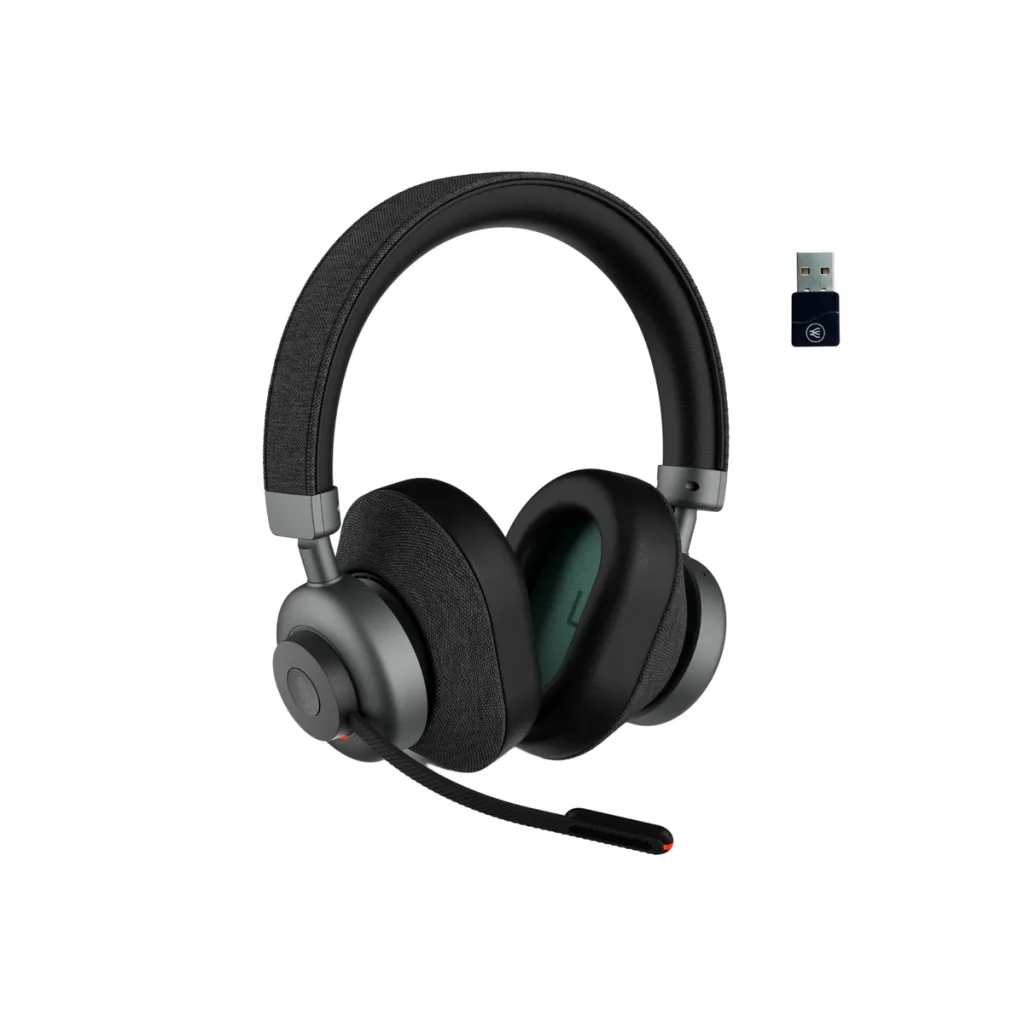
- Active Noise Cancellation (ANC): Take control of your surroundings by using a headset that has ANC technology. ANC actively cancels out ambient noise, creating a focused environment for you to work and participate in calls without distractions. Unlike a noise canceling microphone, which is designed to remove background noise for your callers, ANC helps you to avoid being distracted by the sounds going on around you. The result is you keep your concentration, and stay on point no matter what distracting sounds you have in your background. But like headset microphones, not all headsets that have Active Noise Cancellation are the same. Some give you ANC on/off only, others will give you ANC high/low, but the better ones, such as the Orosound Tilde Pro I mentioned earlier, gives you multi-stages of ANC adjustment. This allows you to dial up, or dial down the amount of noise you hear.
- Double ear design. It stands to reason that when you buy a headset to help combat noise, you should be looking at the type that covers both ears. That’s because you get passive noise reduction by having both ears covered, which helps shelter you from intrusive noise. And though you can find Active Noise Cancellation on a mono style headset (though rare), it somewhat defeats the feature’s purpose of blocking noise if one ear is left uncovered. So my advice is seek out a headset that covers both ears, and has ear cushions made of a leatherette material rather than foam. Foam ear cushions are far more porous, which allows sound to infiltrate into the ear. Leatherette material is denser, which helps to better filter out sound.
Double Down to Eliminate Open-Office Noise With neep Ai Noise Canceling Software
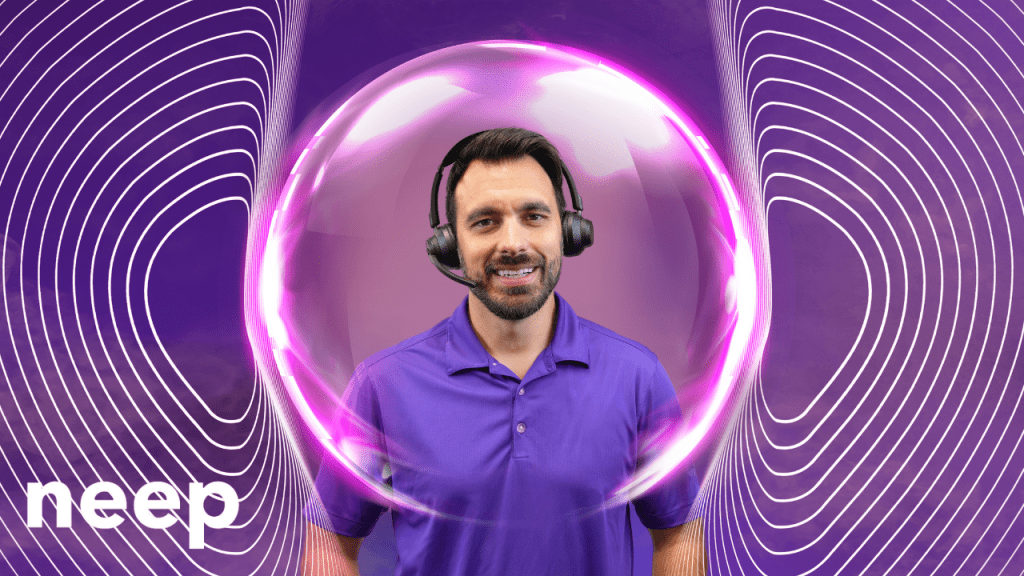
For the ultimate in noise reduction, especially in noisy open-plan offices, consider pairing your professional headset with advanced noise-canceling software like neep. This software employs sophisticated algorithms to eliminate background noise from both your end and the caller’s side of the conversation. So you both enjoy a quieter, noise free calling experience.
Here’s how neep noise canceling software elevates your audio experience:
- Eliminates Background Noise: Say goodbye to all the unwanted sounds like keyboard clicks, chatter, traffic noise, babies crying, dogs barking and the list goes on. neep noise canceling software effectively filters them all out, ensuring a distraction-free environment. And when you’re not distracted, you maintain your concentration, and get more done. And as I mentioned a moment ago, neep noise canceling software removes the sounds coming from your caller’s background too, so everyone gets a better experience.
- Enhanced Voice Quality: neep optimizes your voice audio, removing background noise and ensuring you sound professional and clear on every call. neep doesn’t stop at noise removal, it goes further. Not only is the noise eliminated, but your voice is enhanced so you always sound your best, no matter what’s going on around you.
- Isolates your voice: neep can identify your voice over others, and isolate and enhance it while eliminating the sounds of other voices. neep learns to recognize your voice which allows you to be heard just like you want; loud and clear, while not being overtaken by the sounds of voices in the background.
- Automatic Volume Adjustment: No more awkward volume fluctuations, or having to repeat yourself. neep noise canceling software automatically adjusts your microphone volume to maintain a consistent level, even as background noise levels change.
Other Tips for a Quieter Workspace:

- Talk to Your Manager: In an open-plan office, discuss options with your manager. Perhaps designated quiet zones can be established for focused work, or explore noise-reducing office furniture options such as cubicles or sound absorbing products. And though your outreach might not be met with cooperation, that shouldn’t prevent you from asking. You never know unless you ask.
- Utilize Scheduling Tools: Plan calls during times when the office is typically quieter. This could be mid-morning once everyone has had their coffee, or right after lunch when digestion is in full swing and your coworkers appear to be in a food coma. Collaboration tools that have scheduling features can help you find pockets of peace for important calls. With some advance planning and thought, you may find a workable solution to this ongoing noise problem through this approach.
- Noise-Canceling Earbuds/Headphones (for Non-Call Situations): While not ideal for calls, noise-canceling earbuds or headphones can be helpful for individual work sessions when you simply need to block out distractions. This may not be a good solution for many, but for others, it may be a good workaround, but not for those times when you’re on calls.
- Install Noise Monitoring Devices: There are devices available that can be installed in offices that monitor noise levels. Many are adjustable which gives you the opportunity to set the level to your preference. Once noise reaches your pre-established limit, you can be alerted. This may be in the form of a light on a tower that changes color from green, to amber to red as noise escalates. That color change will alert Supervisors to get staff to quiet down. One example of this is made by SoundEar.
By implementing these strategies, you can transform your noisy workspace into a haven of focus and productivity. A high-quality, professional headset equipped with good noise-canceling features, combined with powerful neep noise canceling software, empowers you to deliver clear, professional audio on every call – no matter the background noise. So ditch the distractions, embrace the power of technology, and reclaim your focus in the face of all these noise challenges.
Have questions, or need some help?

Headset Advisor has been assisting customers with tailored communication solutions since 1994. We have a U.S. based team that can help you find the perfect solution to your communication challenges and needs.
We analyze your needs, offer a tailored solution, assist with ordering, provide prompt shipments, and even help you with setup, and provide free, ongoing support. These are things you won’t find anywhere else. So contact us today because we’re here to help.




Your article helped me a lot, is there any more related content? Thanks! https://accounts.binance.info/en/register-person?ref=JHQQKNKN
I don’t think the title of your article matches the content lol. Just kidding, mainly because I had some doubts after reading the article. https://accounts.binance.com/register-person?ref=IHJUI7TF
I don’t think the title of your article matches the content lol. Just kidding, mainly because I had some doubts after reading the article.
Your article helped me a lot, is there any more related content? Thanks!
Thank you for your sharing. I am worried that I lack creative ideas. It is your article that makes me full of hope. Thank you. But, I have a question, can you help me?
I don’t think the title of your article matches the content lol. Just kidding, mainly because I had some doubts after reading the article. https://www.binance.com/register?ref=QCGZMHR6
Your article helped me a lot, is there any more related content? Thanks!
I don’t think the title of your article matches the content lol. Just kidding, mainly because I had some doubts after reading the article.
Thank you for your sharing. I am worried that I lack creative ideas. It is your article that makes me full of hope. Thank you. But, I have a question, can you help me?
Your point of view caught my eye and was very interesting. Thanks. I have a question for you. https://www.binance.com/register?ref=QCGZMHR6
Can you be more specific about the content of your article? After reading it, I still have some doubts. Hope you can help me.